Section 2
Initial installation
Receiver description
Page 2 - 2 Digital Satellite Receivers - Fixed
© 2003 EchoStar International Corporation
All rights reserved
English
2
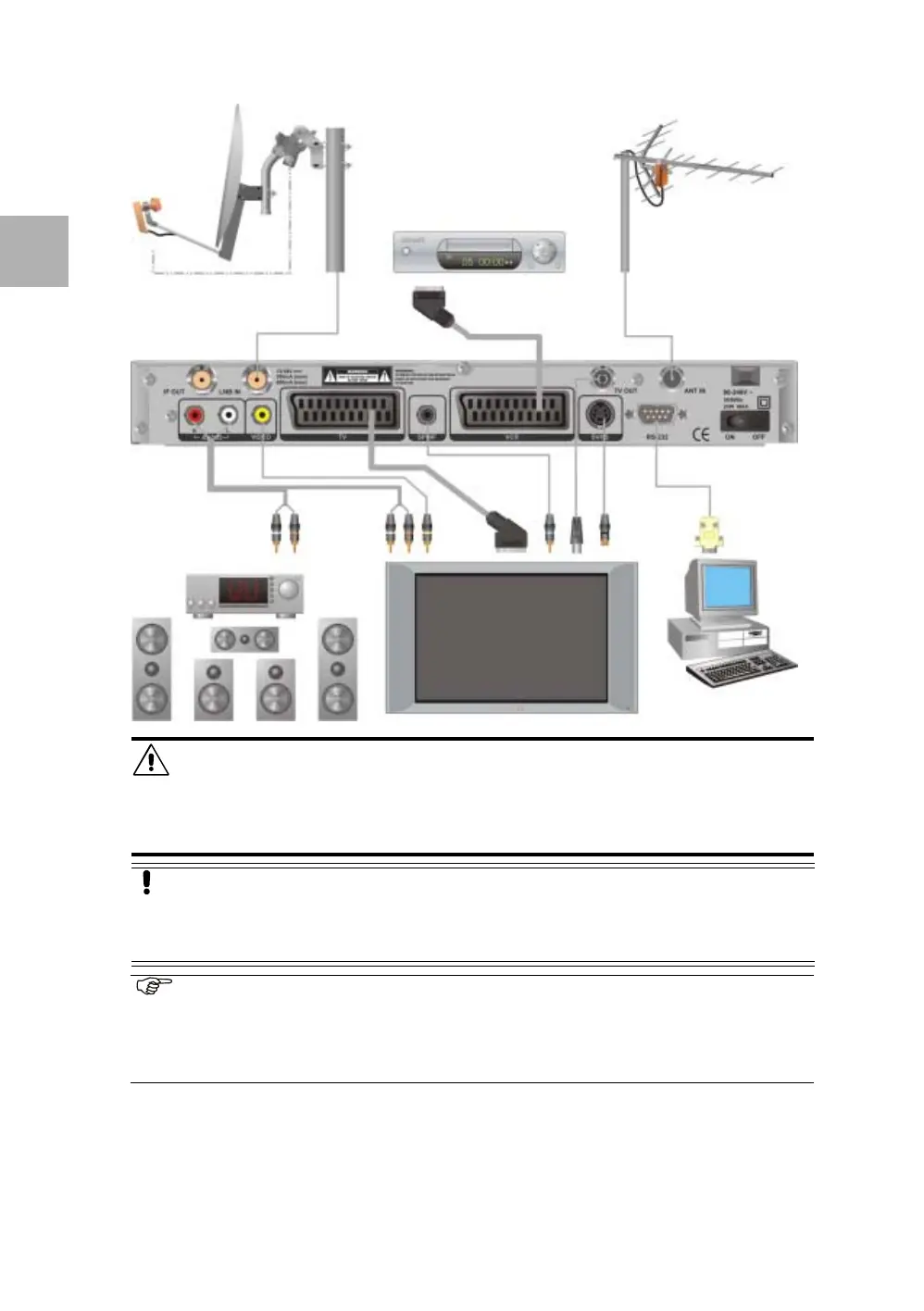
3. TO INSTALL THE RECEIVER
3.1. TO SET UP YOUR RECEIVER FOR THE FIRST TIME
The setup is described in the EchoStar User Interface manual that is also part of the
documentation set.
WARNING
ALL EQUIPMENT INVOLVED IN THE INSTALLATION TASK MUST BE INSTALLED CORRECTLY AND
SWITCHED OFF. MAKE SURE THAT IT IS SAFE TO PROCEED WITH THE INSTALLATION TASK.
UNSAFE CIRCUITS AND INSTALLATIONS CAN CAUSE (SERIOUS) INJURY OR DAMAGE TO
EQUIPMENT.
CAUTION
Tighten the F-connectors only by hand. Do not use any tools. You will damage the
connector pins if you overtighten the connector. This will result in loss of signal quality,
or even total loss of reception.
NOTE
For receivers that are connected with an UHF cable, make sure that the TV is set to
UHF channel 38 (607.25Mhz). If the channel number on the TV and receiver are not
the same, you will have a distorted or no image at all.
For more information, please refer to the user manual of the TV.











 To Next Page