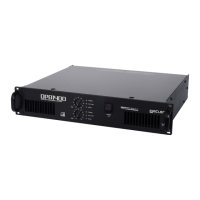
50-0269-0105 CA120 FR
CA-NET RS-232 Remote Control Protocol
Updated for CA40, CA120, CA120HZ, CA200z, DAM514 and DAM614
JANUARY 2016
The built-in RS-232 port in the rear panel of the CA and DAM series devices allows for an
external device communication via a serial connection. This kind of connection uses a
syntax which is very similar to the one used in the Ecler TP-NET protocol: it lets a client
device get from and/or set the values of several parameters of a CA / DAM device (for
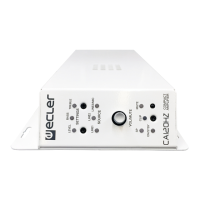
instance, the CA40, CA120, CA120HZ or CA200z digital amplifiers or the DAM514 /
DAM614 audio digital mixers), like volumes, mutes, equalisation tones, etc.
The RS-232 serial communication must fulfil the following specifications:
Baud rate: 9600 (fixed, no auto-negotiation)
Data bits: 8
Parity: None
Stop bits: 1
Flow control: None
It’s not allowed to have more than one simultaneous access from several clients to the
same CA / DAM device using the RS232 connection.
The protocol is simple and direct, syntax-friendly, making it easy to read, write and modify
the generated code. It is based on messages with no begin delimiter: each message is self-
delimited by the RS232 packet size, which is defined with a maximum of 80 ASCII
characters, and always including the character LF (0x0A) at the end of each message. All
the messages must be written in CAPITAL LETTERS.
To let some control systems (like EXTRON®, CRESTRON®, AMX®, RTI®, VITY®, MEDIALON®,
etc.) process the messages more easily, the CA / DAM device adds the character LF (0x0A)
at the end of each message it sends. This way the client of the CA / DAM device can buffer
the received messages to process them, when required. The CA / DAM device can also
handle several messages received in a single RS232 packet by using the LF delimiter.
The available messages are built with one or more fields separated with blank spaces (
= blank space):
<TYPE> [PARAM1] [PARAM2] [PARAM3] [PARAM4][LF]
The first field (TYPE) defines the message type and then, the required parameters for it
(each kind of message requires a given number of parameters). The field TYPE can have
these values:


 To Next Page