9
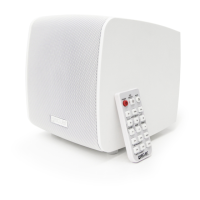
7.2.2. Remote control
(Only applies to the eMOTUS5PB model)
º
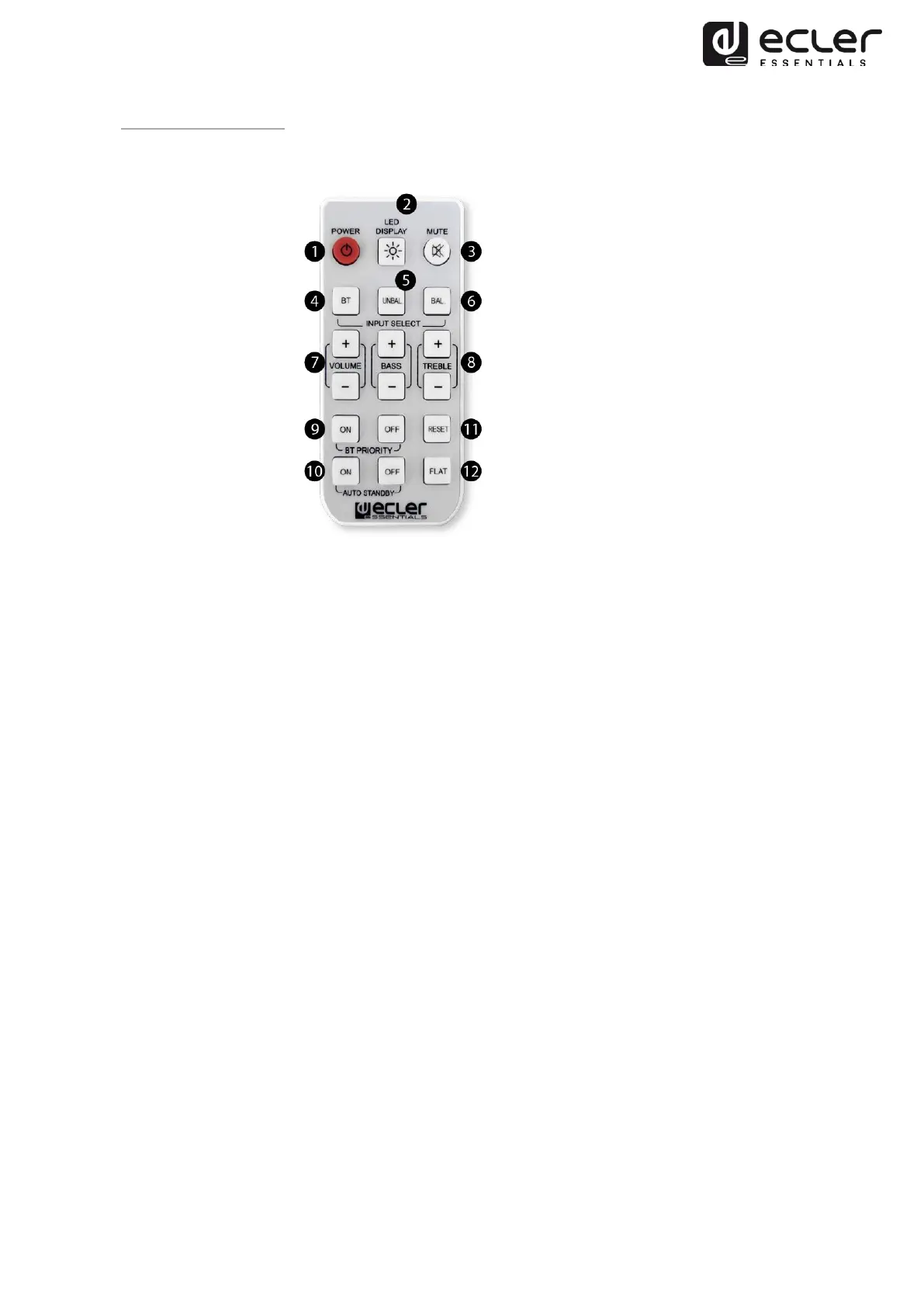
1. Turn on: on/off. The green LED display lights up when the unit is on. When off,
no LED is displayed.
2. LED display: turn on/off the LEDs while the unit is operating. When restarting
the unit, this function returns to its default value: LEDs on.
3. MUTE. The red LED blinks on and off when the unit is muted.
4. BT: wireless connection. The blue LED light turns on when there is a BT
connection by pressing the BT key.
5. UNBAL: select the stereo unbalanced RCA input as the audio input source.
6. BAL: select the stereo balanced Euroblock input as the audio input source.
7. Volume: increase/decrease the volume in 1 step (range available in 0-36 steps).
This only operates when the unit is on.
8. Bass & Treble: increases/decreases by 1 dB (range available of -7 to +7dB) in
bass/treble.
9. BT priority: if priority is activated, whenever it detects a wireless connection
available, this will take priority over the other audio inputs and will automatically
switch over to this.
10. Auto Standby: keep pressed (for 2 secs.) to activate/deactivate the auto standby
function. If this is activated, after 2`30” with no audio in the inputs and if the
remote controlled is not used, the unit will switch to standby mode.
11. Reset: keep pressed (for 2 secs.) to reset the system to its default values: BT
priority ON, volume = 30 bass; treble = 0.
12. Flat: keep pressed (for 2 secs.) to reset the system to its default equalizer values:
bass = 0; treble = 0.


 To Next Page