38
5. How to switch the audio source (mode)
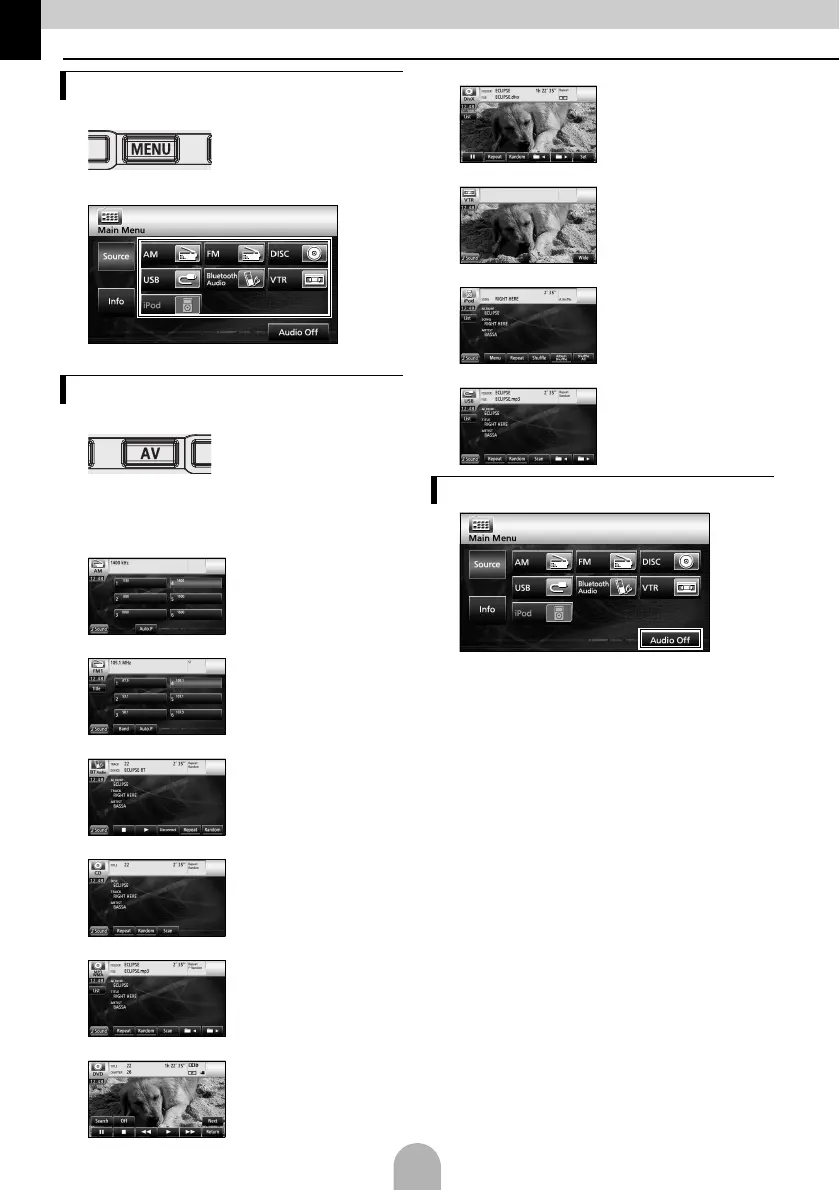
aPress [MENU].
bSelect the desired audio mode.
● The mode switches to the selected audio mode.
aPress [AV].
● The operation screen will appear.
■ Operation screens list
AM radio
FM radio
Bluetooth Audio
CD
MP3/WMA
DVD
DivX
VTR
iPod (optional)
USB
a
● Touch [Audio off] again to restart the broadcast
station reception, song playback, or video
playback from before the audio mode was
stopped.
Switching the audio mode
Displaying operation screens
Stopping the audio mode



 To Next Page