47
English
12. Setting sound quality
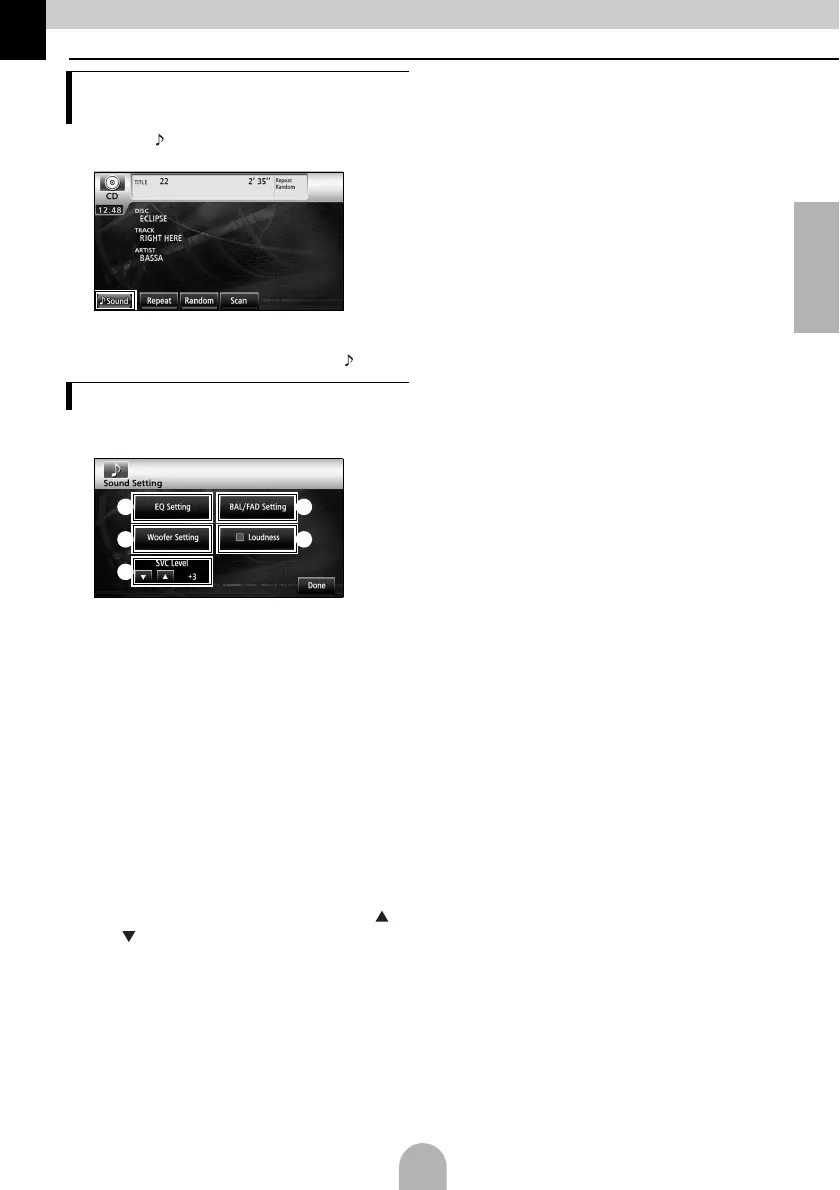
aTouch [ Sound] on one of the audio
operation screens.
● The sound quality settings screen will appear.
● Touch [Next] and then [Set] (in DVD mode) or
touch [Set] (in DivX mode) to display [ Sound].
aTouch the sound quality setting item you
want to adjust.
a [EQ Setting]:
The bass, mid, and treble sound quality
can be adjusted as desired. The
previously set sound quality can also be
adjusted.
b [BAL/FAD Setting]:
The set position for front-to-back, right-to-
left volume balance can be adjusted.
c [Woofer Setting]:
When a sub-woofer is connected, the
preferred output level for the audio can be
set.
d [Loudness]:
Audio can be modulated to correct for
insufficient low and high sounds when
listening at low volume.
e SVC (Source Volume Control) level [ ]/
[]:
Adjusts different volume levels for each
audio mode. Selection (adjustment) is not
possible in the FM mode.
f [Done]:
To exit me nu.
Displaying the sound quality
settings screen
Setting the sound quality
a
c
e
b
d



 To Next Page