44
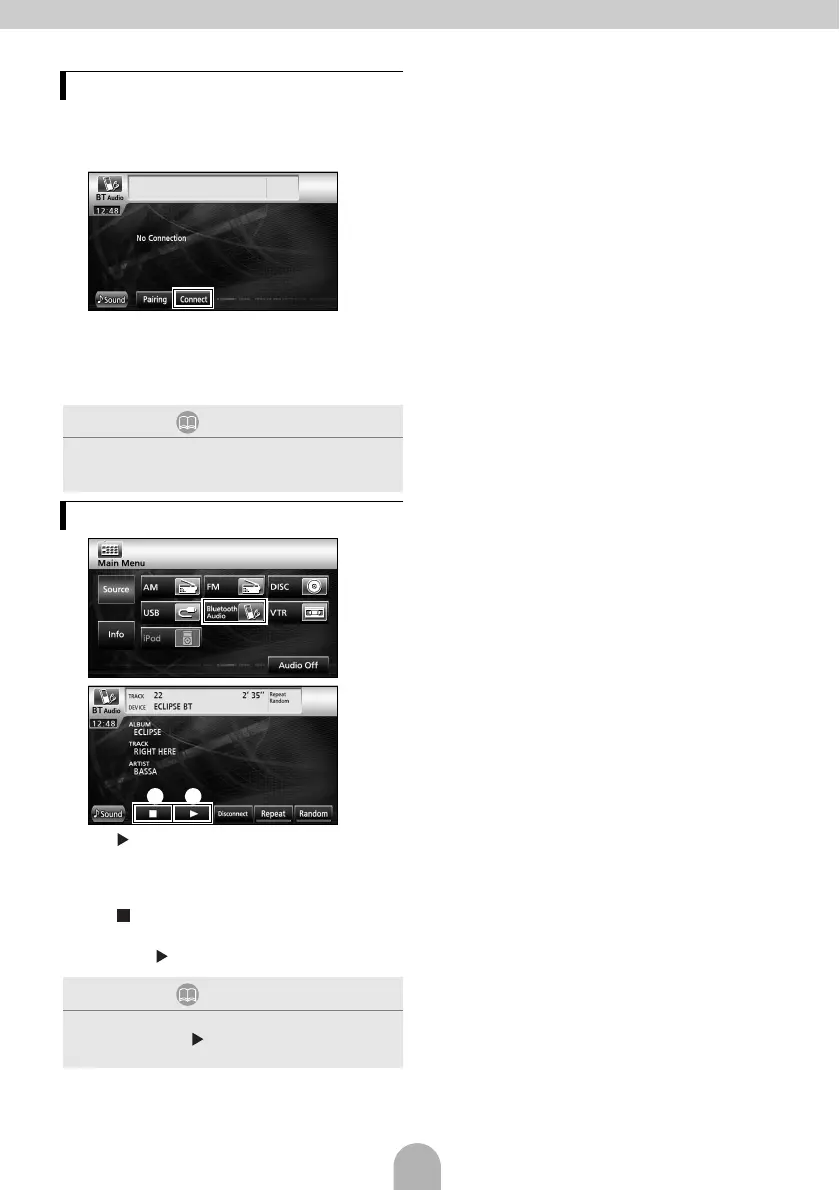
A portable device registered in the main unit
can be connected.
aTouch [Connect].
bWhen the registration has been completed,
a message will appear on the display.
● The portable device is now connected to the
main unit.
a
b
a []:
Touch to start playback.
• The connected portable device starts to play
music.
b []:
Touch to stop playback.
• Press [ ] to restart playback.
Connecting the portable device
ATTENTION
If the registration is not successful, a message will
appear on the display. When this happens, perform
the registration procedure again.
Listening to the portable device
ATTENTION
If the portable device does not start playing, even after
you have touched [ ], press the Play button on the
portable device.
ab



 To Next Page