13
10.3 USING POWER INDICATOR
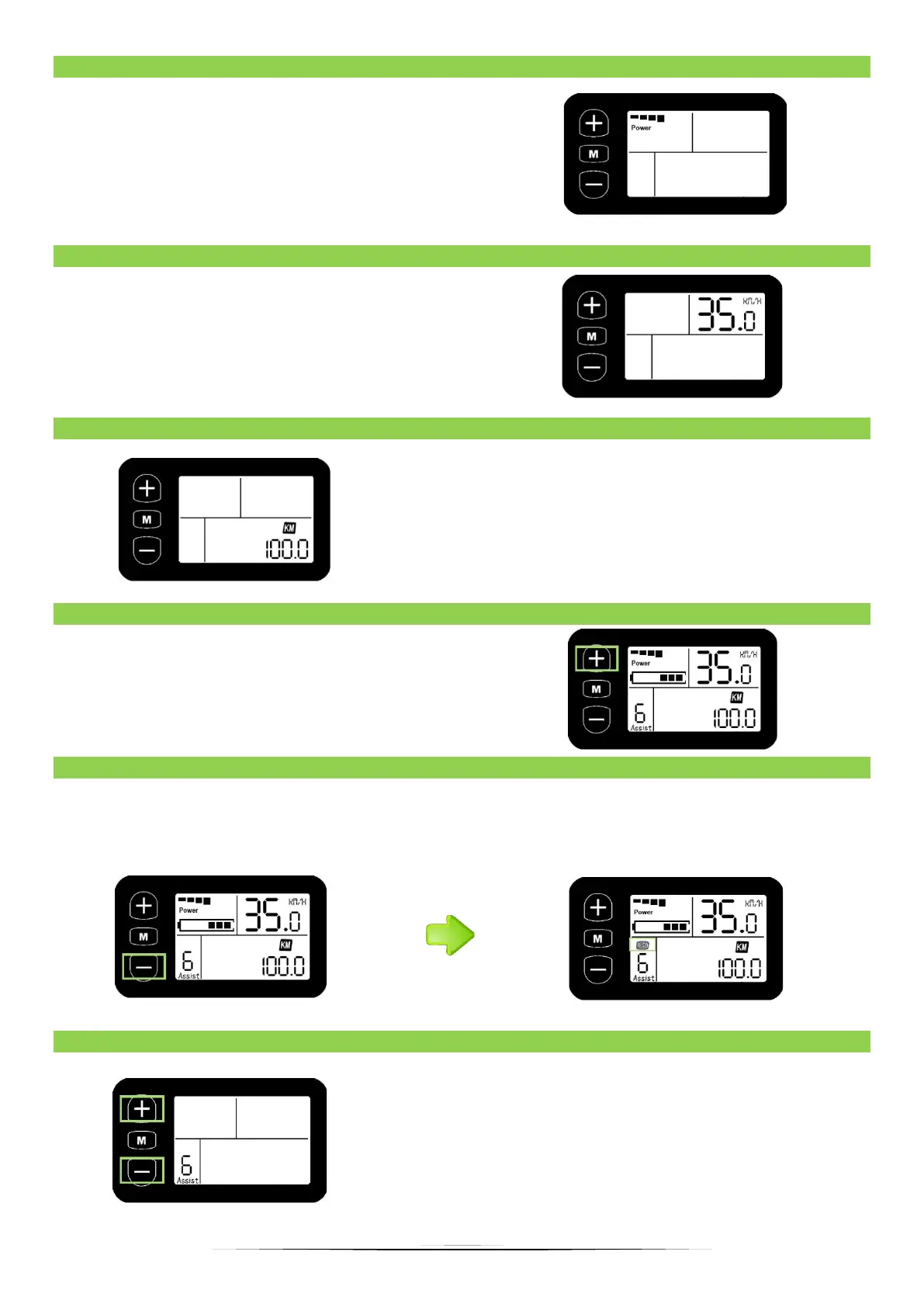
Indicator of current discharging of batteries,
each segment is 2A, six segments are > = 12A. All
lighting segments mean the work of the engine
itself, which results in faster battery discharge,
the fewer segments displayed, the more we
support the bike and the battery is enough to
drive a longer distance.
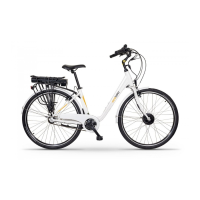
The speed indicator displays the current
cycling speed.
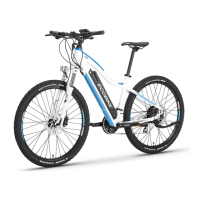
KMH / MPH shows the speed and distance
depending on the selection of the unit. At KM / H,
speed and distance are displayed in kilometers,
while MPH displays speed and distance in miles -
the display shows the selected unit.
10.6 DISPLAY BACKLIGHT AND LIGHT (OPTIONAL)
When the LCD is turned on, press and hold the
"+" button for 3 seconds to turn on the display
backlight. If the bike is factory-equipped with a
lamp, it will also light up. Repeat this step to turn
off the backlight.
10.7 WALK ASSISTANCE
Hold down the minus button for 3 seconds to enter the "walk assist" mode, then e-bike will
drive automatically at a speed of 6km / h, thus the icon will appear as in the picture below.
The support will be automatically stopped after moving the hand.
10.8 SELECT THE ASSISTANCE MODE
By clicking minus or plus, set the assistance mode
from 1 to 6, where 1 means low power, while 6
means maximum. Each mode supports up to the
appropriate speed, the higher the mode, the
stronger the support.


 To Next Page