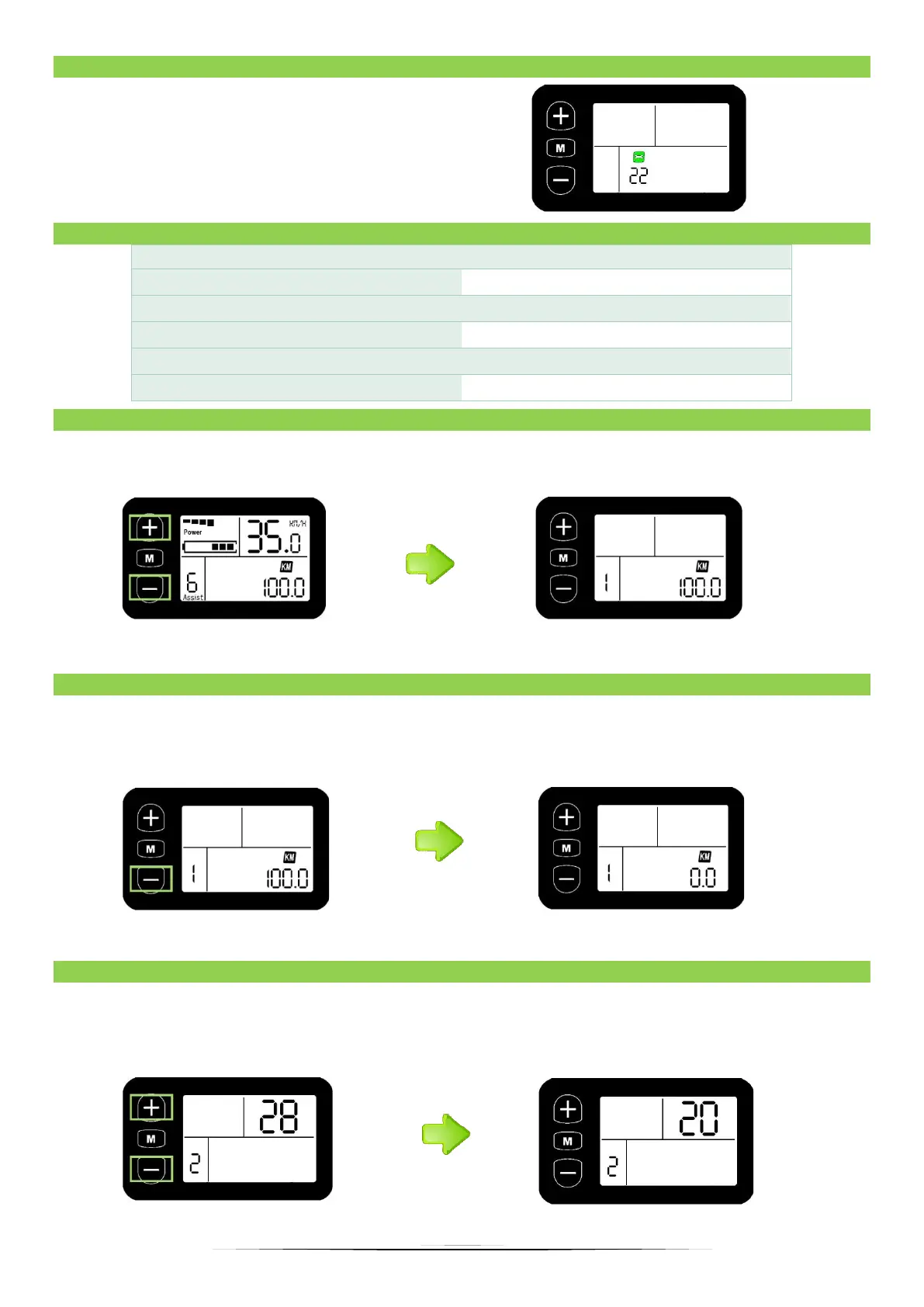
If an error appears on the display (icon with
number and key, as in the picture below),
check in the code table what an error
means and contact your dealer to fix the
fault - The code table is in item 10.10.
10.11 SETTINGS
With the display turned on, hold down the minus and plus simultaneously for 3 seconds to
enter the main settings menu.
By clicking the M button you go to the next setting. Lack of any action will exit the MENU.
10.12 RESET DATA
Follow steps 10.11 to go to the settings menu, then by clicking "M" go to the "1" setting - in
this setting you can delete the distance traveled. If you want to delete the distance of the
traveled route, press the "minus" button.
*Press “plus” and “minus” at the same time to save.
10.13 WHEEL SIZE SETTINGS
W Follow steps 10.11 to go to the settings menu, then click the M button to go to the "2"
setting. Select the exact diameter of the circle using the minus and plus buttons to ensure
accurate display of speed and mileage.
* Press “plus” and “minus” at the same time to save.


 To Next Page