ECT Install and User Guide
Feb 2023
25 of 61
ECOER INC.
Manufacturer reserves the right to change specifications or designs without notice.
Humidity setting function
1. When the indoor unit sending wire controller has dual control
function of temperature and humidity, in dehumidification mode,
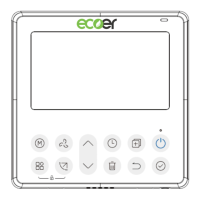
press the function key to select the RH icon, press the confirm key to
enter the humidity control mode, the RH icon flashes, press the up
and down keys to adjust the humidity, the setting range is OFF-
>35%~85%, adjusted with 5% humidity. Exit humidity adjustment
state after 5 seconds of inactivity.
2. After entering the humidity control mode, press the up and down
keys to adjust the set temperature and display the set temperature
for 5 seconds, and then restore the set humidity display.
3. After switching the mode, exit the humidity control mode.


 To Next Page