ECT Install and User Guide
Feb 2023
27 of 61
ECOER INC.
Manufacturer reserves the right to change specifications or designs without notice.
Rotation & Back-up indication
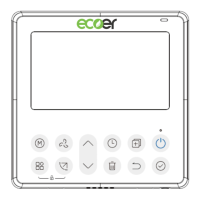
When there are two units, press the button to select the rotating function,
and press “Confirm” to turn on or off the rotating function.
1. Press “Confirm” to set the rotating time, then press the button “ ” or
2. “ ” to set time. Setting time Range :1~99h,the default time is 10
ho
urs.
2. Step 2 set high temperature co-o
pen temperature -- or 26~32 degrees
-- that is, this function is invalid. When the ambient temperature is
26~32 degrees, when the ambient temperature is greater than or
equal to the set temperature, the two machines will run 24 degrees at
the same time in the COOL mode.
3. Step 3 set the low-temperature co-open temperature -- or 5-15
degrees -- that is, this function is invalid. When the ambient
temperature is 5-15 degrees, when the ambient temperature is lower
than the set temperature, the two units will run at the same time for
24 degrees to make the heating mode.
4. Step 4: set which machine will run first. Select A or B.
5. After this function is turned on, as long as the air conditioner is
running at the setting hour, it will automatically turn on another air
conditioner and turn off the current air conditioner. Press the POWER
button to switch to another one immediately. A or B icons flicker to
indicate the corresponding air conditioning failure. Automatically
switch to another machine when running time is reached or machine
failure occurs.


 To Next Page