ECT Install and User Guide
Feb 2023
29 of 61
ECOER INC.
Manufacturer reserves the right to change specifications or designs without notice.
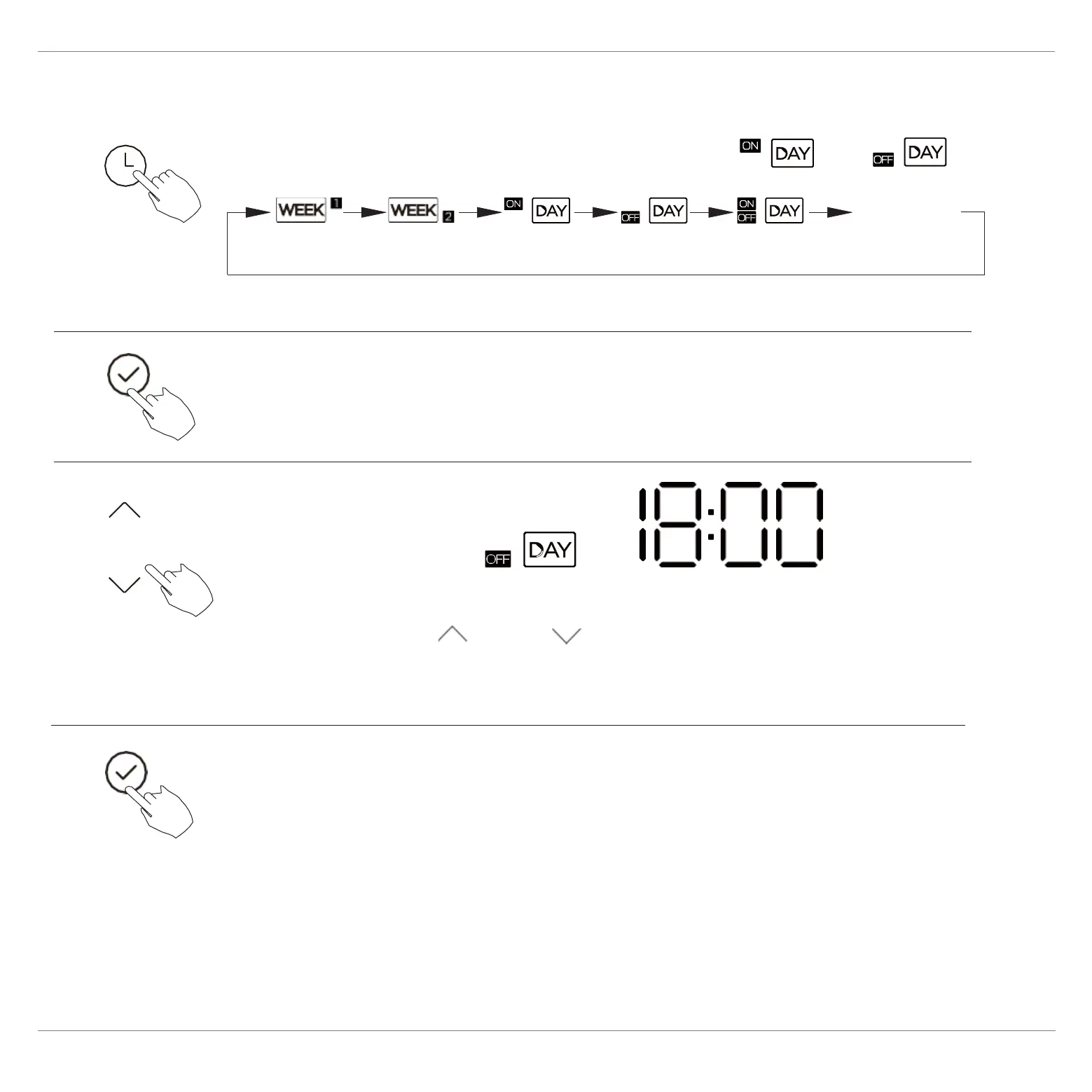
To set the On or Off TIMER
.
No display
1
2
Press the Confirm button and the Timer display is flashing.
Press the Confirm button again to finish the settings.
3
ex. Off timer set at 18:00
Press the button “ ” or “ ” to set the time.
After the time is set, the timer will start or stop automatically.
4
Press the Timer button to select the or


 To Next Page