ECT Install and User Guide
Feb 2023
42 of 61
ECOER INC.
Manufacturer reserves the right to change specifications or designs without notice.
8
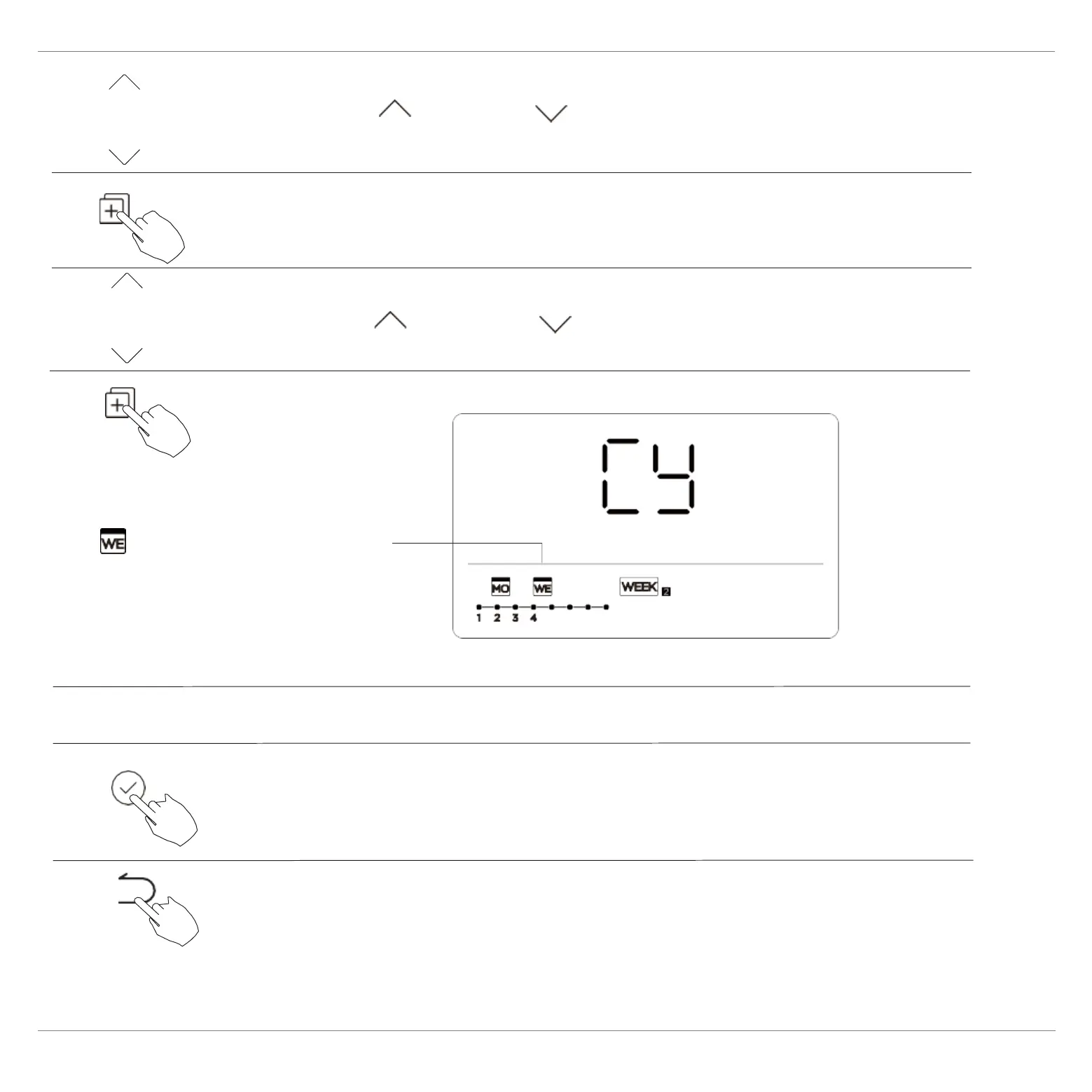
The mark flashes quickly
Press COPY, the letters CY appear on the LCD.
3
4
Press CONFIRM to confirm the settings.
Press BACK to revert to the weekly timer.
5
ex. Copy the setting of Monday toWednesday
6
7
Press “ ” or “ ” to select the day to copy to.
2
Press “ ” or “ ” to select the day to
copy from.
Other days can be copied by repeating steps 4 and 5.
Press COPY to confirm.


 To Next Page