ECT Install and User Guide
Feb 2023
41 of 61
ECOER INC.
Manufacturer reserves the right to change specifications or designs without notice.
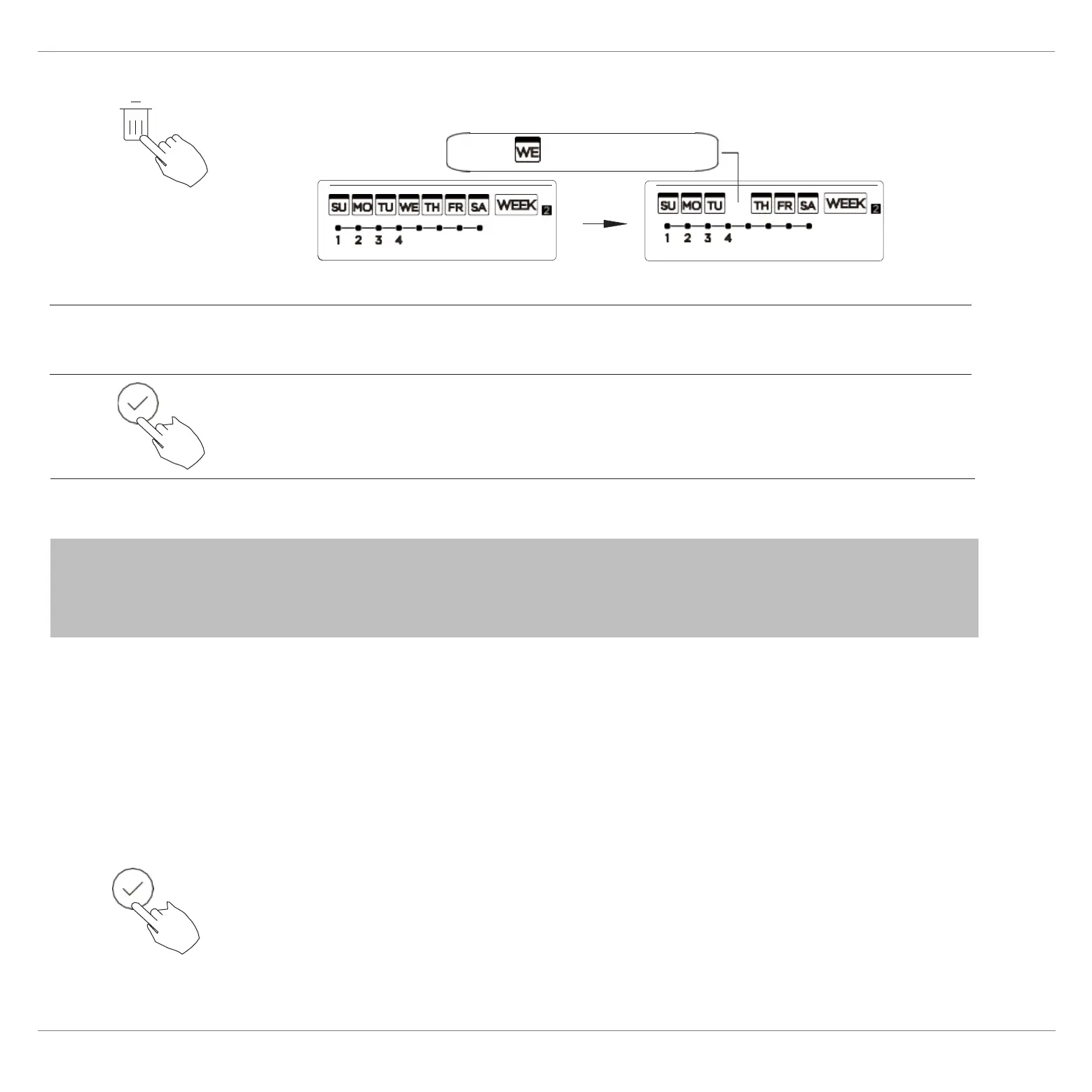
Press DAY OFF to create an off day.
The mark is hidden
Press BACK to revert to the weekly timer.
3
5
To cancel, follow the same procedures used for setup.
ex.The DAY OFF is set for Wednesday
4
Set the DAY OFF for other days by repeating the steps 2 and 3.
In the weekly timer, press CONFIRM.
1
Copy out the setting in one day into the other day.
NOTE : The DAY OFF setting is cancelled automatically after the
set day has passed.
A scheduled event, made once, can be copied to another day of
the week. The scheduled events of the selected day of the week
will be copied. The effective use of the copy mode ensures the
ease of reservation making.


 To Next Page