39
* Please note that all updated user manuals are available in our website. The last version of the manual will always
prevail.
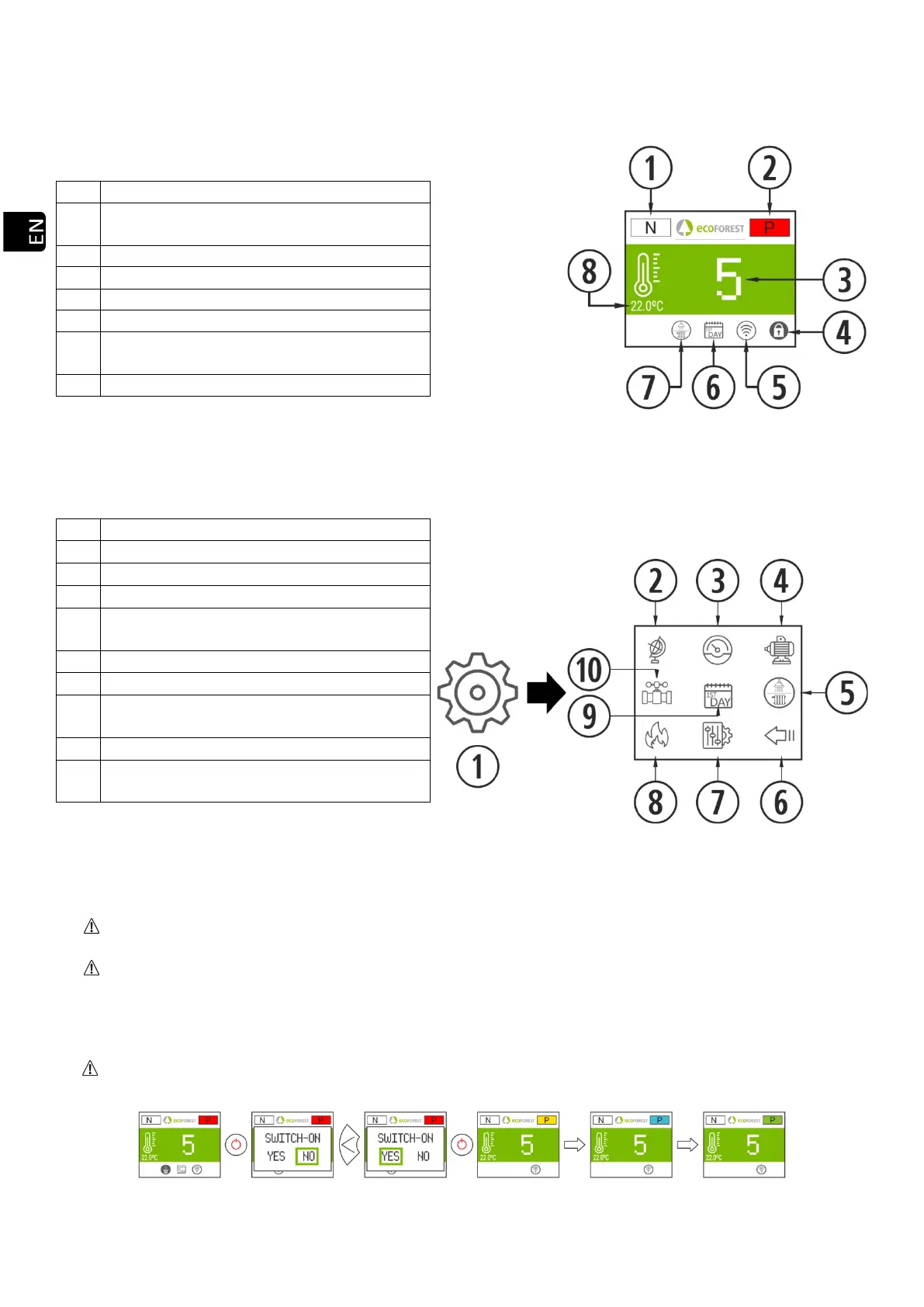
3.3. MAIN SCREEN.
Safety message. (N or Axx). Point 6
Operating mode (P or T) and status color (see
point 2).
Target power/temperature level.
Configured connectivity mode.
Hot Water / Heating mode. (WATER
MODELS).
Drawing 4
3.4. SETTINGS MENU.
Drawing 5
3.5 PLEASE BEWARE THAT…
Changes made while using or configuring the stove can be simultaneously done using the keyboard and any
WiFi device connected to the unit. Regardless of the means used, the last change made will prevail.
Some configurations can only be carried out using a WiFi connection. They must be performed by authorized
personnel (password-protected) while the device is off and no alarms have been programmed (status 0).
3.6. SWITCHING ON.
First switching on: Before switching on the machine, feed the auger from the S.A.T menu until the fuel drops
in the burn pot.
Drawing 6
Icon for configuration access.
Language selection (spanish by default).
Engine tests (Technical Serv.)
Selection Hot Water / Heating mode. (WATER
MODELS).
Return to previous screen.
Fuel selection. Pellet, olive pits or almond
shells (pellet by default).
Programming of calendar keypad.
Display of hydraulic diagram. (WATER
MODELS).



 To Next Page