58
CONFIGURATION STEPS BASED ON THE TYPE OF CONNECTION:
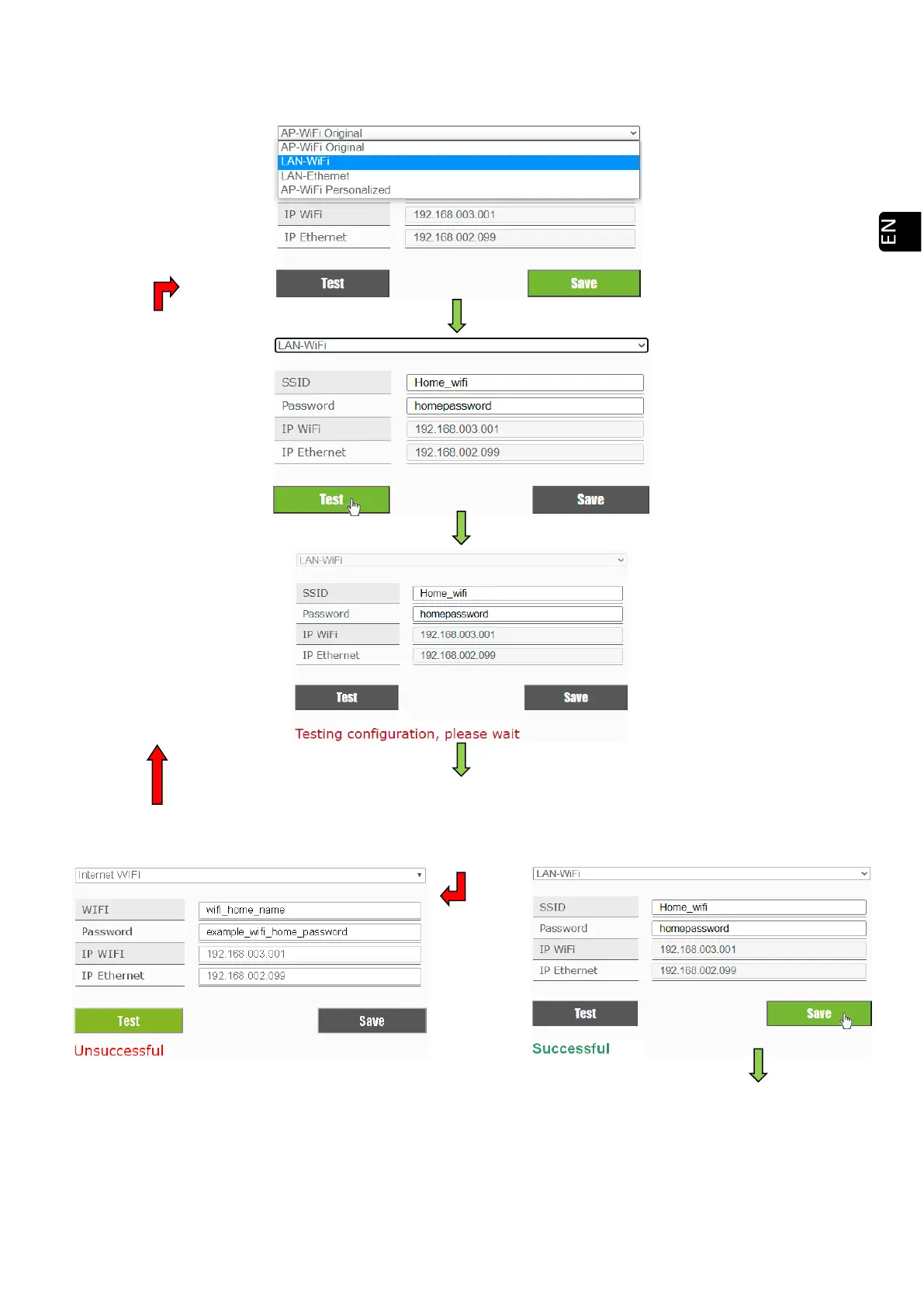
WiFi:
‘LAN-WiFi”.
Check point 5.9.4.
Fill in the corresponding
fields with the exact name of
the network and the
password of the WiFi we
want to connect.
Press 'Test'.
The Electronics (CPU) will
reboot and the WiFi signal
will disappear momentarily
.
The following messages may appear:
Communication Failure!!
Make sure you are connected to the same network as the
device, before accepting this message
Verify that we have
reconnected to the WiFi
network of the stove to
'Accept' the message
.
Accept the message:
If accepted, you must be
connected through this
router to access your stove.
Please configure your router.



 To Next Page