4. Troubleshooting
4.1. Comfort deficiencies
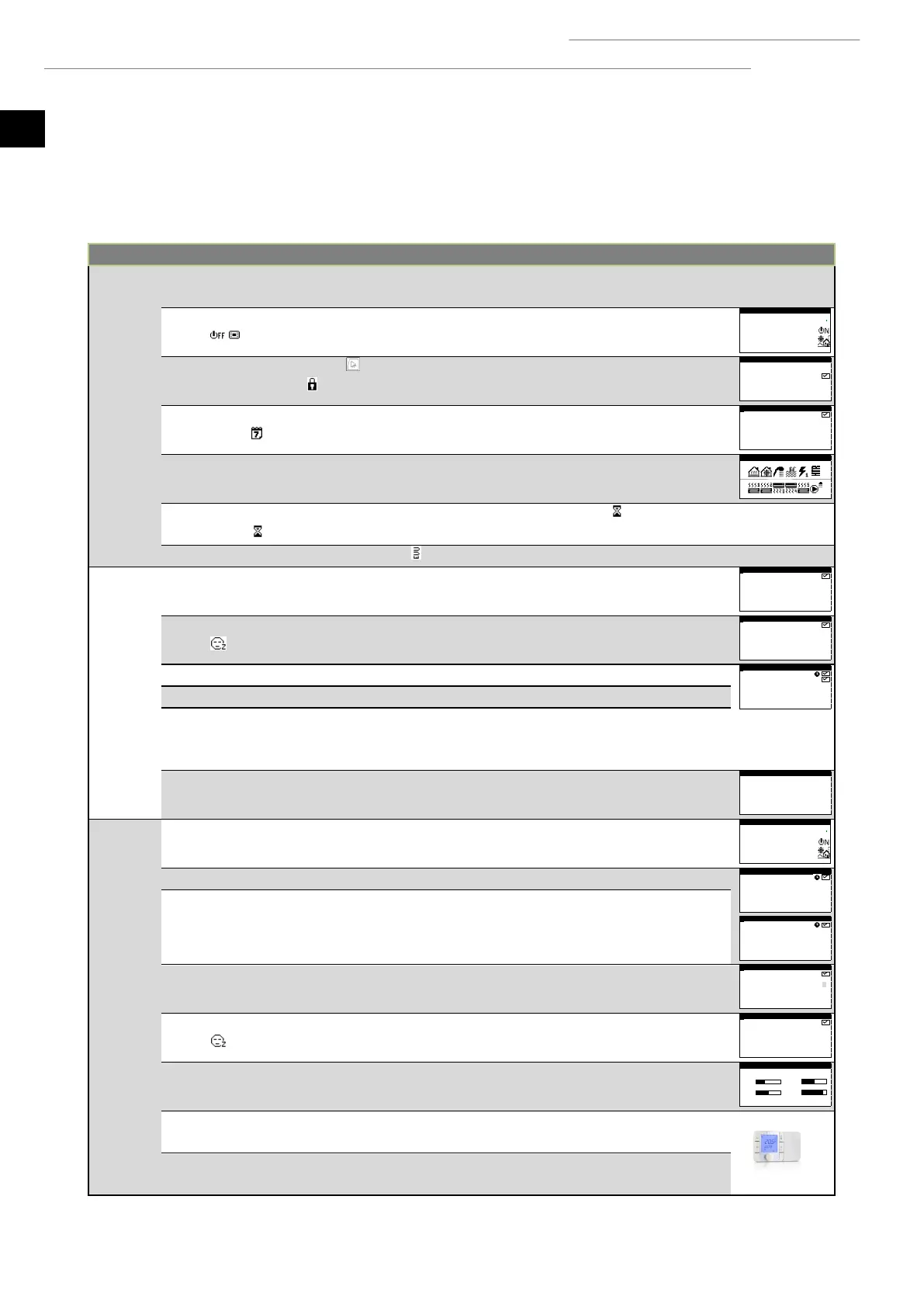
In the event of lack of comfort in any of the services, use the following table to identify the most common problems that users can
solve on their own.
The compressor does not start up
Check the circuit breaker.
The heat pump is switched off. The main screen
shows .
Block due to repeated alarms. red light stays on.
The main screen shows .
Deactivate the alarm block.
Heat pump time schedule activated. The main
screen shows .
Adjust or deactivate the time schedule of
the heat pump.
The main screen shows STAND-BY.
No service demands. Check whether there
are any active demands.
Active wait for compressor start-up. The main
screen shows xx.
Wait until the time by xx passes.
Active EVU signal. The main screen shows .
Wait until the EVU signal is deactivated.
Active DHW time schedule.
Adjust or deactivate the DHW time
schedule.
Night-time programming activated. The main screen
shows .
Adjust or deactivate the night-time
program.
DHW mode deactivated by remote control.
Deactivate DHW remote control.
DHW temperature is between the setpoint and the
differential.
Increase the setpoint temperature and/or
reduce the start-up differential
temperature
Wait 15 - 30 minutes and check DHW
temperature again.
Indoor room temperature:
low in HEATING mode
high in COOLING mode
Incorrect operation program.
Select the appropriate program.
HEATING / COOLING mode deactivated.
Activate the HEATING / COOLING mode.
Outdoor temperature high / lower than the heating
/ active cooling / passive cooling cut-off
temperature.
Adjust the heating / active cooling /
passive cooling cut-off temperature.
HEATING / COOLING time schedule activated.
Adjust or deactivate the HEATING /
COOLING time schedule.
Night-time programming activated. The main screen
shows .
Adjust or deactivate the night-time
program.
The compressor is running and reaches the target
outlet temperature.
Adjust the heating / cooling curve and
report the event to the technical service.
The heat pump does not receive demands from the
interior terminals.
Adjust the setpoint temperature of the
interior terminals.
High demand for instant heating.
Wait a few hours and then check the
indoor temperature.



 To Next Page