EasyManua.ls Logo

ECOFOREST ecogeo basic - 3.16. ALARMS Menu; Alarms; Reset Alarms; Log Alarms

ECOFOREST ecogeo basic
31 pages
Print Icon
To Next Page IconTo Next Page
To Previous Page IconTo Previous Page
Loading...
User manual ecoGEO
49
EN
Version
This shows information about the application installed in the controller.
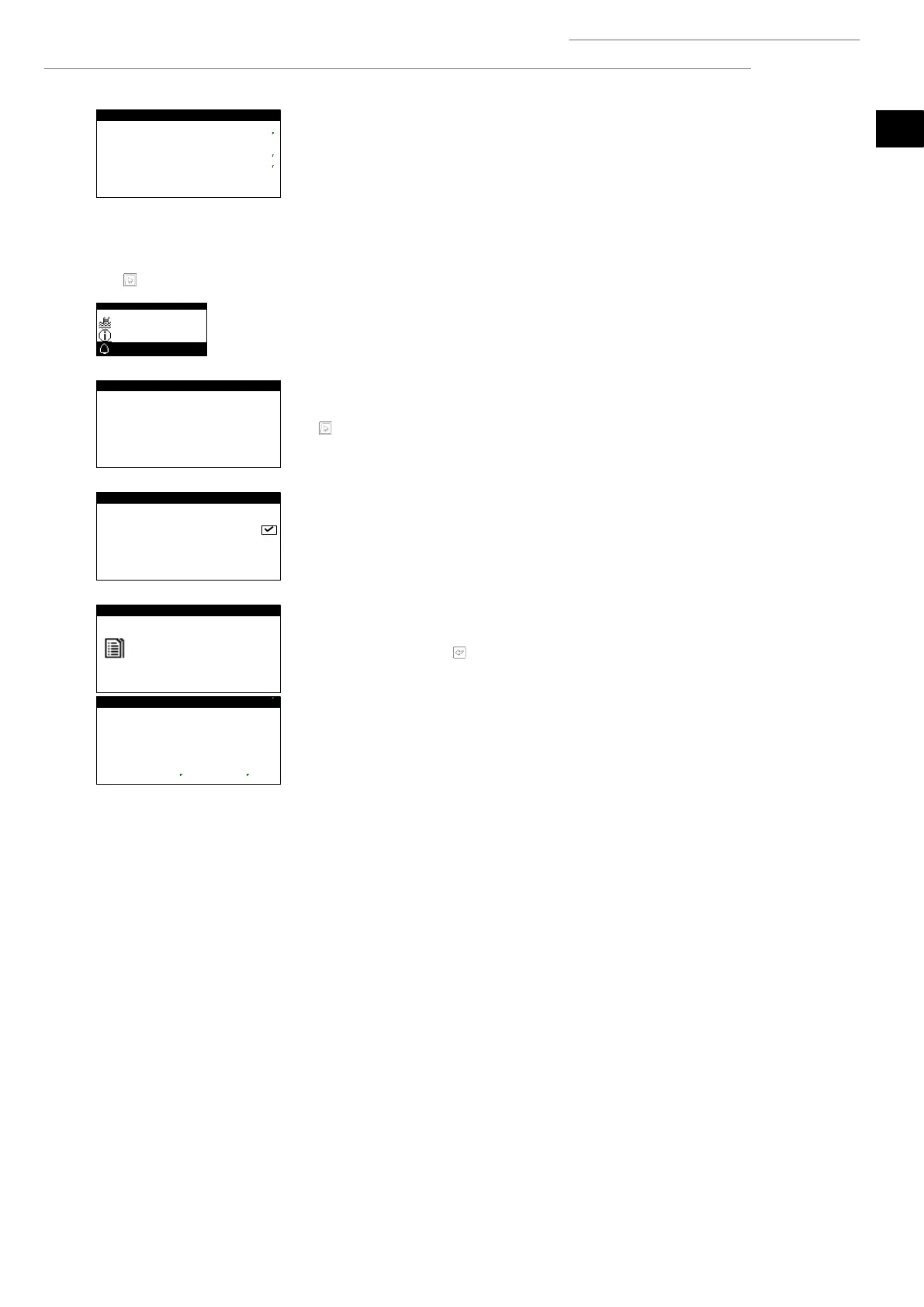
3.16. ALARMS Menu
Press for quick access to the information menu from the main screen.
Alarms
These screens display the alarms that are active and do not allow compressor start-up. The
button stays on.
Reset alarms
The heat pump is blocked and switches to EMERGENCY mode when a critical alarm goes
off more than 5 times a day. In these cases, the heat pump can be unblocked from this
screen once the problem has been solved.
Log alarms
The heat pump stores the information from the last 50 alarms.
From this screen, press to access the alarm log.
Version
Version: 5B
Date:
//5
Bios:
4
5//4
Boot:
45
4//3
Version firmw:
5
Firware version:

User menu 8/8
Pool
Information
Alarms
8/8
Alarms
Brine low pressure
eset alarms
eset alarms:
Log alarms
Press ENTE to
view LOG ALAMS
N
3:4
//4
Brine low pressure
Evap ond
Out:
 

In:  

P:  
bar
%:   %
ode:
58

Other manuals for ECOFOREST ecogeo basic

Related product manuals