The following instructions refer the retrofitting of the USB cable on the Turbo Smart
Twin II. The process is analogue to the retrofitting on the Ecoplus PDRX described
above.
Installation Guide (continued)
For installing the retrofitting kit, opening the Turbo Smart Twin II housing is necessary. Please
also refer to the safety instructions outlined in the respective manual.
Ecolab Engineering | Institutional Division
02/2023 | p. 4
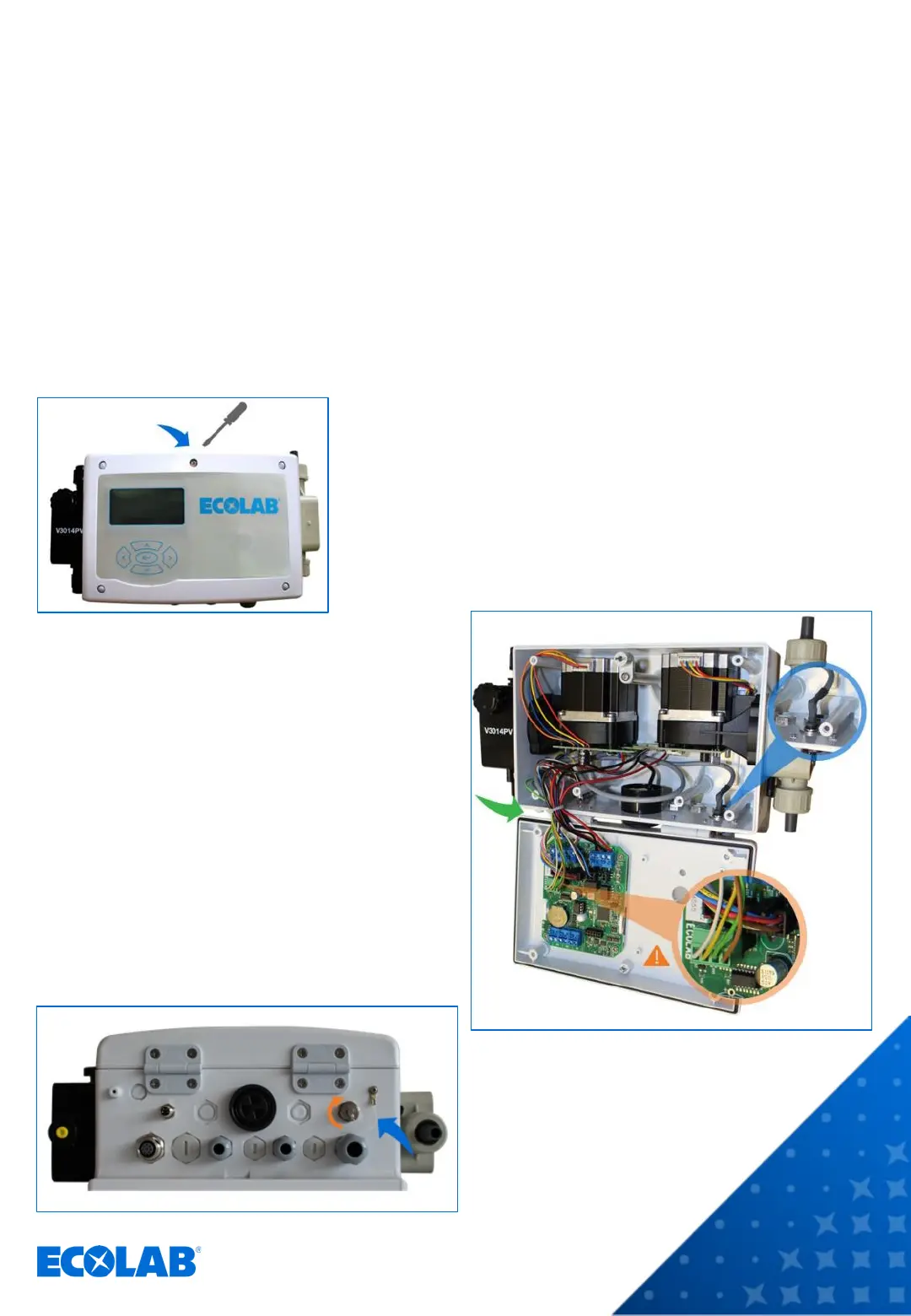
1 Open the Turbo Smart Twin II housing by loosening the
screw in the middle of the front cover.
2 Open the front cover.
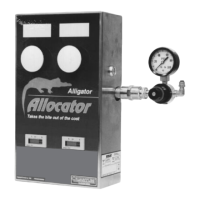
3 Insert the flange socket into the hole of the rear part of
the housing and fasten it from the outside with the
locknut. Note: For the Turbo Smart Twin II (or the EXN-
II), you do not need the anti-rotation device.
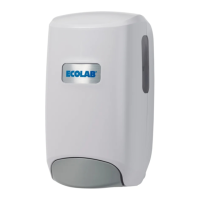
4 Run the cable inside the housing to the
other side, loosen the cable tie holding the
other wires, bundle the wires together with
those of the USB cable and renew the cable
tie.
5 Insert the wires of the USB cable into the
green – already pre-mounted – female
connector on the PCB. Please observe the
illustrated color assignment of the wires.
6 Close the Turbo Smart Twin II housing by
tightening the screw in the middle of the
front cover.
7 Attach the cover flap to the housing, insert
it into the flange socket and screw it tight.
INTERNAL USE ONLY
The connector slots are numbered.
The color assignment is:
1 = WH (white)
2 = YE (yellow)
3 = GN (green)
4 = BN (brown)


 To Previous Page