Need help?
Do you have a question about the Ecolab Nexa and is the answer not in the manual?
Details items included in the package and initial unpacking steps.
Instructions on how to open the dispenser cover using the release button.
Guidelines for mounting TF dispensers, including height and water avoidance.
Step-by-step guide for securely mounting the dispenser using screws and tape.
Procedure for installing batteries in touch-free dispensers to activate the device.
Steps for safely removing and replacing batteries in touch-free dispensers.
Explanation of the LED indicator lights and their meanings for dispenser status.
Guide on how to correctly install and remove product bottles from the dispenser.
Recommendations for cleaning the dispenser exterior with mild detergents.
Instructions on how to switch between low and high dosing amounts for the dispenser.
How to attach and secure the optional drip tray to the dispenser.
Information on using the optional lock and key kit to secure the dispenser.
How to replace the dispenser's nameplate or badge.
Instructions for installing the optional mounting frame to cover wall damage.
Steps for replacing the push bar on manual dispenser models.
Information on how long it takes to install the unit.
Details on whether units come with batteries and their estimated lifespan.
Information on what types of products (foam, liquid, gel) the unit can dispense.
Explains compatibility of competitor products and Nexa cartridges.
Details on dispense volume per use and total uses per cartridge.
How to check the product level in the dispenser.
Guidance on recognizing when dispenser batteries need replacement.
How to check the product expiration date without opening the dispenser.
Methods to prevent tampering or theft of the dispenser.
Information on whether the dispenser color will fade or yellow over time.
Details on available customization options for the dispenser.
Information on the different color options available for the dispensers.
Reasons for avoiding aerosol/oxygen products near TF dispensers.
How to mount touch-free dispensers on existing Next Gen stands.
Information on ordering products for 750ml and 1250ml dispensers.
Confirmation of ADA compliance and installation height requirements.
How to identify the type of product inside the dispenser via badges.
Specifications for compact and classic dispenser dimensions.
Information on finding serial numbers and date codes for dispenser identification.
Solutions for receiving the wrong dispenser size, color, or style.
Troubleshooting steps if the dispenser detaches from the wall.
Diagnosing TF dispensers that make noise but do not dispense.
Troubleshooting TF dispensers that are silent and not dispensing.
Solutions for a non-functional dispenser indicator light.
Addressing issues where the manual dispenser fails to operate.
Solutions for when the dispenser output volume seems insufficient.
Troubleshooting issues preventing the dispenser cover from closing properly.
Steps to take if the dispenser cannot be opened.
Solutions for a drip tray that repeatedly detaches.
Guidance on correctly fitting the drip tray into the dispenser.
Addressing squeaking noises from the touch-free dispenser.
Solutions for a dispenser cover that detaches or hinges fail.
How to unscrew stuck thumbscrews on the dispenser.
Issues related to mounting the dispenser on a sanitizer stand.
Clearing clogs in the dispenser pump.
Advice for a scuffed pump collar.
Troubleshooting and resolving issues with leaking product bottles.
What to do if the product bottle label is missing.
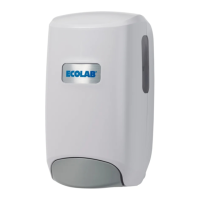
The Nexa™ dispenser is a versatile and user-friendly device designed for dispensing various hand hygiene products, including foams, liquids, and gels. It is available in both touch-free (TF) and manual versions, and comes in classic (1250 mL) and compact (750 mL) sizes, with color options of white and black, as well as a premium metallic version for touch-free models.
The primary function of the Nexa™ dispenser is to provide a controlled dose of hand hygiene product. The touch-free models utilize a sensor to detect a hand and automatically dispense product, while manual models require the user to push a bar.
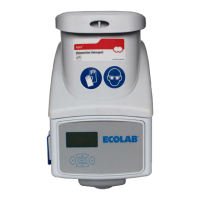
Touch-Free Dispenser Operation: Upon receiving power, the device will flash green once every 0.5 seconds for up to 5 seconds. A single green flash indicates a dispense has occurred. The dispenser features an LED status indicator (located on the lower left side visible through the cover) to communicate its operational status.
Manual Dispenser Operation: Manual dispensers operate by a push bar mechanism. The user pushes the bar to activate the pump and dispense product.
Product Compatibility: Nexa™ dispensers are designed to dispense foams, liquids, and gels without any modifications to the dispenser itself. Users simply need to insert the appropriate bottle for the desired product type. The 750 mL Nexa™ bottle is designed to fit into both the compact (750 mL) and classic (1250 mL) dispenser sizes.
Dose Adjustment: Both touch-free and manual dispensers offer a dose adjustment feature, allowing users to switch between a low dose (~1.0 mL for liquid, ~0.7 mL for foam) and a high dose (~1.4 mL for liquid, ~1.0 mL for foam). This is achieved by removing the product bottle, pinching the two sides of the dose adjuster, flipping it 180 degrees, and reinstalling it. A vertical mark on the dose adjuster indicates the chosen dosing amount.
Lock and Key Feature: An optional lock and key kit is available to secure the dispenser, preventing tampering or theft. The lock can be inserted at the top of the backplate and rotated 180 degrees to switch between locked and unlocked configurations. When locked, a key or paperclip can be inserted into a hole on the top exterior of the backplate to open the cover.
Drip Tray: An optional drip tray can be attached to the bottom of the dispenser to catch any drips. It snaps into openings on the bottom of the dispenser and can be further secured with adhesive tape.
Installation: The dispenser is designed for easy installation and can be mounted using screws, anchors, and tape. For ADA compliance, it should be mounted between 15" and 48" off the ground. Touch-free dispensers are required to be screw-mounted to comply with UL962. The dispenser's backplate is designed to align with existing screw holes from other Ecolab and competitive dispensers.
Battery Installation and Replacement (Touch-Free Dispensers): Three "D" cell batteries (or "C" cell depending on the dispenser size) are included and pre-installed. To activate the device, simply pull and remove the battery pull tab. For battery replacement, open the front cover, unscrew two thumbscrews attaching the battery cover, remove old batteries, and insert fresh ones according to the battery orientation sticker. Ensure the battery cover is replaced and thumbscrews are fully tightened.
Product Bottle Installation and Removal: To install a product bottle, open the dispenser cover, remove the protective cap from the pump, invert the bottle, and insert it flat against the back of the dispenser with the label facing forward. The pump collar should be inserted into the pump holder. Close the cover and activate the dispenser multiple times until the pump is primed. To remove an empty bottle, open the cover, grasp the sides of the bottle, and pull straight out.
Dispenser Status Indicator (Touch-Free Dispensers): The LED indicator provides visual cues about the dispenser's status:
Nexa Light Codes (Touch-Free Dispensers):
Product Level Visibility: Sight windows on both sides of the dispenser allow users to view the product level. The dispenser will continue to dispense until no product is visible near the bottle opening.
Expiration Date Visibility: The expiration date is printed on the bottle and visible through the side windows, eliminating the need to open the dispenser.
Nameplate (Badge): The dispenser comes with a generic badge. Product-specific badges (e.g., for sanitizer, hand soap) are available by request and can be easily replaced by bending a tab on the new badge.
Mounting Frame (Optional Accessory): An optional mounting frame is available to cover existing wall damage around the dispenser. It comes in white and black for both classic and compact sizes and works with both TF and manual dispensers. The frame is taped to the dispenser using notches as a guide, making them a single unit for installation. The frame is not physically attached to the wall but is pinched between the wall and the dispenser.
Cleaning Instructions: The exterior of the dispenser can be cleaned with a non-abrasive detergent and a non-abrasive sponge or cloth.
Troubleshooting: The manual provides a comprehensive troubleshooting guide for common issues:
Antimicrobial Protection (Manual Dispensers): Nexa™ manual dispensers incorporate a registered silver additive molded into the plastic of the push bar. This additive provides a layer of antimicrobial protection to inhibit the growth of bacteria, mold, and mildew, lasting the useful lifetime of the dispenser. The silver additive is MCX 122009 with an EPA registration number of 73148-3.
UV Stabilization: White dispensers include UV stabilizer to prevent drastic color changes from UV exposure. Black dispensers have also been tested and shown not to be affected by UV.
Date Codes: While there isn't a serial number, several important date codes allow Ecolab to track dispenser information. For manual dispensers, an arrow symbol on plastic components indicates the month and year. For TF dispensers, a similar symbol is present, along with a date sticker on the Touch-Free Drive (gray) and a "tested by" and "assembled by" sticker on the backplate.
 General
| Manufacturer | Ecolab |
|---|---|
| Type | Dispenser |
| Mounting | Wall-Mounted |
| Category | Dispenser |
| Power Source | Battery |
| Compatibility | Ecolab products |
| Color | White |

 To Next Page