Installation Guide (continued)
Ecolab Engineering | Institutional Division
02/2023 | p. 3
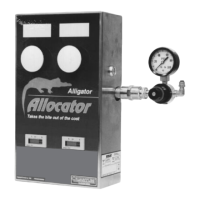
11 Insert the wires of the USB
cable into the green – already
pre-mounted – female
connector. Please observe the
illustrated color assignment of
the wires.
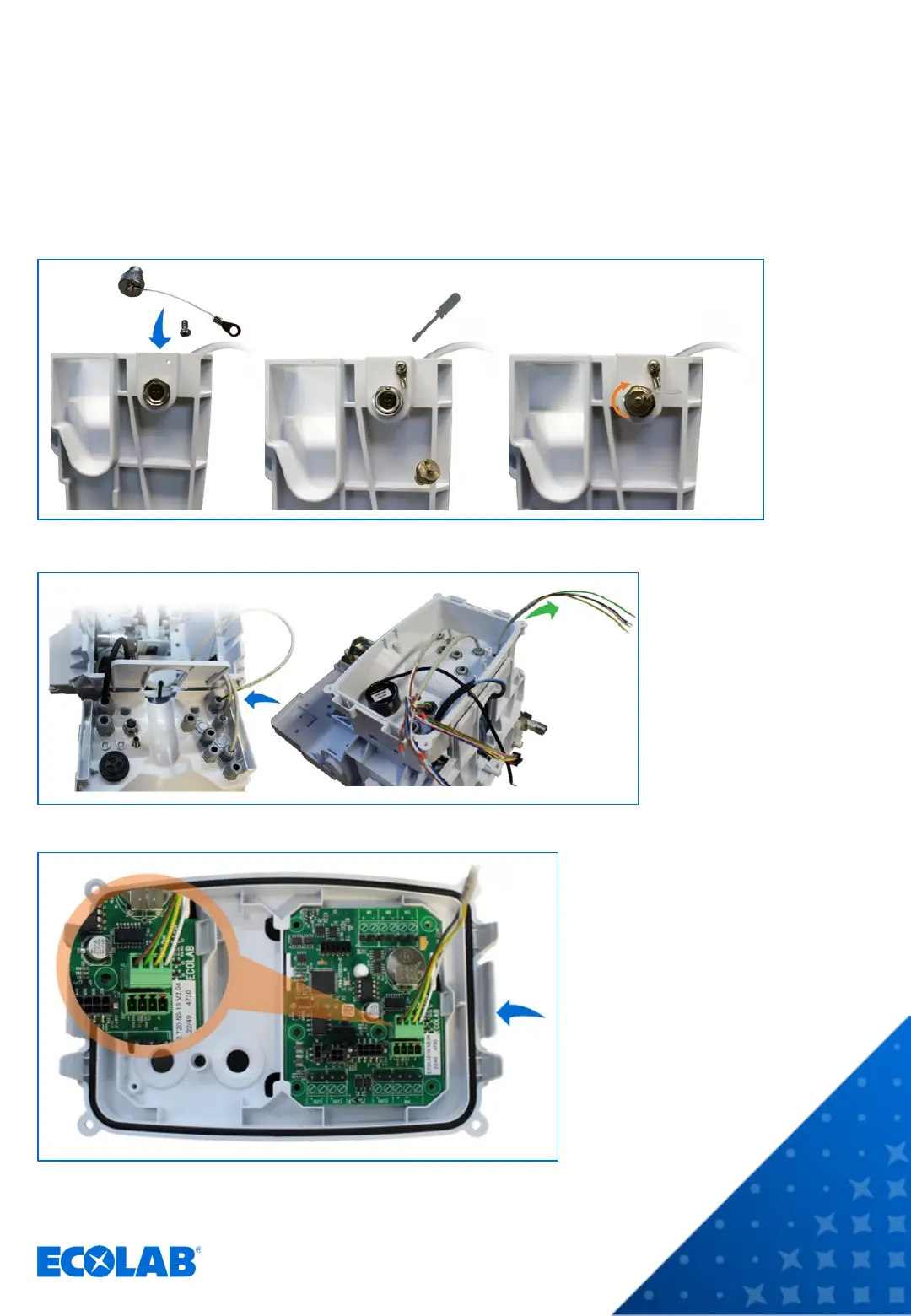
8 Attach the cover flap to the housing, insert it into the flange socket and screw it tight.
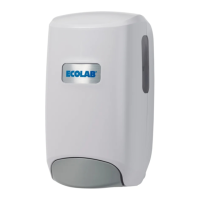
9 Guide the USB cable
through the cable
union on the bottom of
the electronics unit as
shown. Reattach the
electronics unit
housing to the rear
panel of the device.
10 Pull the USB cable up to the maximum.
INTERNAL USE ONLY
The connector slots are numbered.
The color assignment is:
1 = WH (white)
2 = YE (yellow)
3 = GN (green)
4 = BN (brown)


 To Next Page