EasyManua.ls Logo

EcoNet RETST700SYS - Weather

EcoNet RETST700SYS
69 pages
Print Icon
To Next Page IconTo Next Page
To Previous Page IconTo Previous Page
Loading...
EcoNet
®
Smart Thermostat User Guide 11> Return to Table of Contents
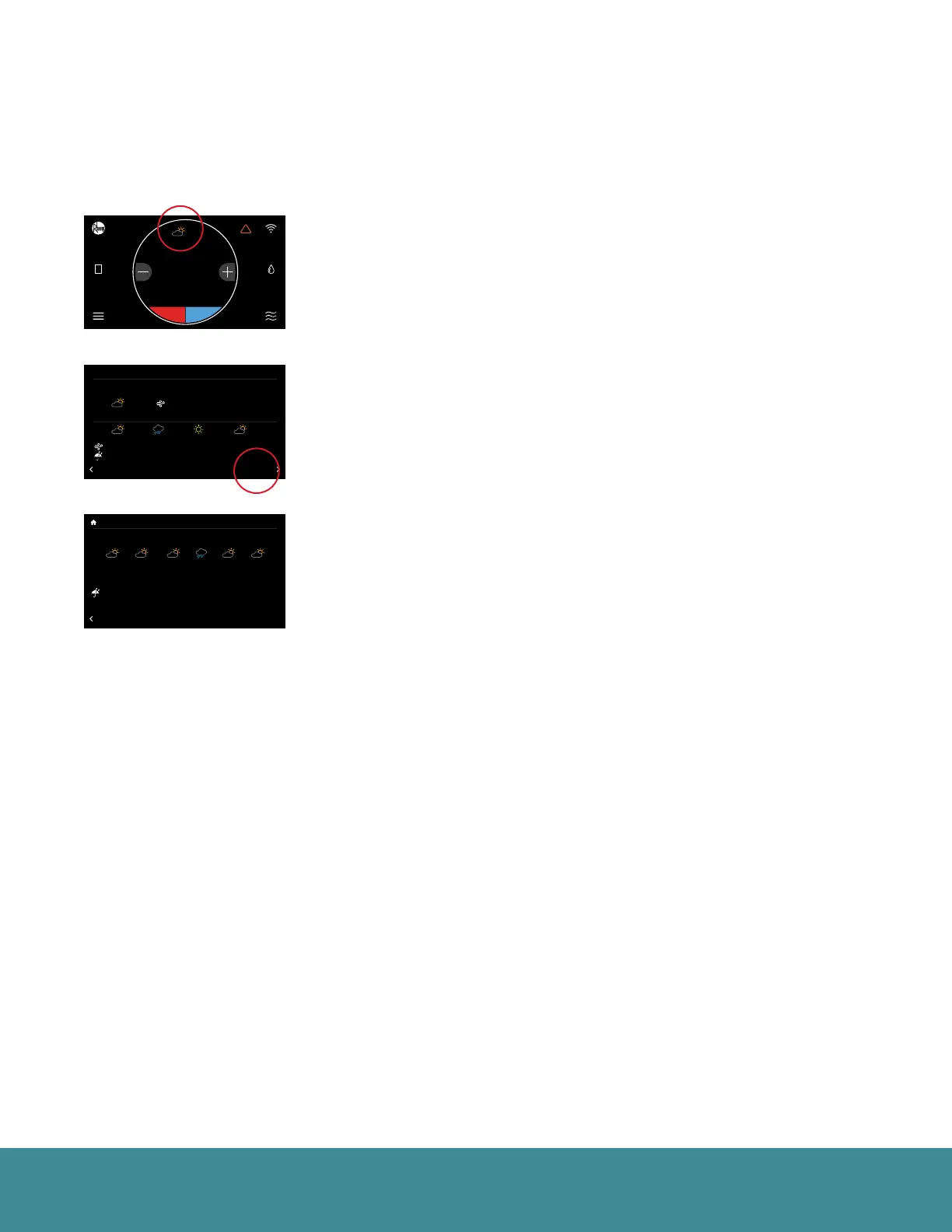
Weather
Tap the weather icon on the home screen to display local weather conditions and view the hourly and
daily forecasts. The weather will be based on the current location or ZIP code used when creating your
EcoNet account.
Current Weather Conditions
24-Hour Forecast
6-Day Forecast
71
47%
68
OFF
Dining Room
Zone 3
Away
Backlight Enabled?
Outside Temp Selection?
BACK
Basic Settings
Internet
Yes
36
UNITS
34
Group 1
Refrigeration
!
61%
72
Basement
Zone 4
85
80
Zoning System Test
T957_O Low Refrigerant Pressure
BACK
Installer Checkout
Linearize Dampers
21
status: Setting airflow
CFM: 840
54
75
44%
80
65
Away
Resume Schedule
71
Home 44%
70
80
Cooling to
TUE WED THU FRI SAT SUN
BACK
Forecast
75 80 75 70 7070HI
LO 55 60 55 50 5050
0% 0% 80% 0% 0%0%
71
47%
68
OFF
Dining Room
Zone 3
Away
Backlight Enabled?
Outside Temp Selection?
BACK
Basic Settings
Internet
Yes
36
UNITS
34
Group 1
Refrigeration
!
61%
72
Basement
Zone 4
85
80
Zoning System Test
T957_O Low Refrigerant Pressure
BACK
Installer Checkout
Linearize Dampers
21
status: Setting airflow
CFM: 840
54
75
44%
80
65
Away
Resume Schedule
71
Home 44%
70
80
Cooling to
75
Home
62 85
!
44%
80
71
47%
68
OFF
Dining Room
Zone 3
Away
Backlight Enabled?
Outside Temp Selection?
BACK
Basic Settings
Internet
Yes
Currently: HI: 92 LO: 77
5
50 %Rh
80 ºF
BACK
Today’s Weather
MPH, N
FORECAST
12 pm 6 pm 12 am6 am
75 80 5065
5 , N 0 , N 10 , N5 , N
80% 0% 0%0%

Table of Contents

Related product manuals