EcoNet
®
Smart Thermostat User Guide 31> Return to Table of Contents
AC/HP Settings (con’t)
Heat Pump Locked Out Below – Selects the outside temperature below
which the Heat Pump will not operate and your system will rely exclusively on
the furnace or auxiliary heat source. This should be determined by evaluating
the regions Heat Pump Balance point.
Aux Heat Defrost – This setting allows you to determine if you want auxiliary
heat to run if there is a call for heat while the heat pump is in defrost mode.
Note: A difference of two degrees will be enforced between the furnace and heat pump. Lockout
temperatures will be based off the outdoor temperature sensor connected to the outdoor unit and
NOT off the temperature provided under weather.
Reversing Valve – This setting is only available when a non-communicating
outdoor unit is installed with a gas furnace. ‘B’ type shall be used for Rheem heat
pumps. All other brands change to ‘O’ type.
Thermostat Settings
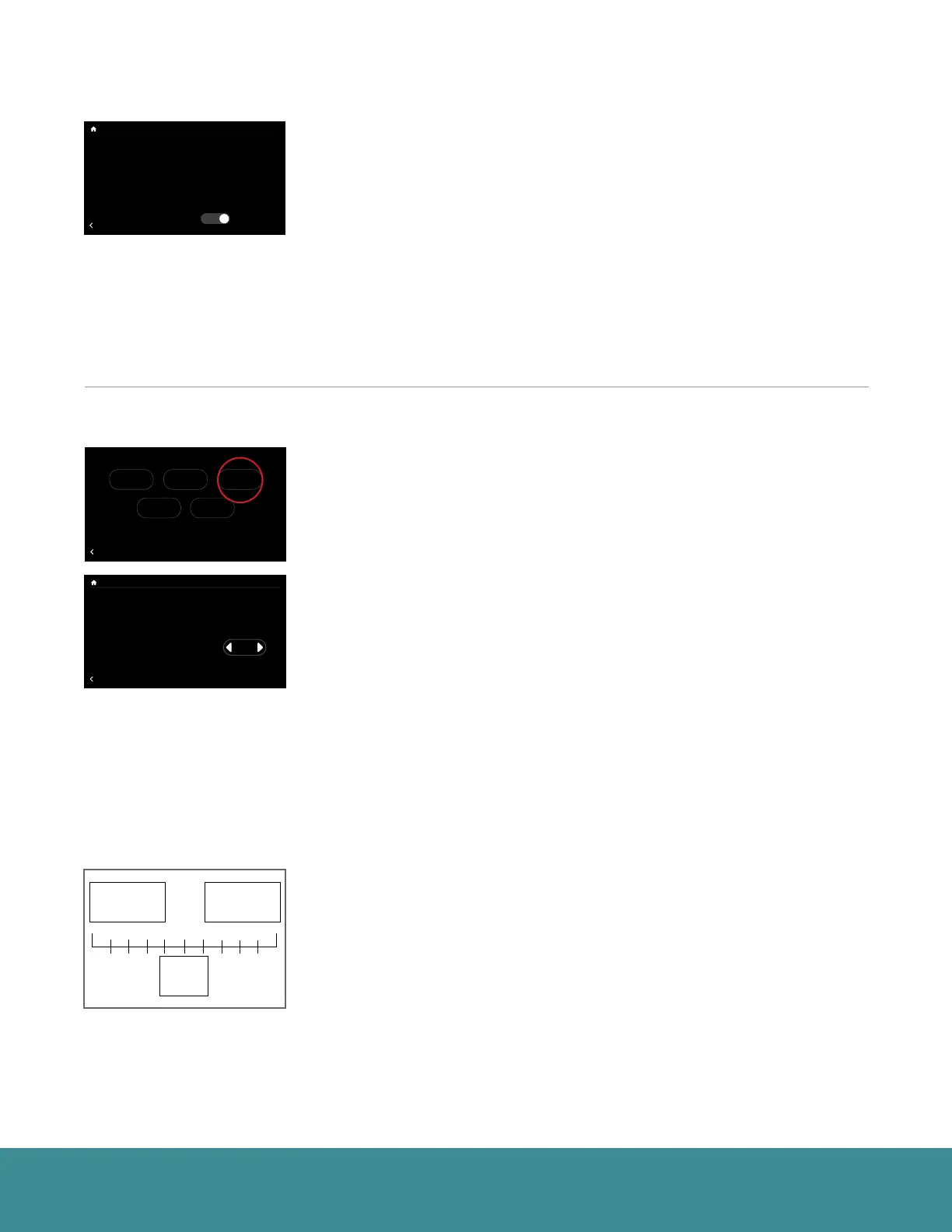
Thermostat Status (Menu > Settings > Installer > Thermostat)
Go to Menu > Settings > Installer (tap and hold) > Thermostat.
Thermostat Brand – The EcoNet Smart Thermostat will automatically
populate when the system starts up by reading the equipment’s model
data card.
Aux. Heat Hold Off Time – This setting is designed to keep the auxiliary heat
off for a duration of time determined by the user. The time periods are:
• Auto: The thermostat will energize Aux Heat once the temperature has
reached 1 full degree beyond the heat set point. Also if the heating
system is not maintaining the set point using the heat pump alone.
• 1-60 min: The number of minutes the system will keep the Aux Heat
from coming on even when the space temperature goes beyond 1 degree.
Filter Check Hour – The time of day when the EcoNet Smart Thermostat will
check the air filter status.
Anticipator – Gives the user the ability to accurately control the system
from overshooting in heating mode and the lag of delivering conditioned air
in cooling mode. When set to 0 the system will use the factory default and
recommended rate of equipment cycling to maintain comfort. Increasing
the number will slow down the system, causing longer cycles. Reducing the
number will make the system react quicker, shortening the equipment cycle.
Temperature Limits – You can configure the thermostat so only a specific
heat and/or cool set point range is permitted.
• Heat Set Point Maximum – You will not be able to set the thermostat to a
temperature above this limit.
• Cool Set Point Minimum – You will not be able to set the thermostat to a
temperature below this limit.
Thermostat Brand
Aux Heat Hold Off Time
Filter Check Hour
BACK
Thermostat Settings
Rheem
Auto
9 am
Anticipator 0
Heat Set Point Maximum 90
Cool Set Point Minimum 52
71
47%
68
OFF
Dining Room
Zone 3
Away
Backlight Enabled?
Outside Temp Selection?
BACK
Basic Settings
Internet
Yes
36
UNITS
34
Group 1
Refrigeration
!
61%
72
Basement
Zone 4
85
80
T957_O Low Refrigerant Pressure
BACK
Installer Checkout
Linearize Dampers
75
44%
80
65
Away
Resume Schedule
71
Home 44%
70
80
Cooling to
Warning! These settings are to be used
by a qualified HVAC contractor ONLY
BACK
Installer Settings
Furnace AC/HP Thermostat
DefaultsAir Handler
Factory set default
and
recommended
rate of equipment
cycling.
The higher the negative
number the faster the system
will cycle off, increasing the
number of times the system
cycles off in an hour.
The higher the positive
number the longer the system
will stay cycled on, lowering
the number of times the
system cycles off in an hour.
-4 -3 -2 -1
0
1 2 3 4 5
Outside Unit Selection
Var-Speed RPM Clamp
Cool/Heat Airflow Adjust
BACK
AC/HP Settings
EcoNet (locked)
7000
None
Utility Input Enabled?
Heat Source
Furnace Locked Out Above
No
Both
Disabled
Heat Pump Locked Out Below
Defrost With Aux Heat?
Disabled
Yes



 To Next Page