7
EN
2. Package Contents and Technical Specifications
MAX
AM
PM
AM
PM
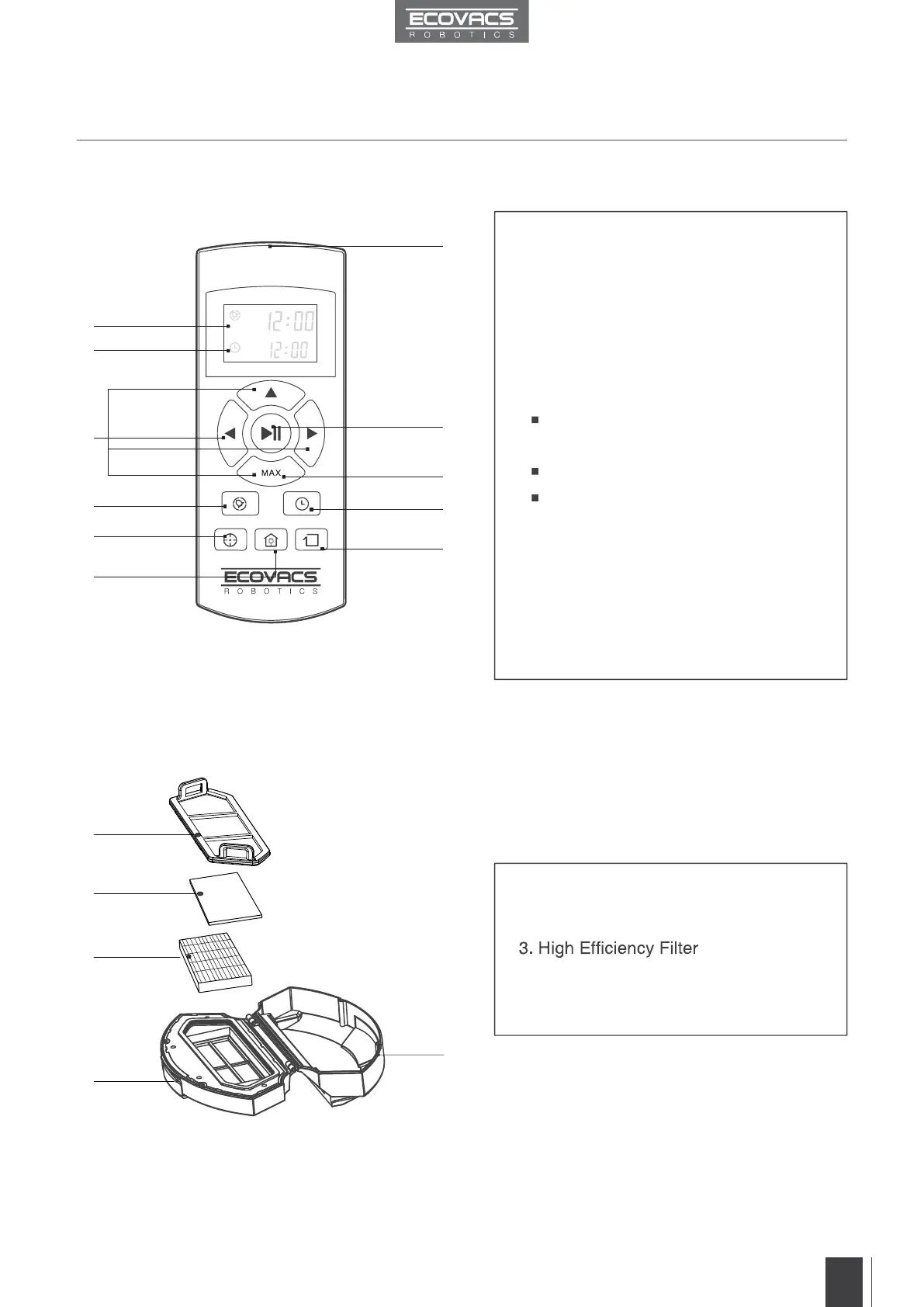
1. Current Time Display
2. Scheduled Cleaning Time Display
3. Direction Control Buttons
4. START/PAUSE Button
5. Time Scheduling Button
6. MAX Button
Press to:
Adjust current time and scheduled
cleaning time.
Turn the robot around 180 degrees.
Increase suction power for deep
cleaning.
7. Spot Cleaning Mode Button
8. Set Current Time Button
9. Return to Charger Mode Button
10. Edge Cleaning Mode Button
11. Infrared Emitter
1. Filter Net
2. Sponge Filter
4. Dust Bin
5. Dust Bin Cover
Remote Control
Dust Bin
1
2
4
11
6
8
1
2
3
5
4
10
3
5
7
9



 To Next Page