EasyManua.ls Logo

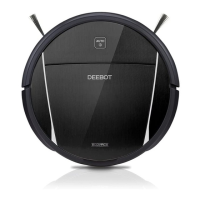
ECOVACS DE5G - User Manual

ECOVACS DE5G
68 pages
Print Icon
To Next Page IconTo Next Page
Loading...
Instruction Manual
Manuel d’instructions
Manual de instrucciones

Questions and Answers

  • A
    Aaron DavisAug 9, 2025
    What to do if my ECOVACS DE5G is not charging?
    • J
      Jennifer SanchezAug 9, 2025
      If your ECOVACS Vacuum Cleaner is not charging, consider the following: * Ensure that the DEEBOT is switched ON. * Check that the robot's Charging Contacts are properly connected to the Docking Station Pins. * If the battery is completely discharged, try to re-activate it by switching ON, placing the DEEBOT on the Docking Station by hand, removing it after charging for 3 minutes, and repeating this process 3 times; then, charge it normally.
  • S
    Scott BeltranAug 16, 2025
    Why is my ECOVACS DE5G Vacuum Cleaner not connecting to Wi-Fi?
    • J
      Jessica JohnsonAug 16, 2025
      There are several reasons why your ECOVACS Vacuum Cleaner might not be connecting to your home Wi-Fi network: * You may have entered an incorrect Wi-Fi username or password; ensure you've entered the correct credentials. * The vacuum cleaner might be out of range of your home Wi-Fi signal; move it closer to the router. * The network setup might have started before the vacuum was ready; turn the power switch ON, then press the RESET button for 3 seconds until it plays a tune and the Wi-Fi indicator flashes slowly. * Your smartphone's operating system may need an update; the ECOVACS App requires iOS 9.0 or above, or Android 4.0 or above.
  • J
    Jason FrancoAug 23, 2025
    Why does my ECOVACS DE5G Vacuum Cleaner not clean at the scheduled time?
    • T
      Thomas PerkinsAug 23, 2025
      If your ECOVACS Vacuum Cleaner is not cleaning automatically at the scheduled time, it could be due to several reasons: * The Time Scheduling function may be cancelled. Program the DEEBOT to clean at specific times using the ECOVACS App. * The DEEBOT may be switched OFF. Ensure it is switched ON. * The robot’s battery may be low. Keep the DEEBOT switched ON and connected to the Docking Station to ensure it has a full battery. * The robot’s Suction Intake may be blocked or there may be debris stuck in its components. Power OFF the DEEBOT, clean the Dust Bin, invert the robot, and clean the Suction Intake, Side Brushes, and the Main Brush.
  • L
    Leslie FloresAug 31, 2025
    What to do if my ECOVACS Vacuum Cleaner gets stuck?
    • L
      lisa14Aug 31, 2025
      If your ECOVACS Vacuum Cleaner gets stuck while working, it's likely due to entanglement with objects on the floor, such as electrical wires, curtains, or carpet fringing. The DEEBOT will attempt to free itself. If it remains stuck, manually remove the obstacles and restart the device.

Summary

Important Safety Instructions

General Safety and Operational Guidelines

Covers essential safety advice for using the robot, including area preparation, environmental conditions, and proper handling.

Appliance Handling and Power Safety

Focuses on safe appliance handling, cord care, avoiding damage, and proper power switch usage before maintenance.

Battery Safety and Fire Prevention

Provides instructions on battery removal, disposal, fire prevention, and avoiding damage to batteries and the appliance.

Operating and Programming

Quick Start Guide

Step-by-step instructions for initial setup, including protective strip removal, docking station placement, and powering on the robot.

Maintenance

Troubleshooting

Common Malfunctions and Solutions

Addresses common DEEBOT issues such as charging problems, getting stuck, and returning to dock, providing step-by-step solutions.

Cleaning Schedule and Wi-Fi Connectivity Issues

Covers troubleshooting for cleaning schedule failures, incomplete cleaning, and problems connecting the robot to the home Wi-Fi network.

ECOVACS DE5G Specifications

General IconGeneral
Model NumberDE5G
TypeRobotic Vacuum Cleaner
Battery Capacity3200mAh
Weight3.6 kg
Dustbin Capacity0.45 L
Water Tank Capacity0.24 L
Charging TimeAbout 4 hours
FeaturesMulti-floor Mapping

Related product manuals