9
3. Operating and Programming
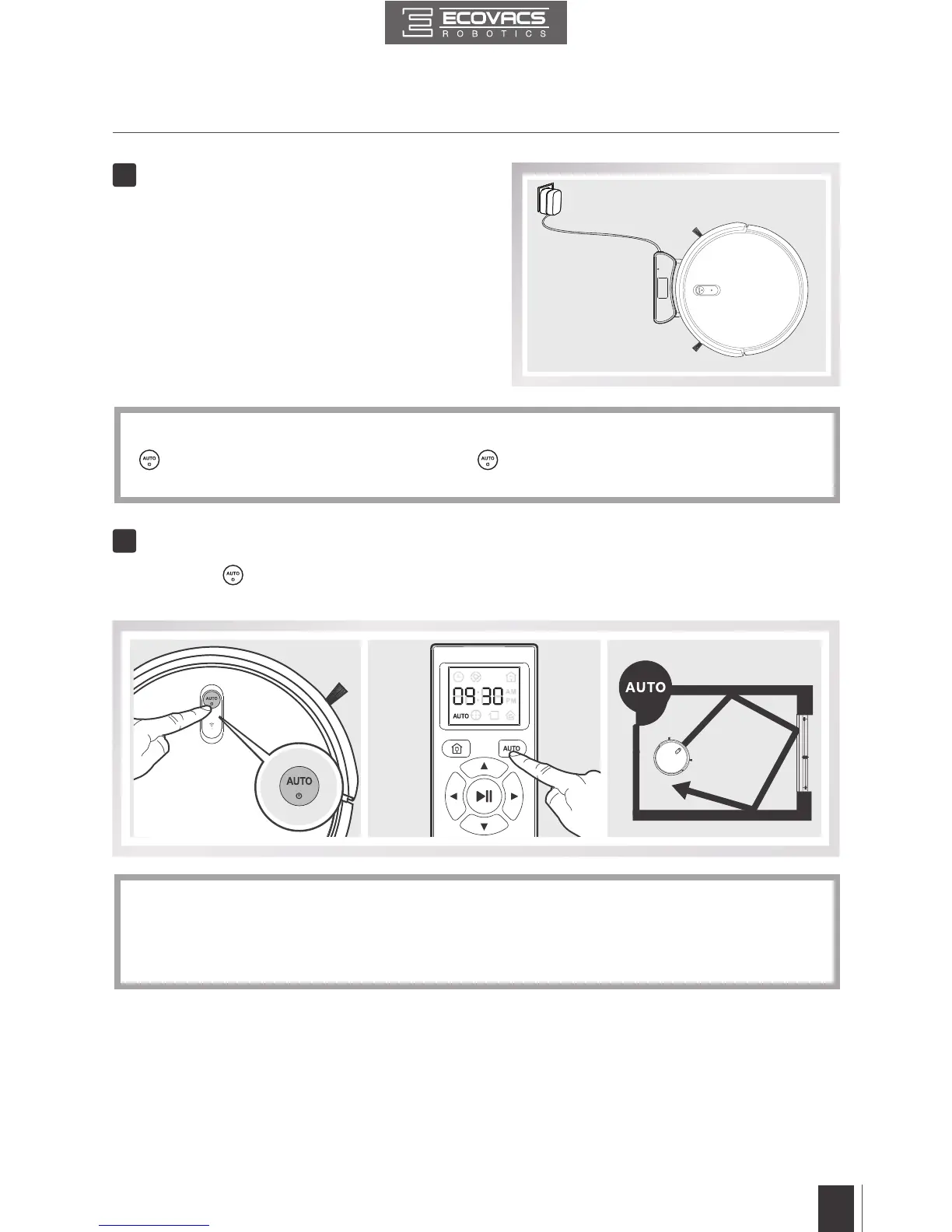
* Make sure to turn the robot’s Power Switch on before charging�
*
button blinks when DEEBOT is charging� button stops glowing after DEEBOT is fully
charged�
* To choose another Cleaning Mode, please refer to section 3�3 Cleaning Mode Selection for
details�
* DEEBOT can be directed using the Direction Control Buttons on the Remote Control when it
is paused�
■
Place DEEBOT on the Charging Dock
making sure the Charging Contacts on
DEEBOT and the Charging Dock Pins make
a connection�
■
Charge DEEBOT for at least 4 hours before
the rst use.
■
Press the
button on DEEBOT or the AUTO Mode Button on the Remote Control� DEEBOT
starts to work immediately in AUTO Cleaning Mode�
4
5
Charge DEEBOT
Start







 To Next Page