15
EN
Storage
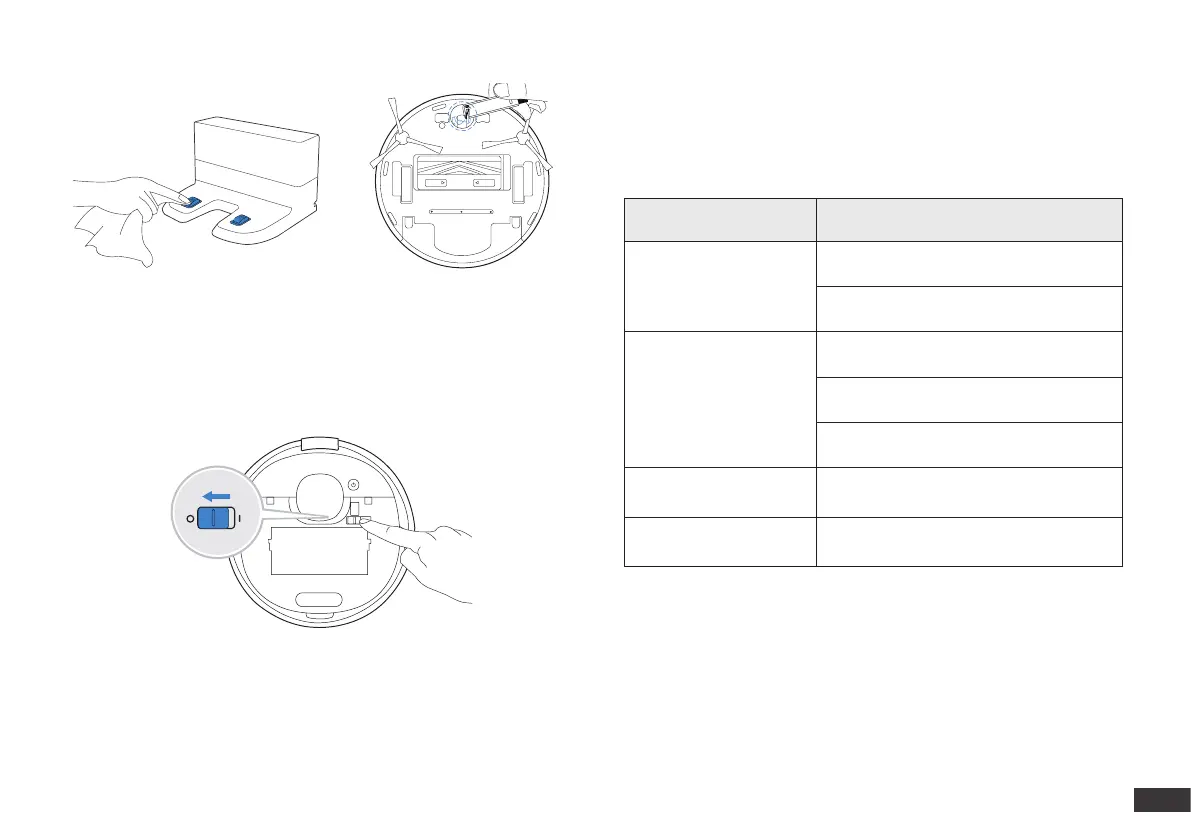
If DEEBOT will not be used for a while, fully charge DEEBOT and power
OFF before storage. Charge DEEBOT every 1.5 month to prevent battery
drain.
Note: When DEEBOT is not cleaning, it is recommended to keep
DEEBOT powered ON and charging.
Indicator Light
DEEBOT will tell you something is wrong with an indicator light
and voice report. More detailed support is available through the
ECOVACS HOME and online website.
Indicator Light Scenario
AUTO Mode Button
glows a solid WHITE.
The robot is cleaning.
The robot is paused while cleaning.
AUTO Mode Button
ashes WHITE.
The robot is charging.
The robot is starting.
The robot is relocating.
AUTO Mode Button
glows a solid RED.
The robot has low battery.
AUTO Mode Button
ashes RED.
The robot has a problem.







 To Next Page