11
EN EN
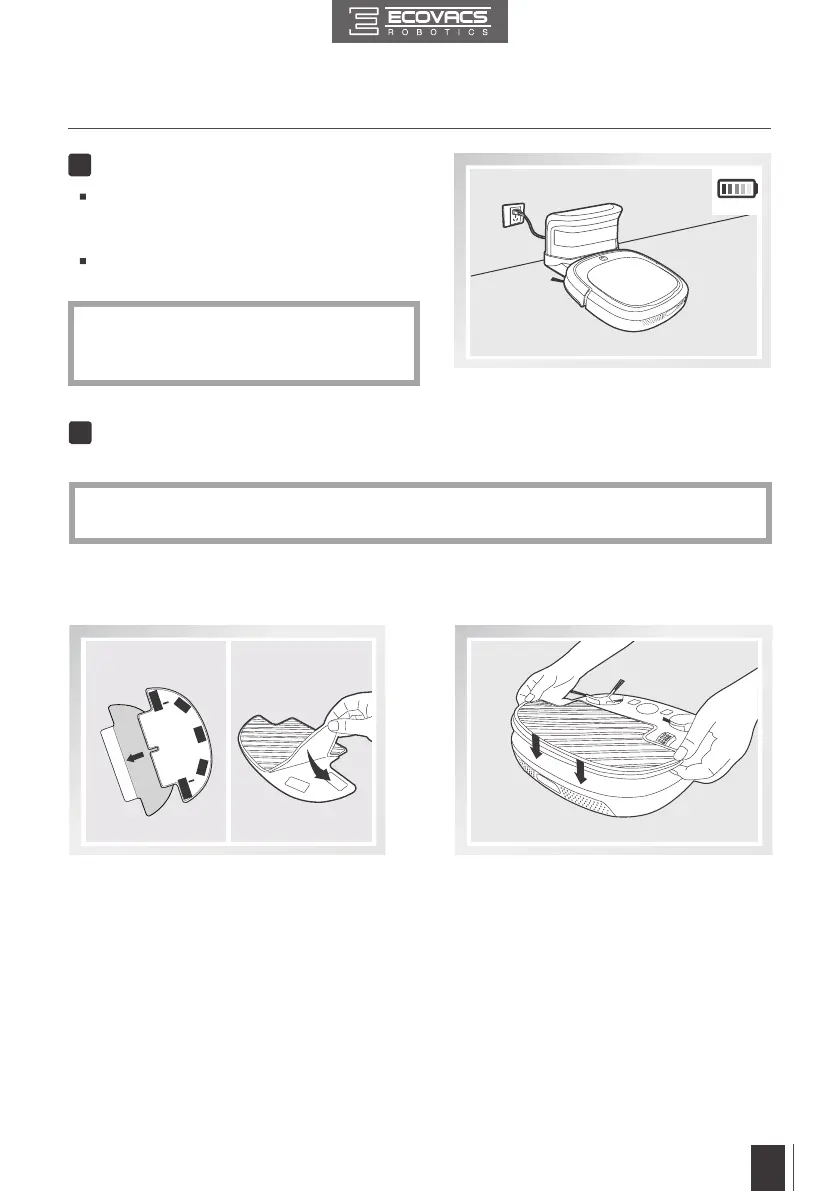
Charge DEEBOT
4
Place DEEBOT on the Charging Dock making
sure the Charging Contacts on DEEBOT and
the Charging Dock Pins make a connection.
Charge DEEBOT for at least 4 hours before
the rst use .
*
AUTO Mode Button blinks when DEEBOT
is charging. AUTO Mode Button stops
glowing after DEEBOT is fully charged.
3. Operating and Programming
Attach Cleaning Cloth, if desired
5
*
When using the optional mopping feature, fold area rug edges under themselves so DEEBOT
will avoid the rug.
To use the robot's optional mopping feature, attach the provided Cleaning Cloth.
Attach the Cleaning Cloth to the Cleaning
Cloth Plate.
Insert the Cleaning Cloth Plate tabs into the
Cleaning Cloth Plate Slots on the bottom of
the robot until you hear a click.













 To Next Page