27 EN
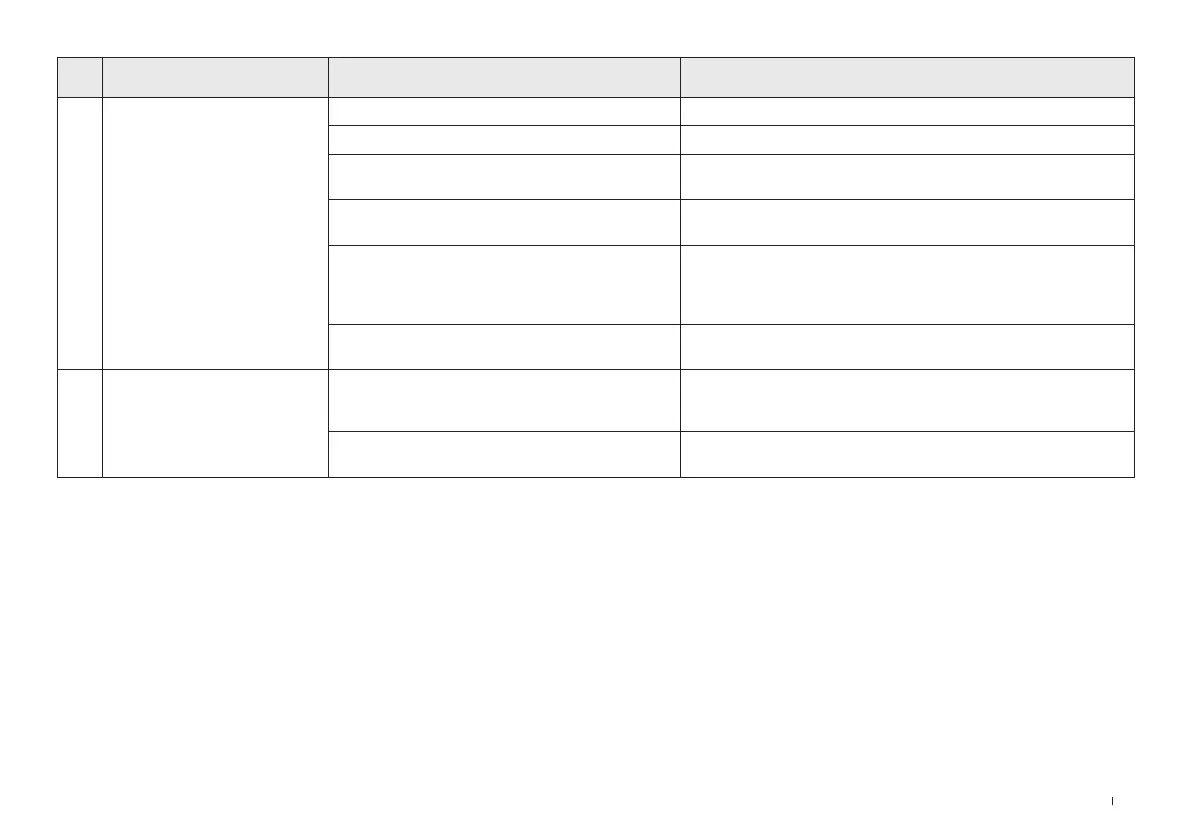
No. Malfunction Possible Causes Solutions
11
After returning to the Station,
DEEBOT does not empty the
Dust Bin�
Dust Collection Cabin is not closed� Please close the Dust Collection Cabin�
Dust Bag is not installed in the Station� Install the Dust Bag, and close the Dust Collection Cabin�
Manually moving DEEBOT back to the Station might
not trigger Auto-Empty function�
It is recommended to let DEEBOT return to the Station on its own�
Please do not manually move it�
In Do Not Disturb mode, DEEBOT will not empty the
dust after returning back to the Station�
Cancel Do Not Disturb mode in ECOVACS HOME App or manually
start dust empty�
The OMNI Station prompts the Dust Bag is full�
Replace the Dust Bag according to the [MAINTAIN DUST BAG]
section and close the Dust Collection Cabin� If the Dust Bag is not full
when prompted by the ECOVACS HOME App, you can put it back
again�
If the above possible causes have been ruled out,
components of the Station may be abnormal�
Please contact Customer Care for help�
12
DEEBOT fails to empty the Dust
Bin�
The OMNI Station prompts the Dust Bag is full�
Replace the Dust Bag according to the [MAINTAIN DUST BAG]
section and close the Dust Collection Cabin� If the Dust Bag is not full
when prompted by the app, you can put it back again�
The outlet of the Dust Bin is blocked by foreign
objects�
Remove the Dust Bin and clean the foreign objects on the outlet�


 To Next Page