EasyManua.ls Logo

ECOVACS Deebot T9 - User Manual

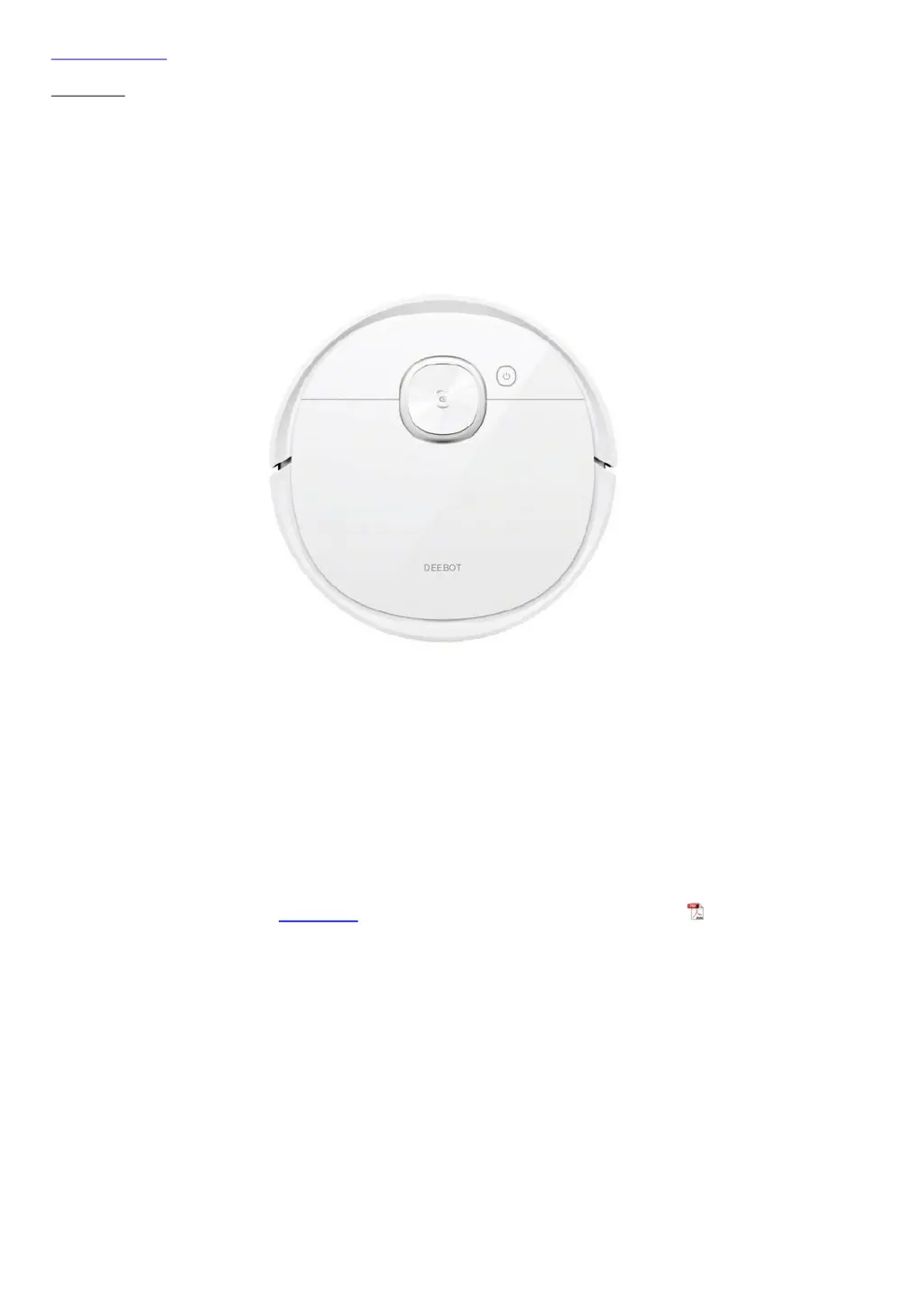
ECOVACS Deebot T9
27 pages
Print Icon
To Next Page IconTo Next Page
Loading...
Skip to content
Manuals+
User Manuals Simplified.
ECOVACS Deebot T9 Instruction Manual
Home » ECOVACS » ECOVACS Deebot T9 Instruction Manual
ECOVACS Deebot T9 Instruction Manual

Questions and Answers

  • T
    terrygaryAug 18, 2025
    How to fix ECOVACS Vacuum Cleaner DEEBOT not charging?
    • J
      james83Aug 18, 2025
      If your DEEBOT isn't charging, first ensure it's switched ON. Then, check that the robot's charging contacts are properly connected to the docking station pins and that the power cord is firmly connected to the docking station and the docking station is connected to the power supply. If the battery is completely discharged, please contact Customer Care for help.
  • J
    Jake NixonAug 20, 2025
    Why is my ECOVACS Vacuum Cleaner DEEBOT not connecting to Wi-Fi?
    • M
      markjohnsonAug 20, 2025
      If your DEEBOT is unable to connect to your home Wi-Fi network, there might be several reasons: * You may have entered an incorrect Wi-Fi username or password, so ensure you enter the correct credentials. * You may have installed the incorrect app, so download and install the ECOVACS HOME App. * The DEEBOT might be out of range of your home Wi-Fi signal, so move it closer. * Network setup might have started before DEEBOT was ready. Turn ON the Power Switch and press the RESET Button. DEEBOT is ready for network setup when its Wi-Fi Indicator light flashes slowly. * DEEBOT does not support 5 GHz Wi-Fi. Make sure the robot has been connected with a 2.4 GHz Wi-Fi network.
  • J
    Jennifer PierceAug 23, 2025
    What to do if ECOVACS Deebot T9 Vacuum Cleaner DEEBOT cannot return to Docking Station?
    • M
      Mr. Robert Diaz IIAug 23, 2025
      If your DEEBOT cannot return to the Docking Station, ensure the Docking Station is correctly connected. Avoid manually moving the Docking Station during cleaning and pausing the DEEBOT for more than 90 minutes. Also, ensure the DEEBOT starts cleaning from the Docking Station.
  • Z
    zfrazierAug 26, 2025
    Why does ECOVACS Deebot T9 Vacuum Cleaner DEEBOT return to Docking Station before finishing?
    • J
      Jeremy PerryAug 26, 2025
      DEEBOT may return to the Docking Station before finishing cleaning due to several reasons. Working time varies according to floor surface, room complexity and the Cleaning Mode selected. When the battery gets low, DEEBOT automatically switches to Recharge Mode and returns to the Docking Station to recharge itself. Turn on Continuous Cleaning function in ECOVACS HOME App. DEEBOT will automatically resume the uncompleted cleaning cycle when Continuous Cleaning is enabled. Also, DEEBOT may be unable to reach certain areas blocked by furniture or barriers, so tidy up the area. Finally, the Docking Station might be too distant from the center of the house, so place it against the wall of a central room.
  • S
    Stephanie CooperAug 28, 2025
    How to fix ECOVACS Vacuum Cleaner DEEBOT not cleaning at scheduled time?
    • C
      Christopher GutierrezAug 28, 2025
      If your DEEBOT isn't cleaning automatically at the scheduled time, it might be because the Time Scheduling function is cancelled. Program DEEBOT to clean at specific times using the ECOVACS HOME App. Also, ensure DEEBOT is switched ON and connected to the Docking Station to maintain a full battery.
  • Q
    qlopezAug 30, 2025
    Why does ECOVACS Deebot T9 DEEBOT miss spots or repeat areas?
    • N
      Nicole ClarkAug 31, 2025
      If your DEEBOT misses cleaning spots or repeats cleaning areas, it could be due to a few reasons. The cleaning cycle might be interfered with by small objects or barriers on the floor, so remove any obstructions to ensure cleaning efficiency. DEEBOT will automatically clean the area missed, please avoid moving DEEBOT manually or block the path during the cleaning cycle. DEEBOT may also be working on slippery polished floors, so ensure the floor wax is dried before DEEBOT starts cleaning. Additionally, DEEBOT might be unable to reach certain areas blocked by furniture or barriers, so tidy up the area. Finally, the TrueMapping Distance Sensor might be blocked, so remove any obstructions.
  • F
    franklin41Sep 2, 2025
    What causes ECOVACS Vacuum Cleaner DEEBOT to get stuck?
    • L
      Lisa MartinezSep 2, 2025
      If your DEEBOT gets stuck while working, it might be tangled with something on the floor, such as electrical wires, curtains, or carpet fringing. DEEBOT will try to free itself. If it is unsuccessful, manually remove the obstacles and restart. Alternatively, DEEBOT might be stuck under furniture with an entrance of similar height. Please set a physical barrier, or set a Virtual Boundary in the ECOVACS HOME App.
  • D
    Devin HarringtonSep 4, 2025
    Why ECOVACS Deebot T9 Vacuum Cleaner DEEBOT does not clean the whole area?
    • M
      Mr. Jacob Wilkerson Jr.Sep 4, 2025
      If DEEBOT does not clean the whole area, it might be because the cleaning area is not tidy. Remove small objects from the floor and tidy up the cleaning area before DEEBOT starts cleaning.
  • V
    vshortSep 7, 2025
    Why do ECOVACS Vacuum Cleaner DEEBOT Side Brushes drop?
    • M
      matthewmoranSep 7, 2025
      If the DEEBOT's side brushes drop out of place during use, it's likely because they are not correctly installed. Make sure the Side Brushes click into place when installing.
  • K
    Kaitlyn LeeSep 9, 2025
    What to do if ECOVACS Deebot T9 Vacuum Cleaner DEEBOT is stuck with OZMO Pro?
    • J
      Joseph ThomasSep 9, 2025
      If your DEEBOT gets stuck when cleaning with OZMO Pro installed, it may have difficulty climbing over obstacles. Please assist DEEBOT if there is a problem.

Summary

Important Safety Instructions

ECOVACS HOME App

Wi-Fi Indicator Light

Wi-Fi Connection

DEEBOT and Mobile Phone Requirements

Lists prerequisites for DEEBOT and mobile phone for Wi-Fi setup.

Wi-Fi Network Requirements

Specifies the necessary configurations for the Wi-Fi network.

Operating DEEBOT

OZMO Pro Oscillating System

Regular Maintenance

Indicator Light

Troubleshooting

DEEBOT is not charging

Possible causes and solutions for charging issues.

DEEBOT cannot return to the Docking Station

Reasons and fixes for the robot failing to dock.

DEEBOT gets stuck while working and stops

Solutions for when the robot gets stuck or stops unexpectedly.

DEEBOT returns to the Docking Station before it has finished cleaning

Addressing the issue of the robot docking prematurely.

DEEBOT does not clean automatically at the scheduled time

Solutions for the robot not starting cleaning as scheduled.

ECOVACS Deebot T9 Specifications

General IconGeneral
ShapeRound
Product colorWhite
Remotely operatedYes
Dust container typeDust bag
Noise level67 dB
Number of programs3
Dust capacity (base)2.5 L
Dust capacity (total)0.42 L
HEPA filtration system-
Charging time6.5 h
Battery voltage14.4 V
Battery capacity5200 mAh
Power consumption (typical)50 W
Suction power3000 Pa
Weight and Dimensions IconWeight and Dimensions
Height93 mm
Diameter353 mm

Related product manuals