EasyManua.ls Logo

ECOWITT DS-102 - User Manual

ECOWITT DS-102
20 pages
Print Icon
To Next Page IconTo Next Page
Loading...
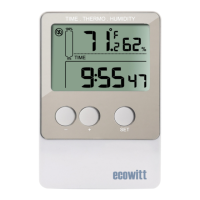
USB Temperature and Humidity Data Logger
Instruction Manual
Model: DS-102
Question and Answer IconNeed help?

Do you have a question about the ECOWITT DS-102 and is the answer not in the manual?

Summary

Product Overview

Package Contents

Lists all items included in the product package.

Device Features

Highlights the key capabilities and attributes of the data logger.

Setup and Operation

Installation

Provides instructions for installing the battery and mounting the device.

Button Operations

Details the functions of the SET, '+', and '-' buttons for device control.

Device Configuration and Modes

Device Modes

Explains various operational modes like Setting, MAX/MIN, and Sleep.

Calibration

Guide to adjusting temperature and humidity readings for accuracy.

Logging Modes

Describes different data logging strategies: Cycle, Acyclic, and Segmented.

Other Features

Covers additional functionalities like history clearing and memory status.

Software and Data Management

Software Requirements & Installation

Details PC system needs and steps for installing the data logger software.

Software Configuration

Guides users through setting up the data logger via the PC software.

Data Handling

Explains how to view, export, and manage recorded data.

Specifications and Warranty

Technical Specifications

Lists key technical details like memory, range, accuracy, and power.

Warranty Information

Outlines the product's limited warranty terms and conditions.

Summary

Product Overview

Package Contents

Lists all items included in the product package.

Device Features

Highlights the key capabilities and attributes of the data logger.

Setup and Operation

Installation

Provides instructions for installing the battery and mounting the device.

Button Operations

Details the functions of the SET, '+', and '-' buttons for device control.

Device Configuration and Modes

Device Modes

Explains various operational modes like Setting, MAX/MIN, and Sleep.

Calibration

Guide to adjusting temperature and humidity readings for accuracy.

Logging Modes

Describes different data logging strategies: Cycle, Acyclic, and Segmented.

Other Features

Covers additional functionalities like history clearing and memory status.

Software and Data Management

Software Requirements & Installation

Details PC system needs and steps for installing the data logger software.

Software Configuration

Guides users through setting up the data logger via the PC software.

Data Handling

Explains how to view, export, and manage recorded data.

Specifications and Warranty

Technical Specifications

Lists key technical details like memory, range, accuracy, and power.

Warranty Information

Outlines the product's limited warranty terms and conditions.

ECOWITT DS-102 Specifications

General IconGeneral
BrandECOWITT
ModelDS-102
CategoryData Loggers
LanguageEnglish