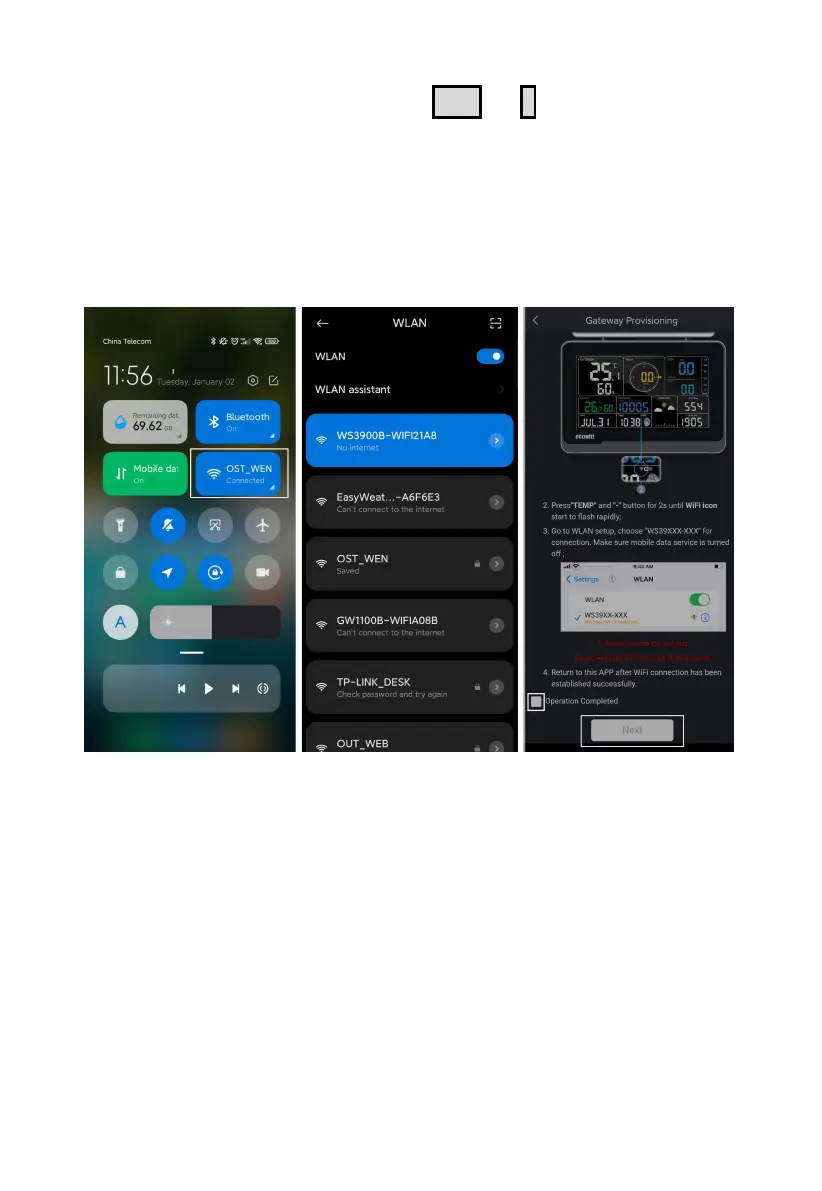
(2) Hold WS3900/WS3910’s button
TEMP
+
-
for more than 2s in
normal mode will trigger to turn on AP (WS3900/WS3910’s hotspot),
Wi-Fi icon will flash fast on the screen. Use your mobile phone to
connect to the hotspot "WS39xx-WIFIxxxx".
e.g.: WS3900x/WS3910x-WIFIxxxx, the first x represents the frequency,
A=868MHz, B=915MHz, C=433MHz, xxxx represents the last 4 digits of
the product MAC address.
Figure 5
(3) Fill in the Wi-Fi SSID and Password.



 To Next Page