EasyManua.ls Logo

ECOWITT WH5360B - User Manual

ECOWITT WH5360B
35 pages
Print Icon
To Next Page IconTo Next Page
Loading...
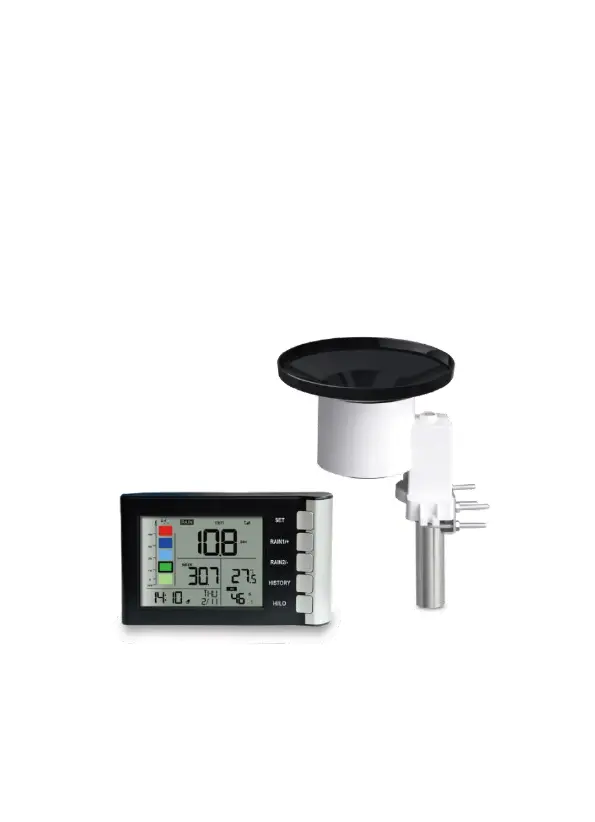
High Precision Digital Rain Gauge
with Indoor Temperature and Humidity
Model: WH5360B
Thanks for your purchasing of the WH5360B High
Precision Digital Rain Gauge with indoor temperature
and humidity. To ensure the best product performance,
please read this manual and retain it for future reference.

Questions and Answers

  • K
    Kevin Blair Jr.Oct 26, 2025
    What to do if the ECOWITT Weather Station wireless remote (outdoor unit) is not reporting to the console?
    • J
      Joshua TownsendOct 26, 2025
      First, check the remote-transmitter LED for flashing. If the batteries were recently replaced, verify the polarity. Try powering down and then up the console. Ensure you have fresh batteries in the display console. Remove the batteries from the display console, wait 10 seconds, and then reinsert them. Do not touch any buttons for several minutes. If the rainfall data continues to show dashes (--) after 3 minutes, the remote sensor might be defective. Install a fresh set of batteries in both the remote sensor array and the console. Also, try moving the sensor and remote closer together or, conversely, further apart. Ensure the remote sensors aren't transmitting through solid metal and move the display console away from electrical noise-generating devices. Consider moving the remote sensor t...

Summary

Product Unpacking

Setup Guide

Site Survey for Sensor Placement

Guidance on optimal placement for accurate data collection.

Rain Gauge Sensor Setup and Installation

Install Rain Gauge Filter

Instructions for installing the filter to prevent obstructions.

Install Rain Collector Top

Steps to correctly attach the rain collector top securely.

Install Batteries in Rain Gauge Sensor

Procedure for inserting batteries into the rain gauge sensor.

Mounting with U-Bolts

How to mount the sensor using U-bolts on a pole.

Mounting with Screws

How to mount the sensor using screws on a flat surface.

Wireless Communication Best Practices

Console Display Overview

Initial Console Setup

Steps for initial power-up and sensor data reception.

Console Key Functions

Explanation of the functions of the console's control buttons.

Console Normal Mode Operation

How to navigate and view data in the console's normal display mode.

Console Setting Mode

Guide to entering and configuring console settings.

Rain Gauge Calibration Mode

Process for calibrating the rain gauge for accuracy.

Rainfall History Mode

Accessing and viewing historical rainfall data.

Min;Max Data Mode

Displaying maximum and minimum recorded values with timestamps.

Alarm Mode Configuration

Setting up and managing various alarm functions.

Factory Reset and Memory Clear

How to reset the device to factory default settings.

Product Features

Device Maintenance

Cleaning the Rain Gauge

Instructions for cleaning the rain gauge funnel and bucket.

Regular Battery Replacement

Guidelines for replacing outdoor sensor batteries for optimal performance.

Troubleshooting Guide

Technical Specifications

Warranty Information

ECOWITT WH5360B Specifications

General IconGeneral
BrandECOWITT
ModelWH5360B
CategoryWeather Station
LanguageEnglish

Related product manuals