EasyManua.ls Logo

ECOWITT WS2910 - User Manual

ECOWITT WS2910
72 pages
Print Icon
To Next Page IconTo Next Page
Loading...
1
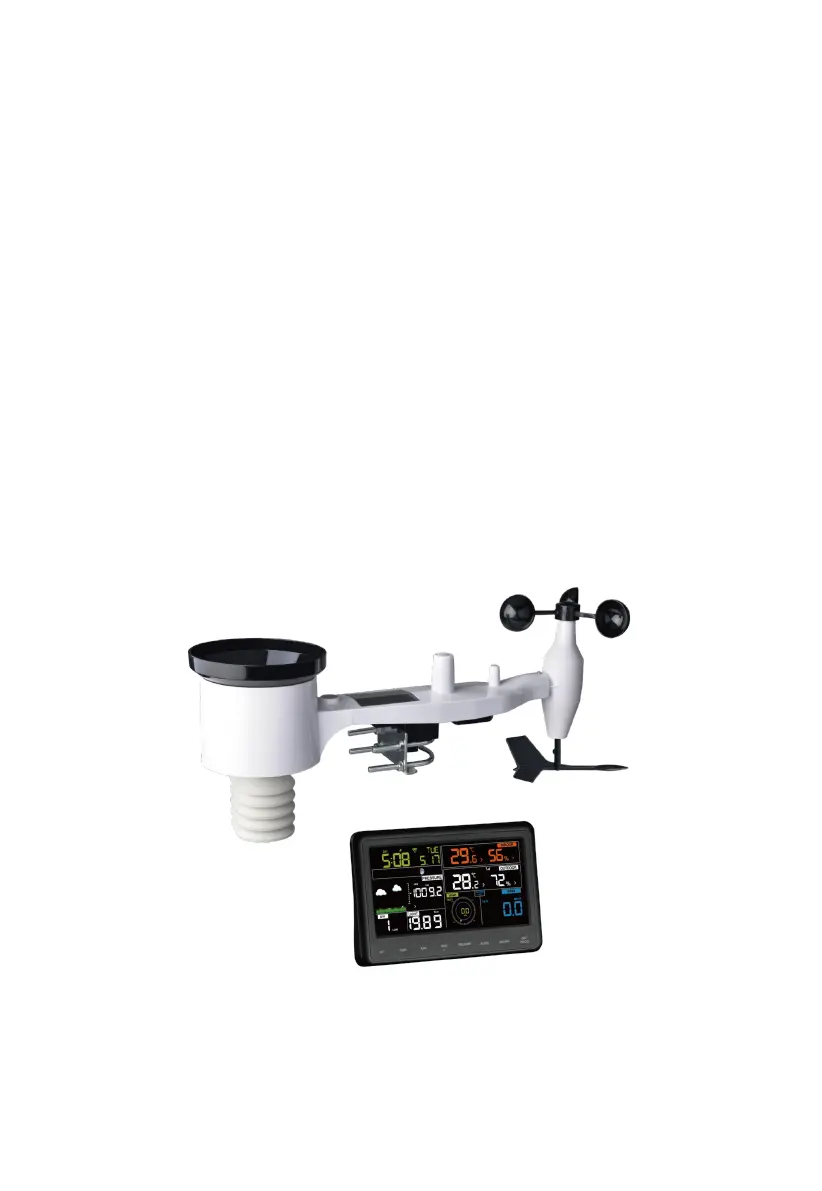
COLOR DISPLAY WIFI WEATHER STATION
Operation Manual
Model: WS2910
Thank you for purchasing this Color Display Wi-Fi Weather Station! This
device provides accurate weather readings and is Wi-Fi capable to stream
data from the weather station to Internet based weather services.
This manual will guide you, step-by-step, through setting up your weather
station and console, and understanding the operation of your weather station.
Use this manual to become familiar with your professional weather station
and save it for future reference.

Table of Contents

Questions and Answers

  • J
    jamiesnyderAug 12, 2025
    What to do if ECOWITT WS2910 Weather Station has no Wi-Fi connection?
    • R
      Robert VaughanAug 12, 2025
      If your ECOWITT Weather Station has no Wi-Fi connection, check for the Wi-Fi symbol on the display. If it's not there, ensure the console's external power adapter is properly plugged in and functional, as Wi-Fi requires more power than batteries alone. If you've never successfully configured Wi-Fi, verify your Wi-Fi network supports 2.4 GHz signals (801 type B, G, or N) as the console doesn't support 5 GHz. Double-check that you've entered the correct SSID and password, and repeat the configuration procedure if needed. Note that the console does not support 'captive Wi-Fi' networks that require agreeing to terms and conditions before connecting.
  • F
    frank27Aug 16, 2025
    How to prevent ECOWITT Weather Station indoor temperature sensor reads too high?
    • M
      melaniemclaughlinAug 16, 2025
      To prevent inaccurate readings from your ECOWITT Weather Station's indoor temperature sensor, ensure the thermo-hygrometer is mounted in a location where it will not be exposed to direct sunlight, radiative heating, or convective heating.
  • C
    Carol MckenzieAug 20, 2025
    How to fix ECOWITT WS2910 not reporting data to Wunderground.com?
    • C
      chad13Aug 20, 2025
      To solve the issue of your ECOWITT Weather Station not reporting data to Wunderground.com, first, double-check that your station ID is entered correctly, paying close attention to the capitalization and avoiding common mistakes like confusing the letter 'O' with the number '0'. Ensure your password, which Wunderground.com generated for your station ID, is accurate. You can verify it by logging into your Wunderground.com account and checking under 'My PWS'. Also, review your router's firewall settings to confirm that the console can send data via port 80. If you can access other websites using 'http', this setting should be fine.
  • K
    kellieanthonyAug 27, 2025
    Why ECOWITT WS2910 has intermittent outdoor sensor reception?
    • H
      hubbardtriciaAug 27, 2025
      If you are experiencing intermittent problems with the outdoor sensor reception on your ECOWITT Weather Station, it may be due to signal quality issues caused by electrical interference or obstacles. Try installing a fresh set of batteries in both the remote sensor array and the console, using lithium batteries for cold weather. Ensure the power adapter isn't too close to the console and that the console is away from electrical devices like TVs or computers. If problems persist, move the sensor and console closer together (but not less than 5 ft apart) and check for metal barriers like aluminum siding between them. Relocate the sensor and console as needed to avoid obstructions, potentially moving the outdoor sensor higher or closer.
  • P
    Patricia FarmerAug 31, 2025
    What to do if ECOWITT WS2910 Weather Station relative pressure does not agree with official reporting station?
    • O
      ogarciaAug 31, 2025
      If the relative pressure on your ECOWITT Weather Station does not agree with the official reporting station, remember that relative pressure refers to sea-level equivalent pressure. Ensure you are not viewing absolute pressure, especially if your station is not near sea level. Check the readings at different times to account for delays in updates to the official station. You may also redo the pressure calibration procedure.
  • W
    whitneypatelSep 3, 2025
    What to do if ECOWITT WS2910 Weather Station indoor and outdoor humidity do not agree?
    • D
      David FrancisSep 4, 2025
      If the indoor and outdoor humidity readings on your ECOWITT Weather Station do not agree during indoor testing, the sensors should agree within 10% (the sensor accuracy is ± 5%). If the values still disagree, use calibration offsets for one or both sensors to adjust to a known good reference humidity.
  • J
    Jessica HarrisSep 7, 2025
    Why ECOWITT WS2910 Weather Station indoor and outdoor temperature do not agree?
    • J
      john27Sep 8, 2025
      If the indoor and outdoor temperature readings on your ECOWITT Weather Station do not agree during indoor testing, note that the sensors should agree within 4 °F (the sensor accuracy is ± 2 °F). If the values still disagree, use calibration offsets for one or both sensors to adjust to a known good reference temperature.
  • M
    Michael BirdNov 22, 2025
    Why ECOWITT WS2910 Weather Station outdoor sensor not reporting to console?
    • P
      Paul RichardsNov 22, 2025
      If your ECOWITT Weather Station's outdoor sensor is not reporting to the console (displaying dashes), first check if the outdoor transmission LED is flashing approximately every 16 seconds. If not, ensure the batteries are correctly installed with the correct polarity or replace them if they are old. If the LED flashes every 16 seconds but the issue persists, ensure you have fresh batteries in the display console. Try power cycling the console by removing batteries and the adapter for 10 seconds, then reconnect. As a test, bring the outdoor sensor within 10 feet of the console, power cycle the console again, and wait for the console to discover the sensor without touching any buttons. The remote sensor search icon will flash during this process. Wait for the icon to turn off. If dashes sti...

Summary

Setup and Operation Guide

Warnings and Safety Precautions

Essential safety guidelines for device installation and operation.

Unpacking and Initial Setup

Package contents, key features, and initial setup procedures.

Sensor Installation and Mounting

Pre-installation, site survey, sensor assembly, and mounting.

Display Console Operation

Console setup, interface, data display, and calibration.

Advanced Features and Connectivity

Internet Weather Services and Data Upload

Connecting to Wi-Fi and uploading data to online services.

Device and Account Management

Managing devices, accounts, app settings, and viewing data online.

Maintenance and Troubleshooting

Routine Maintenance Procedures

Cleaning sensors, rain gauge, and battery replacement.

Troubleshooting Common Issues

Solutions for sensor, connectivity, data accuracy, and Wi-Fi problems.

Reference Information

Glossary of Common Terms

Explanations of important terms used in the manual.

Technical Specifications and Warranty

Detailed specifications for sensors, power, and warranty coverage.

ECOWITT WS2910 Specifications

General IconGeneral
BrandECOWITT
ModelWS2910
CategoryWeather Station
LanguageEnglish

Related product manuals