Set Up Recommendations 1-2-3
Charge Your Sol Jam Prior to First Use
For best performance, fully charge your Sol Jam
before you turn it on for the first time. Connect the USB-C
port to the USB cable and a 5V power source. Charge the
unit until the LED Charging Status Indicator and all four
Battery Level Indicators are green, indicating a full charge.
NOTE: The LED Charging Status Indicator will only turn
on while the Sol Jam is connected to a 5V power source. It
will flash red while charging and switch to solid red when
the unit has reached a full charge.
Approximately 4 hours of charging is required from a low
to a full charge.
Power source options include the USB connection to your
computer or a power outlet using a 5V USB to AC power
adapter. It is recommended to always use the USB cable
included with your Sol Jam.
Power On, Battery, & LED Status Indicators
Once fully charged, press the Standby Power Button
on the top of your Sol Jam. You will hear, “Speaker mode”
(“EcoCast transmitting,” or “EcoCast receiving,” depending
on which Mode the Sol Jam is in), “ready to connect”
when powering on.
IMPORTANT: Make sure that the Main Power Switch,
located on the Inside Panel, is set to the ON position. If
the switch is in the OFF position, your Sol Jam will not be
able to turn on using the Standby Power Button.
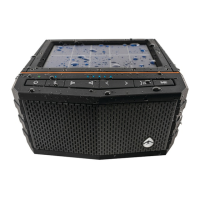
The LED battery level indicators are located on the top of
the unit. Each LED represents 25% of a charge, with 4 full
LEDs indicating a full charge.
Audio playback time is approximately 12 hours at
75% volume.
1
2
Specifications
Unit Weight
25.1 ounces
Output Power
20W Peak
S/N Ratio
88dB +/- 3dB
Power Source
3.7V, 5200mAh
Lithium Battery
USB-C Input
5V, 2A
USB Output
5V, 2.4A
Frequency Range
125Hz-18,000Hz
EcoCast
Using Qualcomm® Broadcast
Audio technology
EcoCast Range
30 ft / 9.1 m between
Casting speaker and
Receiving speakers
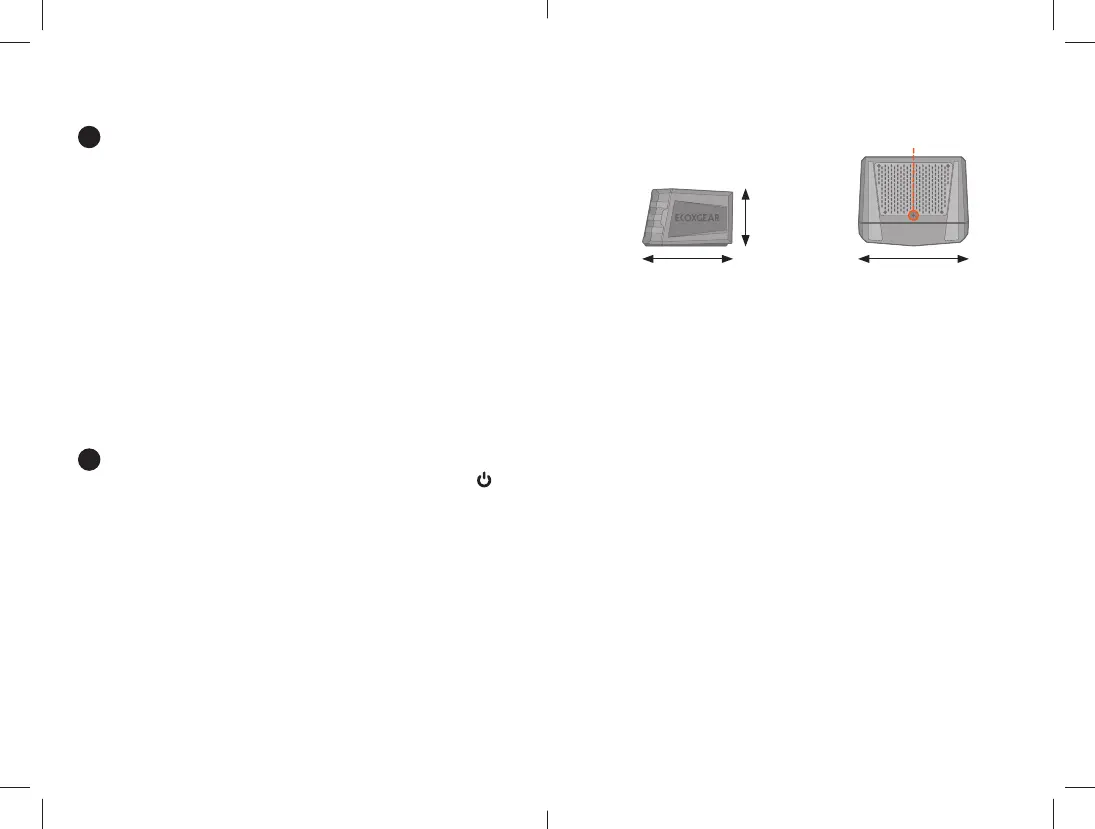
Mount Attachment Point
¼” diameter
Bluetooth
Bluetooth® CSR 5.0
Bluetooth Range
Up to 100 ft / 30 m
Play Time
12+ hours from full charge at
75% volume level
Charging Time
Approx. 4 hrs (AC adapter)
Solar charge rate varies with
environmental conditions
Solar Panel
Photovoltaic (PV)
Solar Charge
Charging Options
Solar, USB to AC adapter,
USB to computer
Waterproof /
Dustproof Rating
IP67
Unit Dimensions
Mount Attachment Point
6.1”5.0”
3.1”



 To Next Page