20
Installing the Motherboard
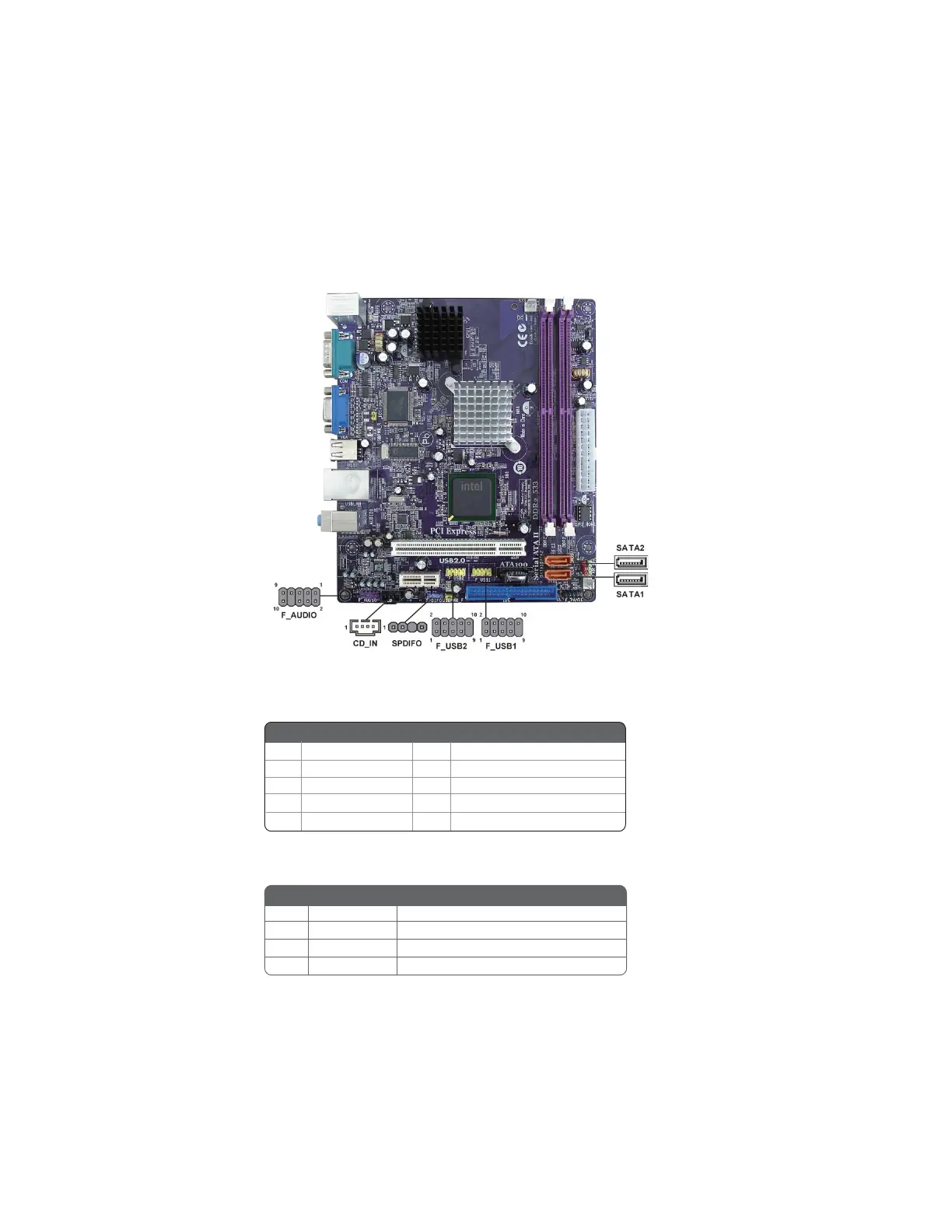
F_AUDIO: Front Panel Audio header
This header allows the user to install auxiliary front-oriented microphone and line-
out ports for easier access.
Connecting Optional Devices
Refer to the following for information on connecting the motherboard’s optional
devices:
CD_IN: Analog Audio Input connector
Pin Signal Name Function
1 CD_L CD In left channel
2 GND Ground
3 GND Ground
4 CD_R CD In right channel
1 PORT 1L 2 AUD_GND
3 PORT 1R 4 PRESENCE#
5 PORT 2R 6 SENSE1_RETURN
7 SENSE_SEND 8 KEY
Pin Signal Name
Pin Signal Name
9 PORT 2L 10 SENSE2_RETURN



 To Next Page