Chapter 2
14
A68M-C4DL USER MANUAL
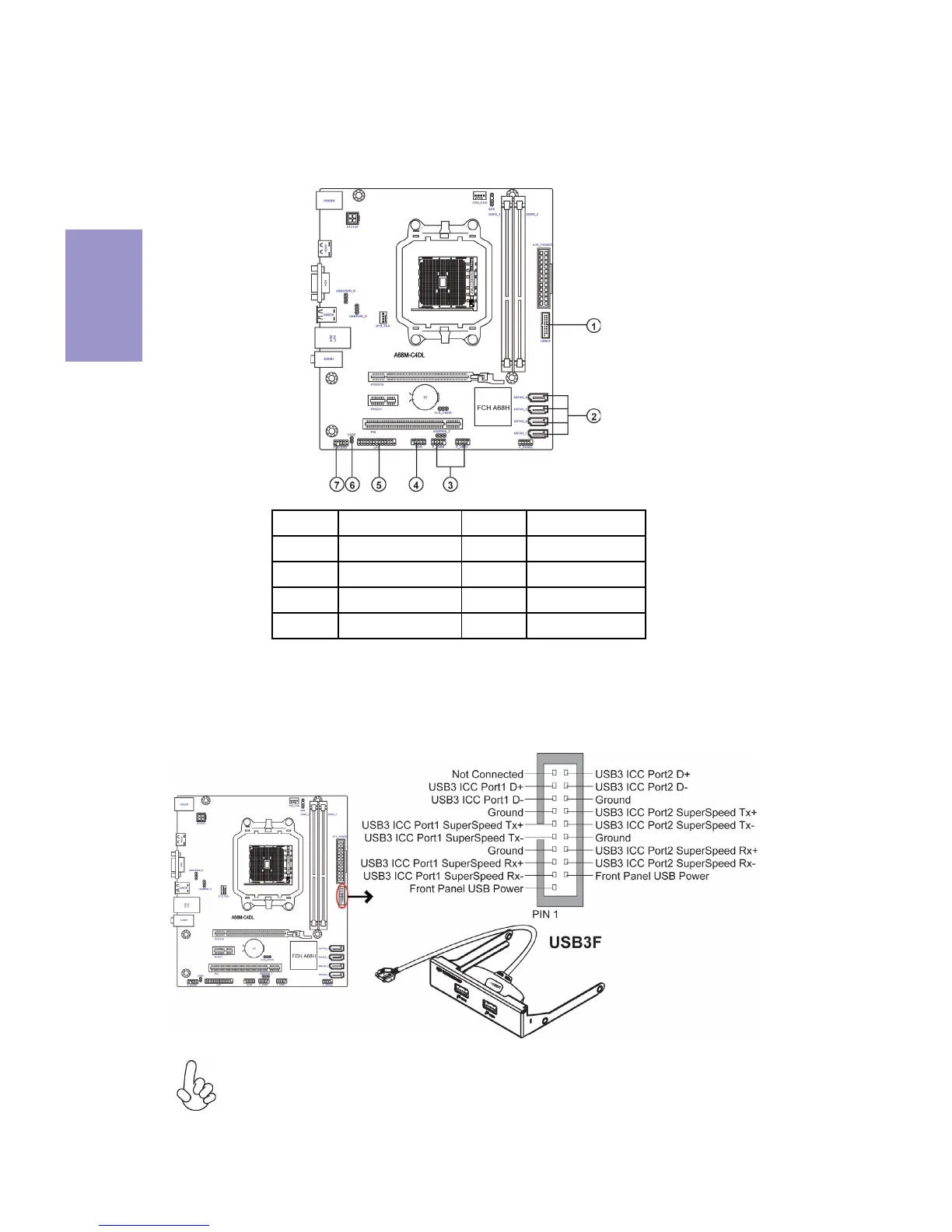
2-4-5. Connecting Optional Devices
Refer to the following for information on connecting the motherboard’s optional
devices:
Please make sure that the USB cable has the same pin assignment as
indicated above. A different pin assignment may cause damage or system
hang-up.
This Motherboard implements one USB 3.0 header supporting 2 extra front USB 3.0
ports, which delivers 5Gb/s transfer rate.
1. USB3F: Front Panel USB 3.0 Header


 To Next Page