Chapter 2
21
B75H2-M3 USER MANUAL
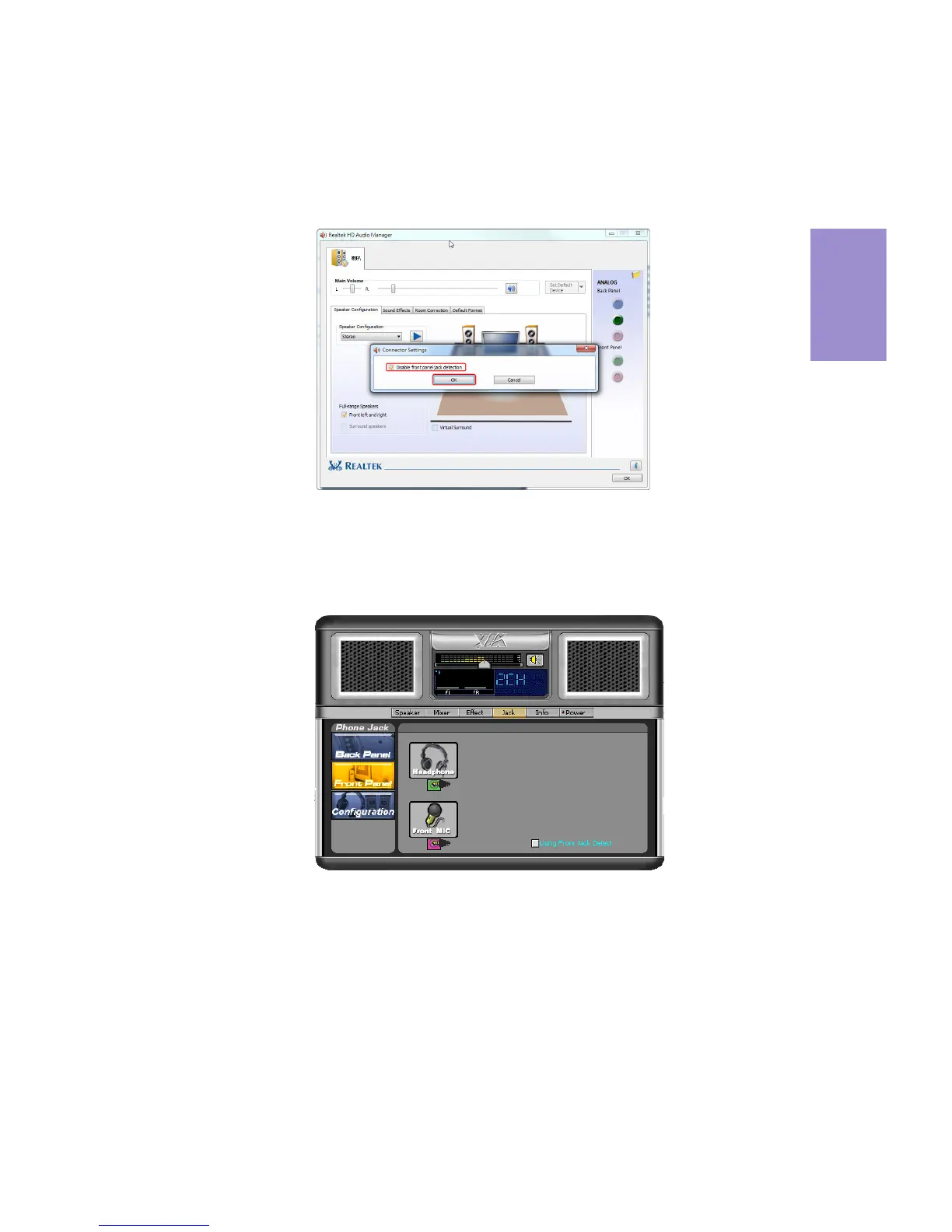
If you use AC’ 97 Front Panel, please tick off the option of “ Disabled Front Panel
Detect ”. If you use HD Audio Front Panel, please don’ t tick off “Disabled Front Panel
Detect
” .
* For reference only
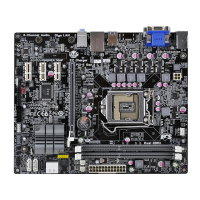
AC’ 97 Audio Configuration: To enable the front panel audio connector to sup-
port AC97 Audio mode.
If you use AC’ 97 Front Panel, please don’ t tick off “Using Front Jack Detect ”. If you
use HD Audio Front Panel, please tick off the option of “Using Front Jack Detect ”.
* For reference only


 To Next Page