EasyManua.ls Logo

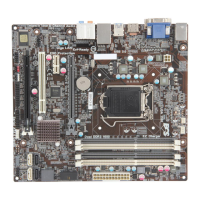
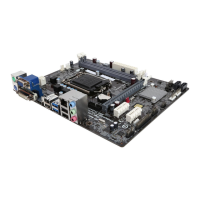
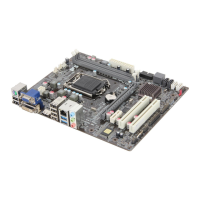
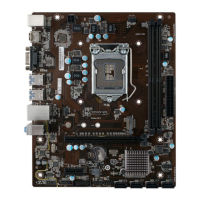
ECS B75H2-M4 - User Manual

ECS B75H2-M4
66 pages
Print Icon
To Next Page IconTo Next Page
Loading...
B75H2-M4 USER MANUAL
Preface
Copyright
This publication, including all photographs, illustrations and software, is protected
under international copyright laws, with all rights reserved. Neither this manual, nor
any of the material contained herein, may be reproduced without written consent of
the author.
Version 1.0
Disclaimer
The information in this document is subject to change without notice. The manufac-
turer makes no representations or warranties with respect to the contents hereof
and specifically disclaims any implied warranties of merchantability or fitness for
any particular purpose. The manufacturer reserves the right to revise this publica-
tion and to make changes from time to time in the content hereof without obligation
of the manufacturer to notify any person of such revision or changes.
Trademark Recognition
Microsoft, MS-DOS and Windows are registered trademarks of Microsoft Corp.
MMX, Pentium, Pentium-II, Pentium-III, Celeron are registered trademarks of Intel
Corporation.
Other product names used in this manual are the properties of their respective owners
and are acknowledged.
Federal Communications Commission (FCC)
This equipment has been tested and found to comply with the limits for a Class B
digital device, pursuant to Part 15 of the FCC Rules. These limits are designed to
provide reasonable protection against harmful interference in a residential instal-
lation. This equipment generates, uses, and can radiate radio frequency energy and,
if not installed and used in accordance with the instructions, may cause harmful
interference to radio communications. However, there is no guarantee that interfer-
ence will not occur in a particular installation. If this equipment does cause harmful
interference to radio or television reception, which can be determined by turning
the equipment off and on, the user is encouraged to try to correct the interference by
one or more of the following measures:
Reorient or relocate the receiving antenna
Increase the separation between the equipment and the receiver
Connect the equipment onto an outlet on a circuit different from that to
which the receiver is connected
Consult the dealer or an experienced radio/TV technician for help
Shielded interconnect cables and a shielded AC power cable must be employed with
this equipment to ensure compliance with the pertinent RF emission limits govern-
ing this device. Changes or modifications not expressly approved by the system’s
manufacturer could void the user’s authority to operate the equipment.


Questions and Answers

  • A
    angelica80Aug 10, 2025
    What to do for ECS B75H2-M4 start up problems after prolong use?
    • J
      Jesse EnglishAug 10, 2025
      For ECS Motherboard start-up problems after prolonged use, clear the CMOS values using the CLR_CMOS jumper, then load optimized defaults in the BIOS setup. Check the CPU cooler fan for dust and clean or replace it if necessary. Ensure the 12V power & ATX connectors are fully inserted and latched. Remove the hard drive, optical drive, or DDR memory to identify any faulty components. Inspect for bulked-up electrolytic capacitors or other abnormal components.
  • B
    Briana SalazarAug 18, 2025
    What to do if the ECS B75H2-M4 system does not power up and the fans are not running?
    • B
      Brittany JacksonAug 18, 2025
      If your ECS Motherboard system isn't powering up and the fans aren't running, try these steps: Disassemble the PC to remove any unnecessary components such as the VGA adaptor card, DDR memory, LAN, USB devices, keyboard, and mouse, leaving only the motherboard, CPU with cooler, and power supply connected. Ensure the power cord is plugged into the wall and the PSU switch is turned on. Also, make sure to remove any unused screws or metal objects from inside the PC case to prevent short circuits. Check that the CPU fan connector and the 12V power connector are connected to the motherboard, and that the 12V power & ATX connectors are fully inserted and latched. For Intel platforms, inspect the CPU socket for any bent or damaged pins.
  • B
    Betty ChaseAug 27, 2025
    What to do if power is on, fans are running but there is no display on ECS B75H2-M4?
    • S
      stevenhayesAug 27, 2025
      If the power is on and the fans are running, but there is no display on your ECS Motherboard, ensure the monitor is turned on and properly connected to the PC. Check that the VGA adapter card (if applicable) is correctly inserted. Listen for beep sounds, and ensure the internal PC speaker is connected. If you hear continuous 3 short beeps, it indicates that the memory is not detected. If you hear 1 long beep and 8 short beeps, it indicates that the VGA is not detected.
  • A
    Adam SwansonSep 2, 2025
    Why does the ECS Motherboard PC suddenly shuts down while booting up?
    • M
      Michael MyersSep 2, 2025
      If your ECS Motherboard PC suddenly shuts down while booting up, the CPU may be overheating. Apply thermal grease to the CPU heatsink and make sure the CPU fan is well-connected. Check if the CPU fan is working properly. You can also try disabling the Smartfan function in the BIOS settings to run the fan at its default speed, which can be done by loading optimized defaults.

Summary

Introducing the Motherboard

Specifications

Detailed technical specifications of the motherboard.

Installing the Motherboard

Safety Precautions

Essential guidelines to prevent damage and ensure safe handling.

Installing the Motherboard in a Chassis

Step-by-step guide for mounting the motherboard.

Installing the Processor

Detailed steps for safely installing the CPU onto the socket.

Installing the CPU Cooler

Guide for mounting the CPU heatsink and fan assembly.

Installing Memory Modules

Instructions for inserting RAM modules into the DIMM slots.

Using BIOS

Updating the BIOS

Instructions for safely updating the motherboard's BIOS firmware.

Trouble Shooting

Start-up Problems During Assembly

Troubleshooting common issues when first building a PC.

Start-up Problems After Prolong Use

Solutions for issues arising after extended system use.

Basic Troubleshooting Flowchart

Visual guide to diagnose and resolve common PC problems.

ECS B75H2-M4 Specifications

General IconGeneral
Form FactorMicro ATX
SocketLGA 1155
ChipsetIntel B75
Memory TypeDDR3
Memory Slots2
Maximum Memory16 GB
Audio ChipsetRealtek ALC662
LAN ChipsetRealtek RTL8111E
LAN10/100/1000 Mbps
Expansion Slots1 x PCIe 3.0 x16
Video Outputs1 x HDMI, 1 x VGA
USB Ports4 x USB 3.0

Related product manuals