Chapter 2
H61H2-M16 USER MANUAL
22
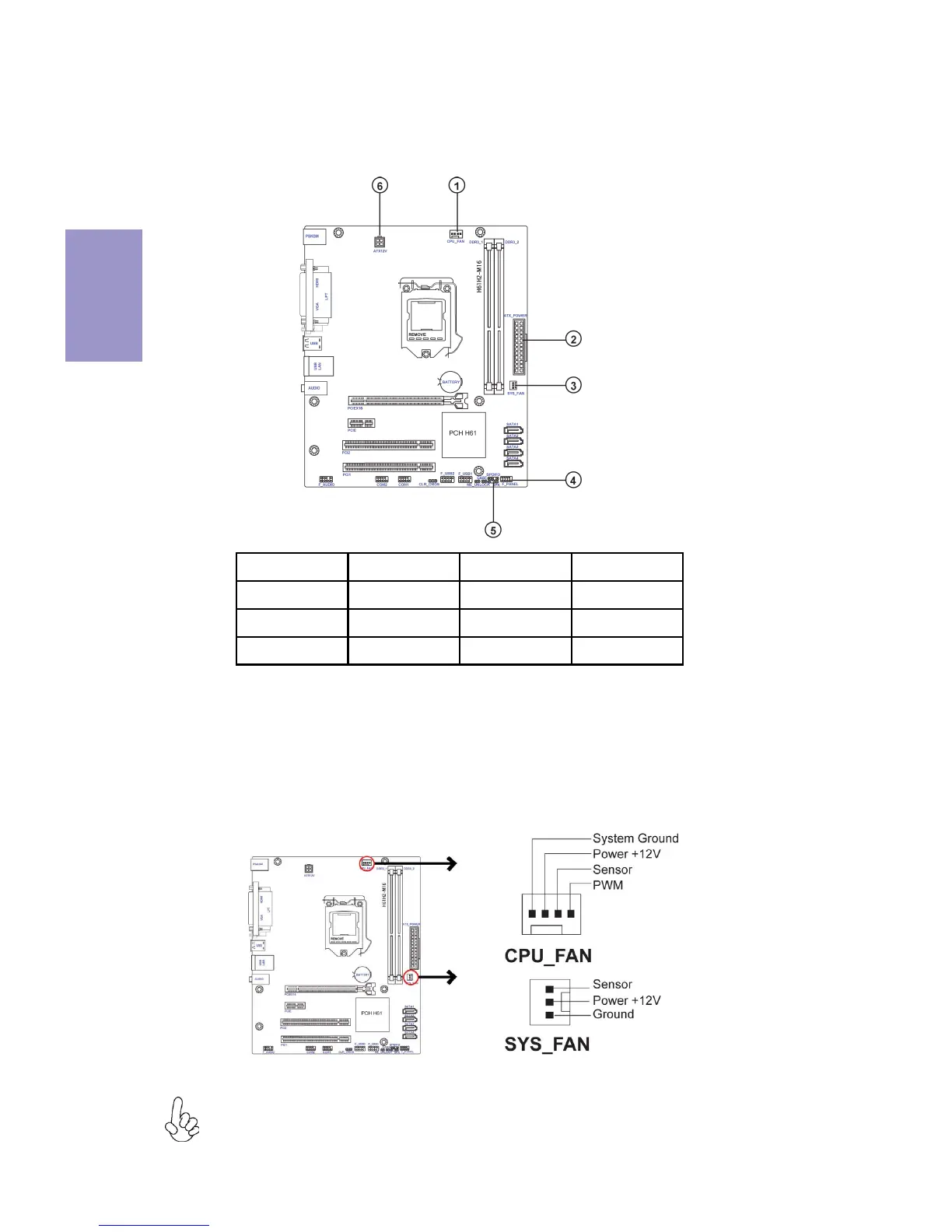
1& 3. CPU_FAN(CPU cooling FAN Power Connector) & SYS_FAN(System Cooling
FAN Power Connector)
After you have installed the motherboard into a case, you can begin connecting the
motherboard components. Refer to the following:
Connect the CPU cooling fan cable to CPU_FAN.
Connect the system cooling fan connector to SYS_FAN.
Users please note that the fan connector supports the CPU cooling fan of 1.1A
~ 2.2A (26.4W max) at +12V.
2-4-7. Connecting Case Components
No. Components No. Components
1 CPU_FAN 4 F_PANEL
2ATX_POWER5 SPK
3 SYS_FAN 6 ATX_12V


 To Next Page
 Loading...