Need help?
Do you have a question about the ECS H61H2-M and is the answer not in the manual?
Details key motherboard features including CPU, Chipset, Memory, Audio, and Giga LAN specifications.
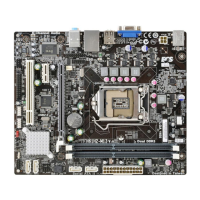
Provides comprehensive technical specifications for the motherboard's components and interfaces.
Advises on essential safety measures, including ESD protection and proper handling during installation.
Covers the installation process for critical hardware like the CPU and memory modules.
Details the step-by-step procedure for safely installing the CPU into its socket.
Guides users on the proper method for installing DDR3 memory modules into the DIMM slots.
Introduces the BIOS Setup Utility, its role in system configuration, and parameter storage.
Provides instructions on accessing the BIOS Setup Utility during system boot-up via POST.
Covers advanced system settings including CPU, Chipset, Power Management, ACPI, SATA, USB, and Super IO.
Details settings for North Bridge, South Bridge, and ME Subsystem, affecting system performance.
Explains performance tuning options like CPU ratio, memory timings, and clock configurations.
Instructs on downloading and installing BIOS updates for performance improvements or bug fixes.
Provides step-by-step instructions for installing device drivers and software from the disc.
Addresses common issues encountered when assembling the PC for the first time, like no power or display.
Presents a visual flowchart to help diagnose and resolve common PC startup and operational problems.
 General
| Memory channels | Dual-channel |
|---|---|
| Number of memory slots | 4 |
| Supported memory types | DDR3-SDRAM |
| Maximum internal memory | 16 GB |
| Supported memory clock speeds | 1066, 1333 MHz |
| Processor socket | LGA 1155 (Socket H2) |
| Processor manufacturer | Intel |
| Compatible processor series | Intel Core i3, Intel Core i5, Intel Core i7 |
| USB 2.0 connectors | 2 |
| Power fan connector | Yes |
| Number of Parallel ATA connectors | 0 |
| HDMI ports quantity | - |
| USB 2.0 ports quantity | USB 2.0 ports have a data transmission speed of 480 Mbps, and are backwards compatible with USB 1.1 ports. You can connect all kinds of peripheral devices to them. |
| Audio chip | VIA VT1705 |
| Component for | PC |
| Power source type | ATX |
| Motherboard chipset | Intel® H61 |
| Audio output channels | 5.1 channels |
| Motherboard form factor | micro ATX |
| Supported storage drive interfaces | SATA II |
| Parallel processing technology support | Not supported |
| LAN controller | Atheros AR8151 |
| Networking features | Gigabti Ethernet |
| Ethernet interface type | Fast Ethernet, Gigabit Ethernet |
| BIOS type | AMI |
| BIOS memory size | 32 Mbit |
 Weight and Dimensions
| Depth | 220 mm |
|---|---|
| Width | 244 mm |


 To Next Page