21
Installing the Motherboard
Connecting I/O Devices
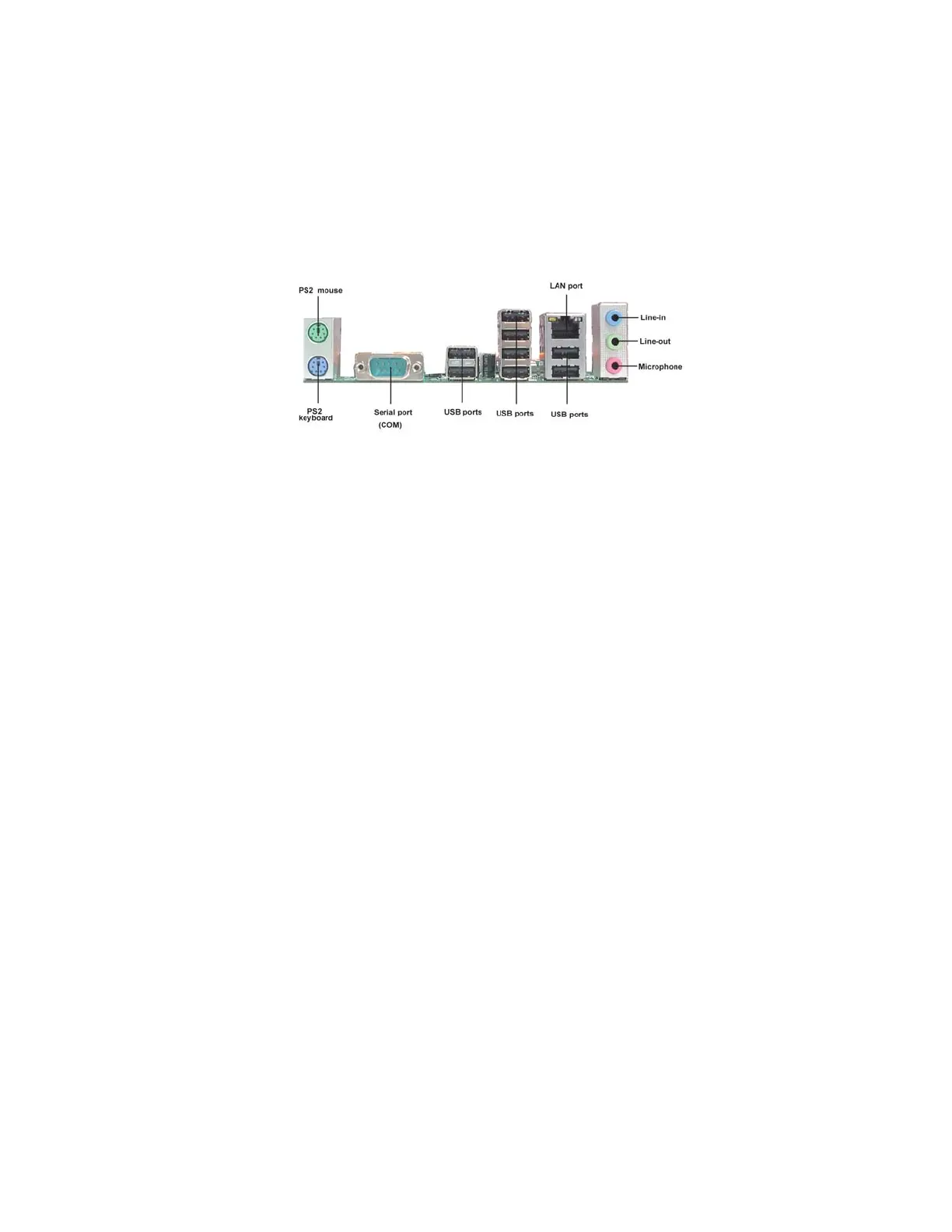
The backplane of the motherboard has the following I/O ports:
PS2 Keyboard Use the upper PS/2 port to connect a PS/2 pointing device.
PS2 Mouse Use the lower PS/2 port to connect a PS/2 keyboard.
LAN Ports Connect RJ-45 jacks to LAN ports to connect your
computer to the Network.
USB Ports Use the USB ports to connect USB devices.
Audio Ports
Use the three audio ports to connect audio devices. The
first jack is for stereo line-in signal. The second jack is for
stereo line-out signal. The third jack is for microphone.
Serial Port Use the COM port to connect serial devices such as mice or
(COM) fax/modems.


 To Next Page