Basic Operation
Element Basic User Guide
Page 13 of 21
4 BASIC DETECTOR OPERATION
4.1 STARTUP
A minimum EDS configuration consists of a PC Workstation with an Ethernet and USB connection for the
detector and DPP Box, with its external power supply.
Start up the system as follows:
1. Power on the PC Workstation. The default Windows Login from the EDAX Factory
is:Administrator, password: apollo.
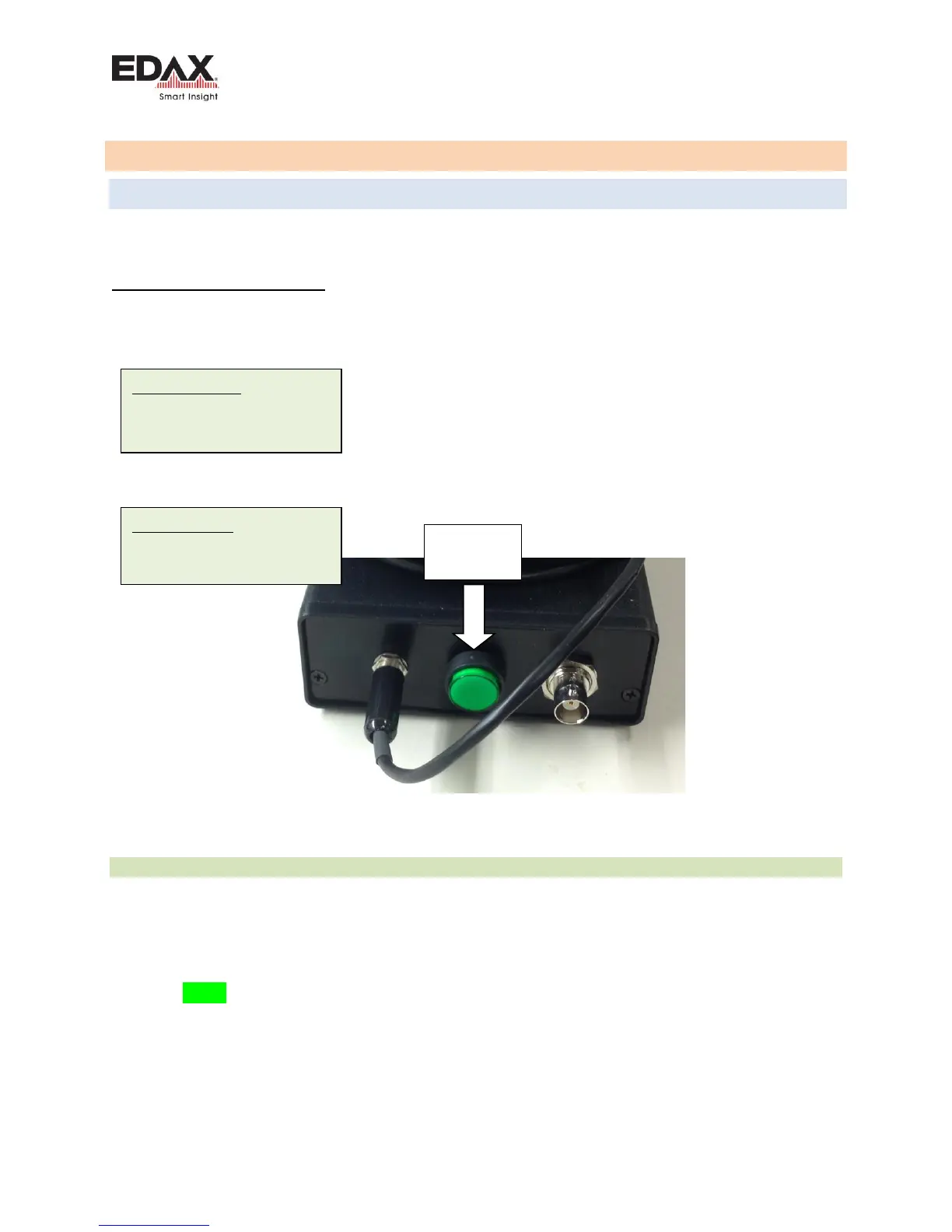
2. Power on the detector using the switch on the small DPP Box.
Then launch the Element software. By default, there is an Administrator login set up for Element
software.
Figure 1 – DPP Box
4.1.1 DPP BOX STARTUP
Check that the light on the pushbutton lights up when powered on. If the light does not come on, check
that the power supply is plugged into an AC outlet. There is a Green LED that will flash at the Ethernet
connection on the DPP box when it is connected to the Network board in the PC after the PC has started
The detector communication is normally established within a couple of minutes after the PC has started.
There is a Green LED that will flash at the Ethernet connection on the DPP Box when connected to the
Network board in the PC. This should be flashing rapidly (i.e. 10 flashes) /sec and continuously.
The Element software needs the TeamKey.edx license key file in the root of the C:\ drive in order to run.
Windows Login:
User: Administrator
Password: apollo
Element Login:
User: Administrator
Password: apollo



 To Next Page