07
08
09
10
11
12
13
14
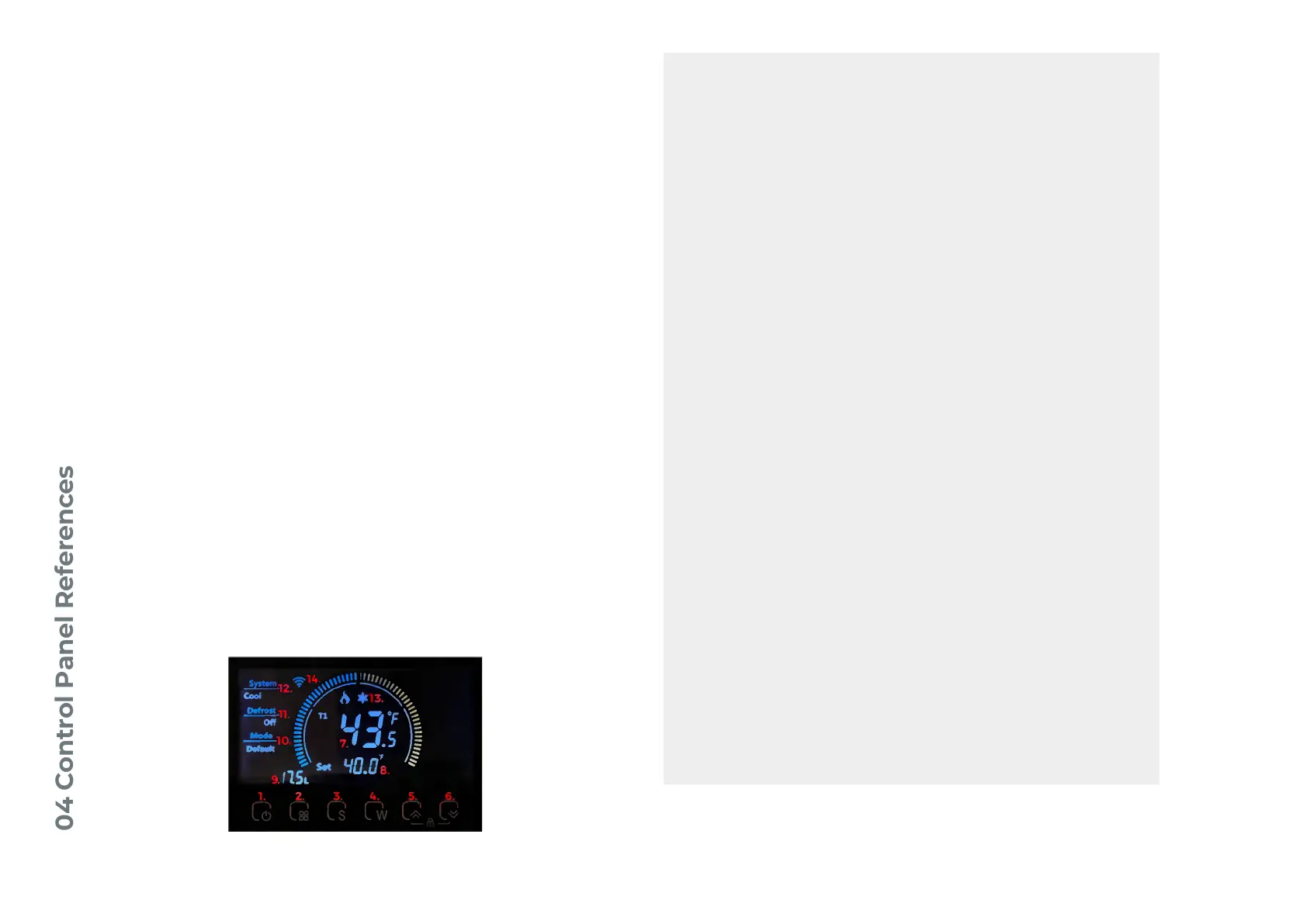
TUB TEMPERATURE
SET TEMPERATURE
WATER FLOW INDICATOR
MODE INDICATOR
DEFROST INDICATOR
COMPRESSOR STATUS (FLAME AND SNOWFLAKE)
COOL/HEAT SYSTEM INDICATOR
Shows the current temperature of the water
coming from the Tub.
Shows the desired temperature setting for the
Tub.
Shows the water flow of your Chiller in liters per
minute.
Shows the mode the Chiller is operating in
(always “Default” for normal function).
Shows if the chiller is defrosting. Will display “On”
or “Off”.
Shows if the Chiller is actively cooling (“Cool”),
heating (“Heat”), or on standby (blank).
Shows when the compressor is running.
Press and hold for 2 seconds to turn the Chiller
On or Off.
POWER BUTTON
01
02
03
04
05
06
05 + 06
MODE BUTTON
SETTING BUTTON
WIFI ACTIVATION BUTTON
UP ARROW
DOWN ARROW
UP AND DOWN ARROW
Press and hold for 5 seconds to switch between
Fahrenheit and Celsius temperature units.
Press and hold for 1 second to change temperature setting.
Press and hold for 10 seconds to engage WiFi setup mode.
Press or hold to increase set temperature after pressing Setting
Button.
Press or hold to decrease set temperature after pressing Setting
Button.
Press and Hold for 5 seconds to engage Child Lock.
WIFI INDICATOR
Shows Wifi status. Solid for connected, blinking
for setup mode. No logo for disconnected.
11



 To Next Page