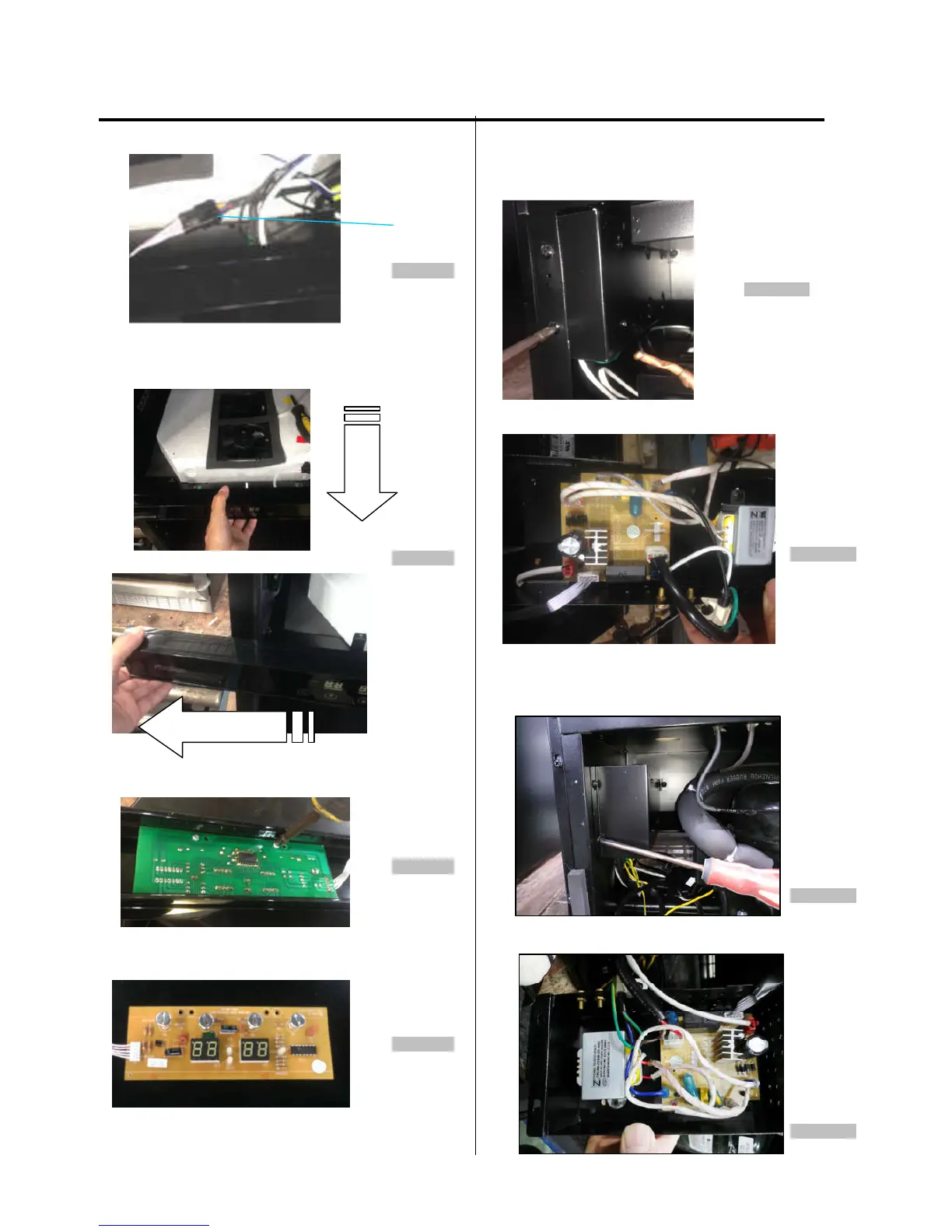
5. Find out the display board connector(figure 30)
Connector
Figure 30
6. Pull out the air duct board assembling from the cabinet,
then remove the front display support bracket from left side.
(figure 31)
Figure 31
7. Loosen two screws. (figure 32)
Figure 32
8. The display board is like below.
(figure 33)
Figure 33
3-5 CONTROL BOARD & TRANSFORMER
(Models:AWC151DZ)
1. Loosen three screws. (figure 34)
Figure 34
2. The power board & transformer are like below.
(figure 35)
Figure 35
(Models:AWC241DZ,AWC241TDZ)
1. Loosen three screws. (figure 36)
Figure 36
2. The power board & transformer are like below.
(figure 36)
Figure 36



 To Next Page