- 9 -
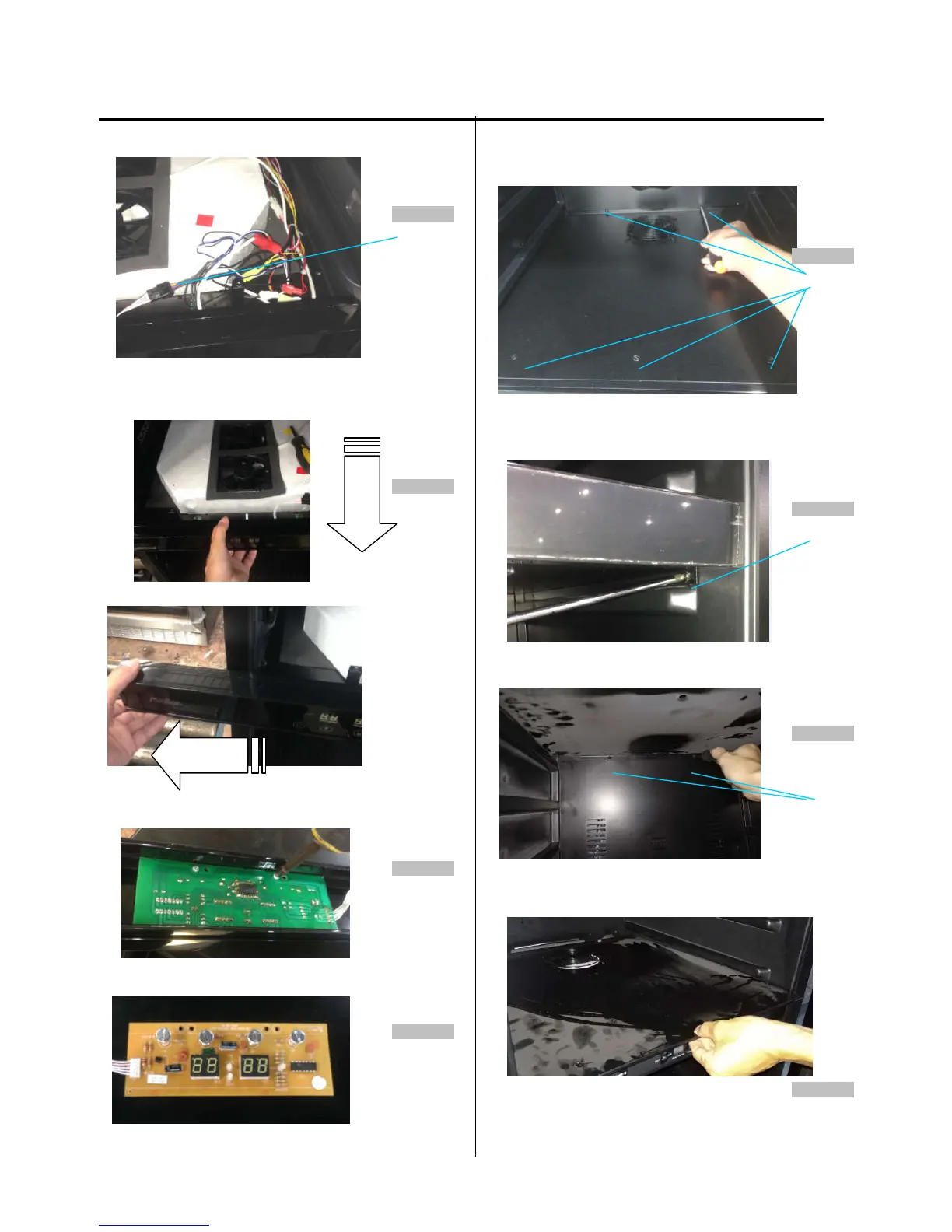
3. DISASSEMBLY
4.Find out the display board connector. (figure 22)
Figure 22
5.Pull out the air duct board assembling from the cabinet, then
remove the front display support bracket from left side (figure
23)
Figure 23
6. Loosen two screws. (figure 24)
Figure 24
7. The display board is like below.
(figure 25)
Figure 25
(Models:AWC241TDZ)
1. Loosen five screws. (figure 2 6 )
Figure 26
screw
2. Remove two screws from both side of air duct board C
(figure 27)
Figure 27
screw
3. Remove screws from the lower side of air duct board C
(figure 28)
Figure 28
screw
4. Lift up the air duct board B cover and pull it out (figure 29)
Figure 29



 To Next Page