EasyManua.ls Logo

EdgeStar BIDW1802WH - User Manual

EdgeStar BIDW1802WH
27 pages
Print Icon
To Next Page IconTo Next Page
Loading...
V1.0-12052018
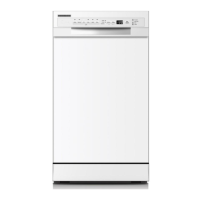
18” Built-In Dishwasher
Owner’s Manual
For more information on other great EdgeStar products on the web, go to https://www.edgestar.com
To use the EdgeStar self-diagnostic tool, go to https://support.edgestar.com
BIDW1802SS / BIDW1802WH
BIDW1802BL

Other manuals for EdgeStar BIDW1802WH

Questions and Answers

  • S
    Stephen BellAug 14, 2025
    What to do if my EdgeStar BIDW1802WH Dishwasher shows error E1?
    • L
      Louis MaciasAug 14, 2025
      If your EdgeStar Dishwasher displays the E1 error, it indicates a potential issue with the water supply. First, ensure that the water supply is fully open. Then, verify that the water pressure meets the dishwasher's requirements. Also, inspect the water inlet for any restrictions or kinks that may be impeding water flow.
  • A
    Andrew CrawfordAug 17, 2025
    Why does my EdgeStar Dishwasher show error code E3?
    • C
      Carol ThomasAug 17, 2025
      If your EdgeStar Dishwasher displays error code E3, this suggests a possible malfunction of the heating element. To resolve this, check the heating element to ensure it is functioning correctly.
  • V
    Veronica ClarkAug 20, 2025
    What to do if my EdgeStar BIDW1802WH Dishwasher displays error E4?
    • C
      Christopher BakerAug 21, 2025
      If your EdgeStar Dishwasher displays error code E4, check for any signs of leaks and inspect the dishwasher for overflow.
  • E
    Edwin MartinAug 25, 2025
    How to fix LSb error on EdgeStar Dishwasher?
    • B
      Breanna ClarkAug 25, 2025
      If your EdgeStar Dishwasher displays the LSb error, refill the rinse aid dispenser.
  • M
    Michael AndersonAug 27, 2025
    Why are my dishes not getting cleaned in my EdgeStar BIDW1802WH Dishwasher?
    • B
      Brian WilliamsAug 27, 2025
      If your EdgeStar Dishwasher isn't cleaning dishes properly, several factors could be at play. First, ensure dishes are loaded correctly, referring to the loading guidelines. Select a more intensive wash cycle for better cleaning. Insufficient detergent can also be a culprit, so try using more detergent or switching brands. Check that items aren't blocking the spray arms, preventing their full rotation. Lastly, verify that the filter combination at the dishwasher's base is clean and correctly installed.
  • C
    Christian KnightAug 31, 2025
    How to improve drying performance in my EdgeStar BIDW1802WH?
    • G
      glenn26Aug 31, 2025
      Several factors can cause dishes not to dry in your EdgeStar Dishwasher. Improper loading can prevent effective drying, so re-load the dishwasher according to the instructions. Insufficient rinse aid can also be a cause; refill and/or increase the amount of rinse aid used. Avoid removing dishes too soon after the cycle ends. Selecting the wrong cycle, such as a short cycle, can also affect drying performance, so choose a more intensive cycle. Finally, cutlery with a low-quality coating may not be suitable for dishwashers.
  • G
    gregorycrawfordSep 3, 2025
    What to do if my EdgeStar Dishwasher leaves cloudiness on glassware?
    • K
      kruegergabrielSep 3, 2025
      Cloudiness on glassware in your EdgeStar Dishwasher can result from a combination of using too much detergent with soft water; try using less detergent or selecting the shortest wash cycle for glassware. Another cause could be a dusty or blocked filter; clean the filter, and replace it if necessary.
  • S
    smithbrettSep 6, 2025
    Why is detergent left in the dispenser cup of my EdgeStar BIDW1802WH?
    • B
      Bryan VargasSep 6, 2025
      If detergent is left in the dispenser cup of your EdgeStar Dishwasher, it may be because dishes are blocking the detergent cups. Re-load the dishwasher according to the instructions in this manual.
  • E
    Elizabeth BarronSep 9, 2025
    How to remove black or gray marks from dishes in my EdgeStar Dishwasher?
    • A
      Angela MyersSep 10, 2025
      Black or gray marks on dishes from your EdgeStar Dishwasher may occur if utensils have rubbed against the dishes. Use a mild abrasive cleaner to eliminate the marks and ensure you load the dishwasher carefully.

Summary

IMPORTANT SAFETY INFORMATION

Electrical Safety

Safety precautions related to electrical connections and usage.

General Safety

First Time Operating Instructions

Parts Identification

Unpacking the Dishwasher

Features of Your New Dishwasher

Operating Instructions

Pre-Check

List of checks to perform before using the dishwasher for optimal performance.

Quick Start

Control Panel

Preparing and Loading Dishes

Loading the Upper Basket

Loading the Silverware Basket

Filling Detergent and Rinse Aid Dispensers

Only Use Proper Detergent

Emphasizes using only dishwasher-specific detergents to prevent excess suds.

Filling the Detergent Dispenser

Step-by-step guide on how to fill the detergent dispenser for each wash cycle.

Filling the Rinse Aid Dispenser

Dishwasher Maintenance

Removing, Cleaning and Replacing the Filter Assembly

Troubleshooting

Error Codes

Lists and explains error codes displayed on the unit, with possible causes.

Troubleshooting Guide

Specifications

EdgeStar Limited Warranty

EdgeStar BIDW1802WH Specifications

General IconGeneral
BrandEdgeStar
ModelBIDW1802WH
CategoryDishwasher
LanguageEnglish

Related product manuals