EasyManua.ls Logo

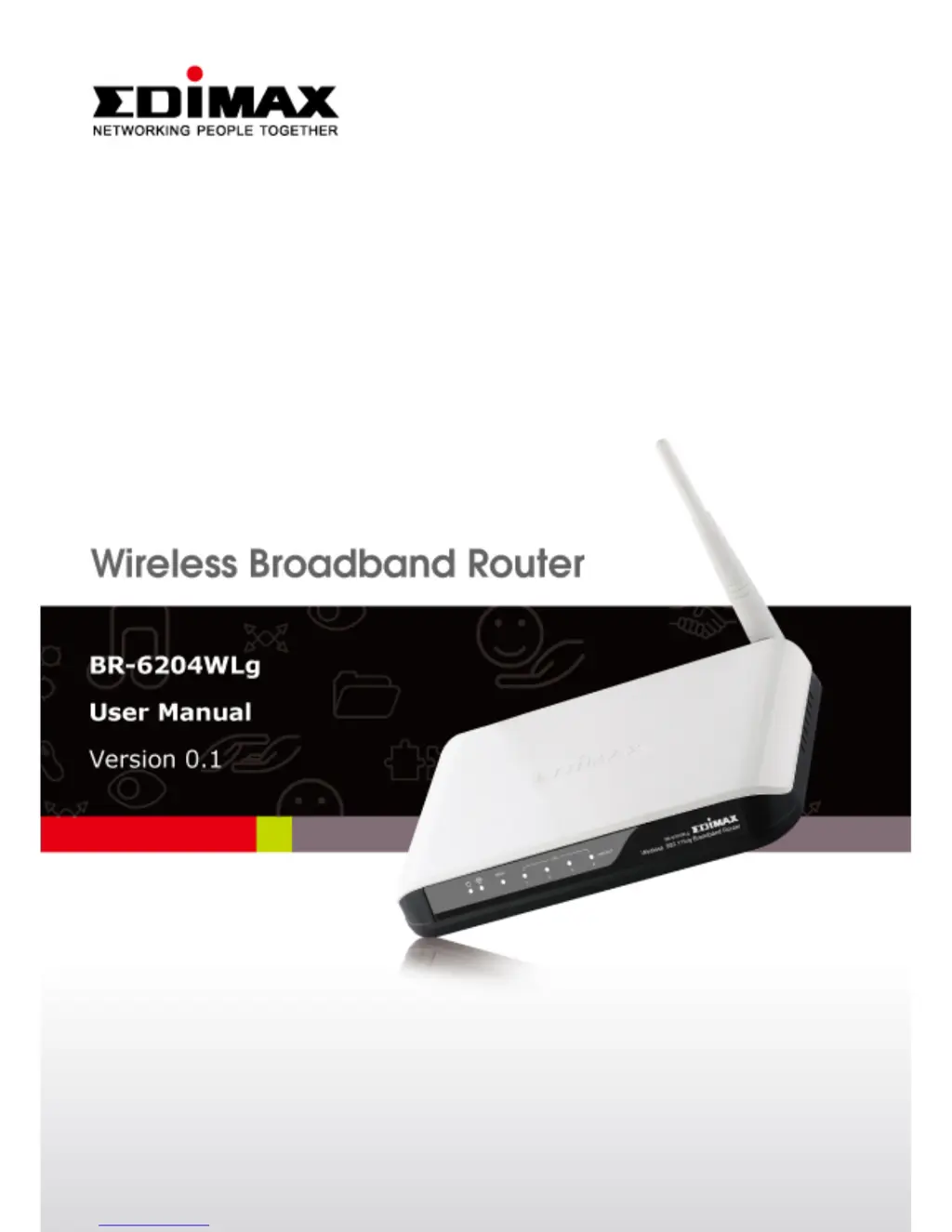
Edimax br-6204wlg - User Manual

Edimax br-6204wlg
93 pages
Print Icon
To Next Page IconTo Next Page
Loading...
0

Questions and Answers

  • B
    Brenda LeeAug 8, 2025
    How to fix an Edimax Wireless Router that is not responding via web browser?
    • T
      Taylor BruceAug 8, 2025
      If your Edimax Wireless Router isn't responding when you try to access it through a web browser, there are several things to check: 1. Ensure the power cord and network cable are correctly and firmly inserted. 2. If all the LEDs are off, verify the A/C power adapter is working correctly. 3. Confirm you are using the same IP address section as the router. 4. If you're using MAC or IP address filtering, try connecting with another computer. If that doesn't work, perform a hard reset by pressing the reset button. 5. Set your computer to obtain an IP address automatically (DHCP). 6. If this happened after a firmware upgrade, contact your dealer for assistance. 7. If none of these steps work, contact your dealer for further support.
  • D
    dblairAug 13, 2025
    Why can't I connect to my Edimax Wireless Router wirelessly?
    • M
      Mary PerezAug 13, 2025
      If you're unable to connect to your Edimax Wireless Router wirelessly: * If encryption is enabled, double-check your WEP or WPA passphrase settings on your wireless client. * Make sure the wireless On/Off switch located at the back of the router is switched to ‘On’. * Try moving closer to the wireless access point. * Unplug the power plug of the access point, wait 10 seconds, and then plug it back in.
  • C
    Chase NolanAug 19, 2025
    What to do if I forgot my Edimax Wireless Router password?
    • B
      Bill CunninghamAug 19, 2025
      If you can't log into the web management interface of your Edimax Wireless Router because the password seems wrong: * First, ensure you're connecting to the correct IP address of the access point. * Remember that passwords are case-sensitive, so check if the ‘Caps Lock’ light is on. * If you've truly forgotten the password, perform a hard reset.
  • A
    Anthony BennettAug 25, 2025
    Why can't my wireless client find my Edimax br-6204wlg Wireless Router?
    • M
      moorematthewAug 25, 2025
      If you can't find your Edimax Wireless Router with your wireless client: * Check if ‘Broadcast SSID’ is set to off. * Make sure you're not too far from the access point; try moving closer. * If SSID broadcast is disabled, remember to manually enter the SSID on your wireless client. * Ensure the antennas are installed and never remove them.
  • D
    deborahgarrettAug 29, 2025
    Why is file download so slow on my Edimax Wireless Router?
    • H
      Heidi WilkinsAug 29, 2025
      If file downloads are slow or frequently interrupted when using your Edimax Wireless Router: 1. Try resetting the router to see if performance improves. 2. Investigate network activity to identify if other computers are transferring large files, which can impact overall speed. 3. Experiment with changing the channel number to see if it resolves the issue.
  • E
    ebarberSep 2, 2025
    Why does my Edimax Wireless Router get so hot?
    • J
      Johnny CooleySep 3, 2025
      It's normal for your Edimax Wireless Router to become warm. If you can comfortably keep your hand on the router's case, it's not a malfunction. However, if you smell something burning or see smoke, immediately disconnect the router and A/C power adapter from the power supply (ensuring your safety first) and contact your dealer for assistance.

Summary

Chapter I: Product Information

1-1 Introduction and Safety Information

Provides an overview of the router and essential safety guidelines for its use.

1-2 Safety Precautions

Details critical safety instructions to prevent hazards and ensure safe operation of the router.

Chapter II: System and Network Setup

2-1 Establish Network Connection

Step-by-step guide on physically connecting the modem, router, and client devices for network operation.

2-2 Automatic IP Address Setup

Instructions for configuring client computers to obtain IP addresses automatically via DHCP.

2-3 Connect via Web Browser

Instructions on accessing the router's web-based configuration interface using a browser.

2-4 Quick Setup Guide

Walkthrough of the simplified setup wizard for basic router configuration tasks.

2-5-2 WAN Setup

Configures the router's Wide Area Network (Internet) connection parameters.

2-6 LAN Configuration

Manages Local Area Network settings, including IP address, subnet mask, and DHCP server options.

2-7 Wireless Network Settings

Setup and management of wireless network parameters, including SSID and security.

2-7-3 Wireless Security

Configures encryption methods (WEP, WPA, WPA2) to secure the wireless network.

2-8 Advanced Network Settings

Utilizes advanced features for network control, such as port and IP filtering.

Chapter III Advanced Operation Techniques

3-1 Router Status Monitoring

Provides access to view the router's current operational status and system information.

3-2-2 Firmware Upgrade Process

Provides instructions for updating the router's firmware to the latest version.

Chapter IV Appendix

4-2 Troubleshooting Guide

Offers solutions to common issues and problems encountered with the router's operation.

Edimax br-6204wlg Specifications

General IconGeneral
Wireless Standard802.11b/g
Frequency Band2.4 GHz
Wireless Data RatesUp to 54 Mbps
SecurityWEP, WPA, WPA2
Weight220g
StandardsIEEE 802.3, IEEE 802.3u
Antenna TypeDetachable
Ports4 x 10/100 Mbps LAN ports, 1 x 10/100 Mbps WAN port
Antenna2 x 5dBi detachable antennas

Related product manuals