86
IV-1-2-4. Mac
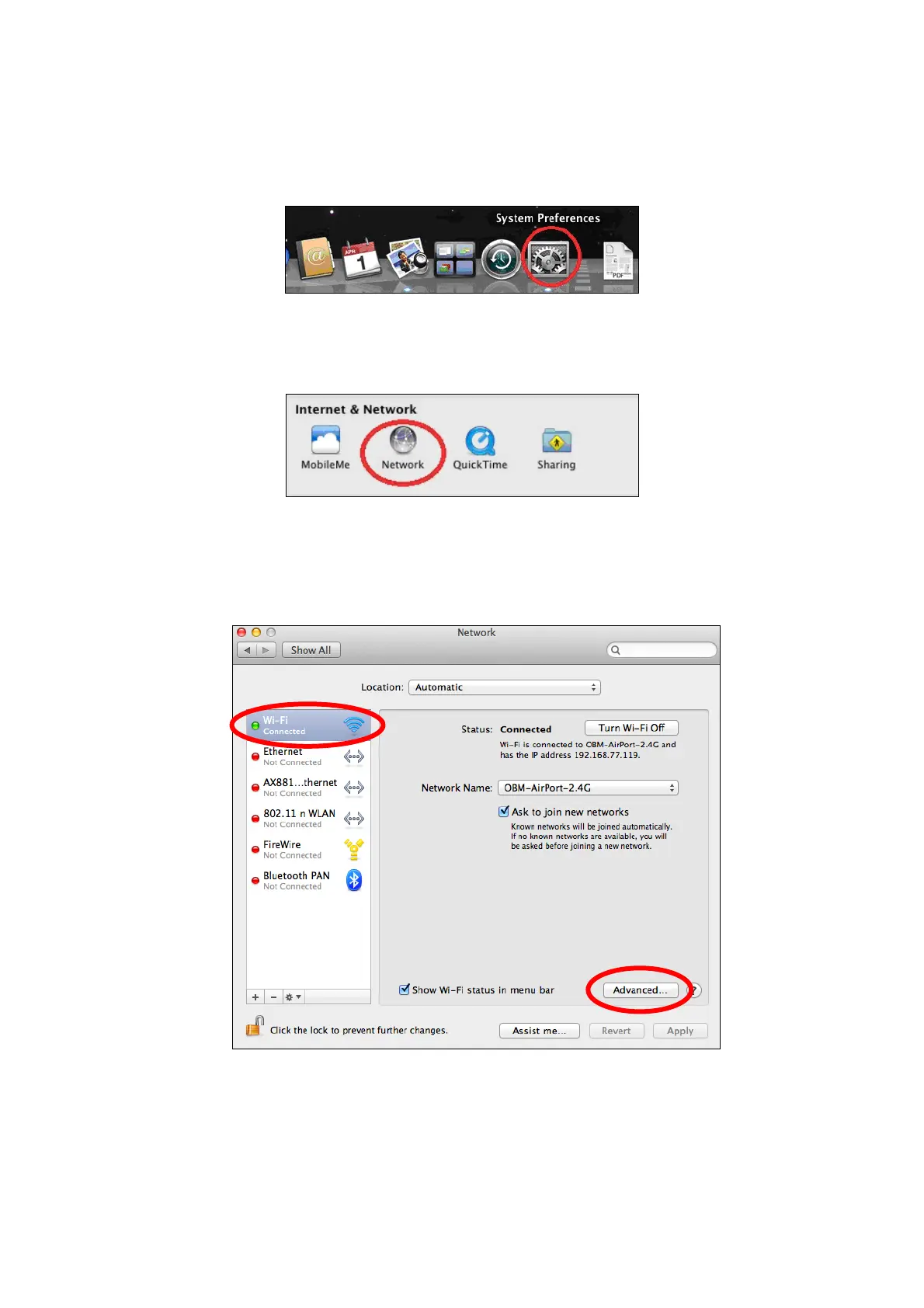
1. Have your Macintosh computer operate as usual, and click on “System
Preferences”
2. In System Preferences, click on “Network”.
3. Click on “Wi-Fi” in the left panel and then click “Advanced” in the lower
right corner.
4. Select “TCP/IP” from the top menu and select “Manually” from the drop
down menu labeled “Configure IPv4”, then click “OK”.














 To Next Page