93
IV-1-3-3. Mac
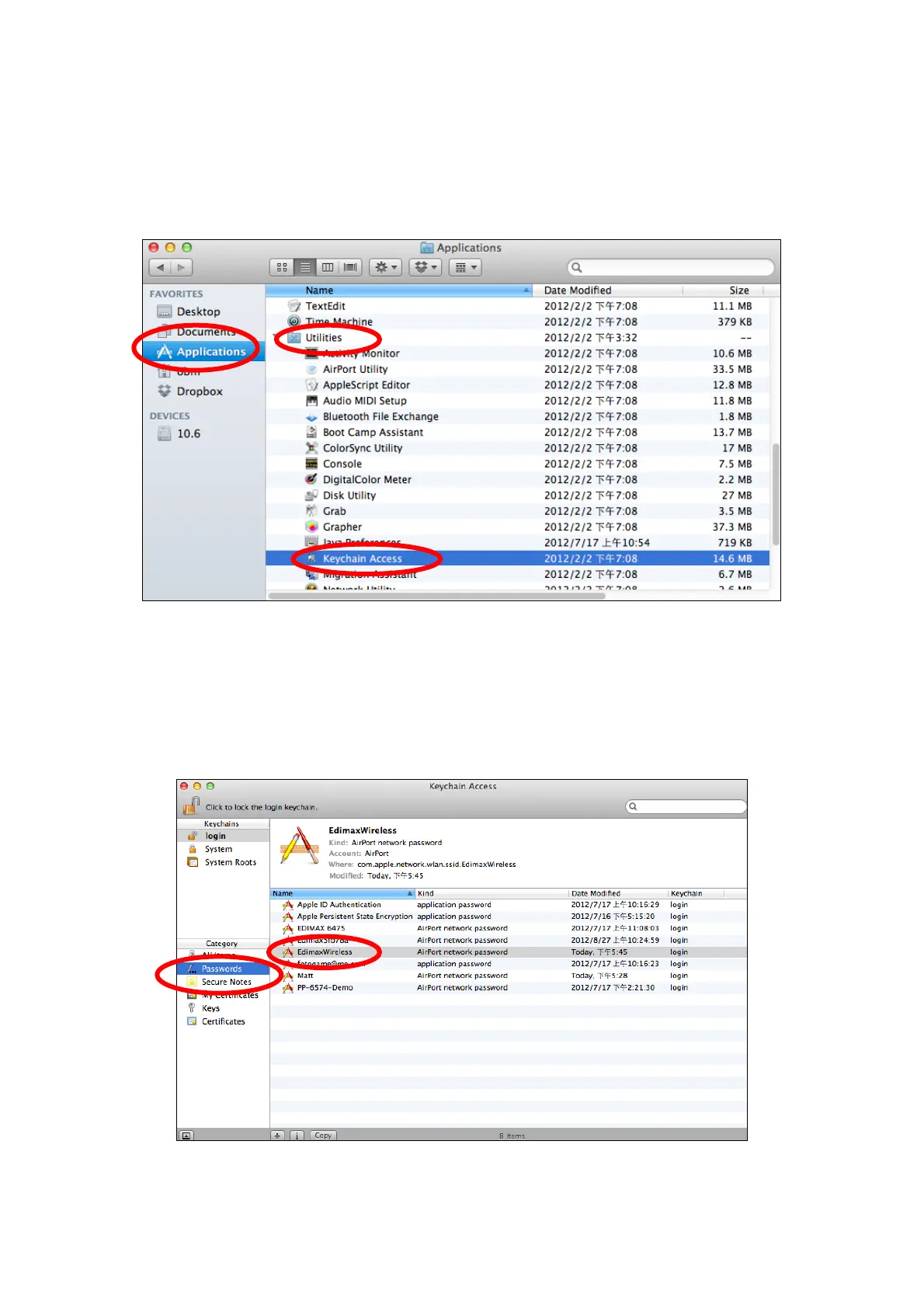
1. Open a new Finder window, and select “Applications” from the menu on
the left side. Open the folder labeled “Utilities” and then opens the
application “Keychain Access”.
2. Select “Passwords” from the sub-menu labeled “Category” on the left
side, as shown below. Then search the list in the main panel for the SSID of
your network. In this example, the SSID is “EdimaxWireless” – though your
SSID will be unique to your network.














 To Next Page