90
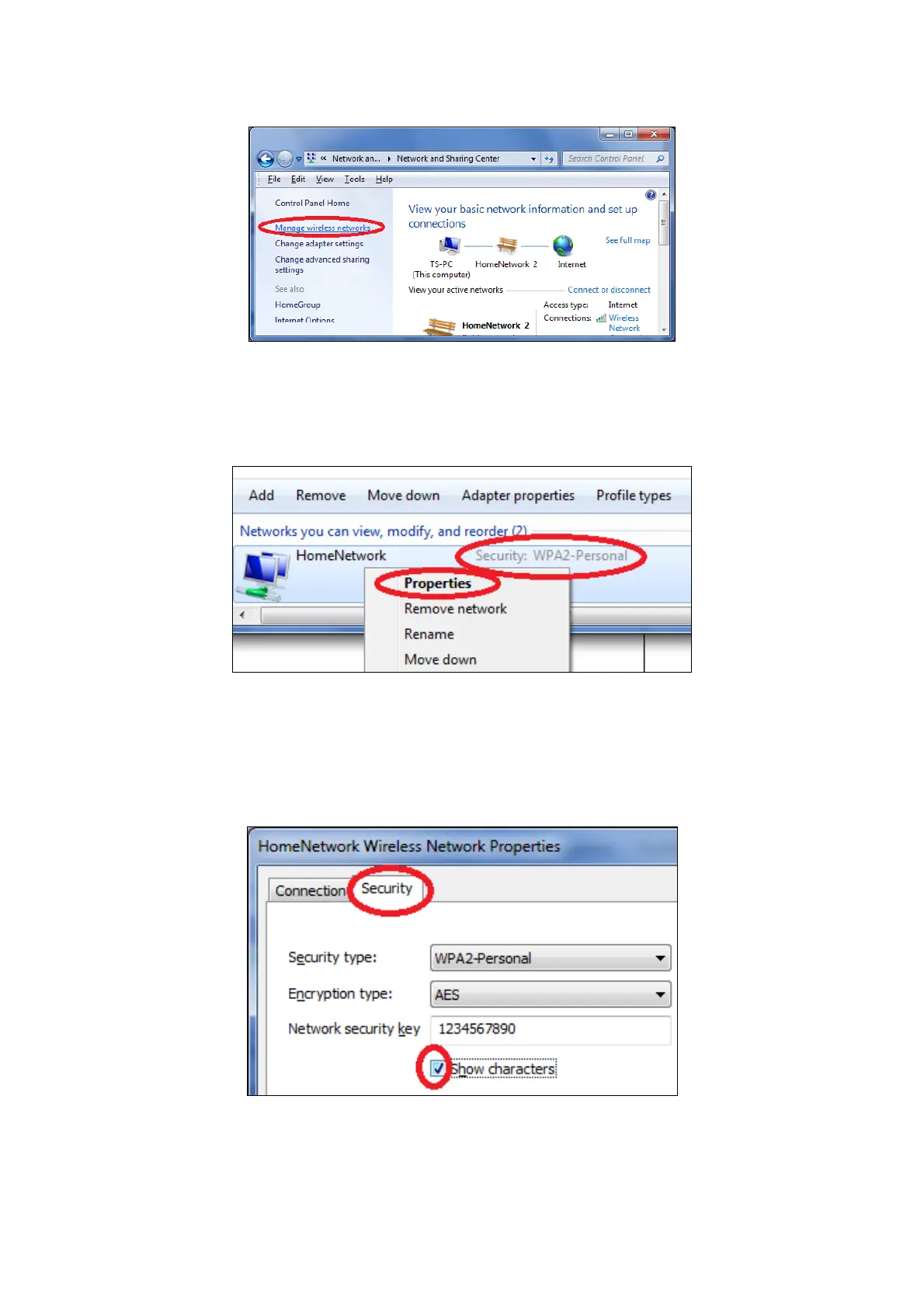
3. Click on “Manage wireless networks” in the left menu.
4. You should see the profile of your Wi-Fi network in the list. Right click on
your Wi-Fi network and then click on “Properties”.
5. Click on the “Security” tab, and then check the box labeled “Show
characters”. This will show your network security key. Click the “Cancel”
button to close the window.














 To Next Page